The best HubSpot alternative depends on what you're leaving, and it's rarely the tool with the longest feature list. If the bill grows with your contact list, you want a different billing metric. If marketing and sales both live in HubSpot's CRM, you may only need to replace Marketing Hub and keep the CRM. If you've outgrown HubSpot's automation, you want a heavier B2B platform with a dedicated admin. This page starts with those reasons, names the tool that fixes each one, and then covers what most alternatives lists skip: what you can export, what you have to rebuild, and when to leave.
We compared six tools: ActiveCampaign, Zoho Marketing Automation, Brevo, Customer.io, Salesforce Account Engagement and Adobe Marketo Engage. For each one we read a pricing page, a feature or help-center page and G2's rating, between October 13 and 30, 2026, and we read HubSpot's own pricing page and export documentation on November 1, 2026. We didn't run hands-on tests, and we say where a number wasn't published, because that's where most comparisons quietly guess. If you're choosing a platform from scratch rather than leaving one, our guide to marketing automation software is the better starting point, because it doesn't assume you're already on a platform.
Which HubSpot alternative fits why you're leaving?#
The HubSpot alternative that fits depends on the problem, because each of these six solves a different one and creates a new one. The picks below name the number that decides it, and they're ordered by how many teams hit that problem first.
 Best for a lower bill with deep automationActiveCampaignMulti-step automation from $15 a month at 1,000 contacts billed yearly. The CRM is thinner: lead scoring and deal automation sit in a separate Pipelines add-on.
 Best if you move the CRM to Zoho tooZoho Marketing AutomationFrom $14 a month at 1,000 contacts billed yearly, unlimited emails, and a two-way sync with Zoho CRM that pushes scores and stages back.
 Best if you keep HubSpot CRM and replace Marketing HubBrevoBills on emails sent, not contacts. Two-way HubSpot sync exists, but only on Professional and Enterprise, set up with Brevo's Enterprise team.
 Best for a SaaS team that messages on product eventsCustomer.ioEssentials is $100 a month for 5,000 profiles with webhooks and reverse ETL on every plan.
 Best if Salesforce is your CRMSalesforce Marketing Cloud Account EngagementGrowth+ is $1,250 a month per org with 10,000 contacts included, but the Salesforce CRM license is not in that price.
 Best for programs at volume with a dedicated adminAdobe Marketo EngageQuote-only pricing and a Smart Campaign model that needs an owner. G2 rates it 4.1 from 3,339 reviews.
 Our product · for the gaps after the switchThe Marketing Ops ManagerIt isn't a marketing platform. It checks that forms, tracking and CRM handoffs still work after you move.
Why do teams leave HubSpot?#
HubSpot Marketing Hub bundles email, forms, landing pages, workflows, lead scoring and reporting on top of HubSpot's CRM, and teams leave it because the price grows with the contact list, the learning curve is steep, and smaller teams hit feature gates they didn't expect. G2 gives HubSpot Marketing Hub 4.4 out of 5 from 16,036 reviews, and its most common praise is ease of use with built-in integration and automation, with 2,525 mentions. The complaints show where the switching reasons come from, and they're worth reading before you pick a replacement.
HubSpot's own pricing page explains the third complaint. Professional starts at $800 a month, and it includes 3 Core Seats and 2,000 marketing contacts. The page adds that the price doesn't include a required, one-time Professional onboarding fee of $3,000. Enterprise starts at $3,600 a month with 5 Core Seats and 10,000 marketing contacts, plus a required $7,000 onboarding fee. Starter doesn't carry an onboarding fee, and it's listed at $20 per seat per month, with a $7 promotional price for new customers.
Three terms matter more than the headline price, and they're the ones buyers miss:
- Only marketing contacts count toward the tier. Non-marketing contacts are stored free, up to 15 million, but you can't send them marketing email or target them with ads. Status changes are applied once a month.
- You can't step down mid-contract. HubSpot says that once you select a contact tier, you can't downgrade to a lower one until your contract renews.
- Sends are capped by tier. The monthly email limit is 5 times your contact tier on Starter, 10 times on Professional and 20 times on Enterprise. Unlimited sends need the Dedicated IP add-on.
HubSpot's AI features run on credits, and they're $0.01 each beyond the monthly allotment (500 on Starter, 3,000 on Professional, 5,000 on Enterprise). Unused credits don't roll over, so there's no banking them. For the full cost picture, see our HubSpot Marketing Hub pricing breakdown.
HubSpot alternatives compared#
The table lists HubSpot first, so every row reads as a trade against it, and it's the trade that matters. Prices are the starting prices each vendor publishes, and review scores are G2's ratings out of 5 with the review count.
| Tool | Where your data goes | Starting price (USD) | G2 rating |
|---|---|---|---|
 HubSpot Marketing Hub | Forms and workflows on HubSpot CRM records | Free tools; Professional from $800 plus $3,000 onboarding | 4.4 (16,036) |
| ActiveCampaign | Event and site tracking to automations; two-way Salesforce sync | From $15 at 1,000 contacts, billed yearly | 4.4 (14,841) |
| Zoho Marketing Automation | Journeys that push scores, stages and deals to Zoho CRM | From $14 at 1,000 contacts, billed yearly | 4.2 (115) |
| Brevo | Workflows on lists, events and site tracking; two-way HubSpot and Salesforce sync on Professional and Enterprise | Free; Standard from $18 at 5,000 emails | 4.5 (2,776) |
| Customer.io | Product events and warehouse rows to triggered messages | Essentials $100 at 5,000 profiles | 4.4 (989) |
| Salesforce Marketing Cloud Account Engagement | Campaign forms and nurture to Salesforce lead qualification and sales assignment | Growth+ $1,250 per org, annual contract | No reviews yet |
| Adobe Marketo Engage | Smart Campaigns and CRM sync with Salesforce, Dynamics or Veeva | Quote only | 4.1 (3,339) |
| The Marketing Ops Manager Our product | Checks every handoff in the campaign journey on a schedule | Starter $159/month billed annually ($199 monthly), Growth $399/month billed annually ($499 monthly), Enterprise custom; signup is invite-only and needs an access code, then every plan starts with a 14-day trial, no credit card | No reviews yet |
Prices checked on vendor pages between October 18 and November 1, 2026, on annual billing where the vendor shows it. G2 counts: HubSpot Marketing Hub 16,036, ActiveCampaign 14,841, Zoho Marketing Automation 115, Brevo 2,776, Customer.io 989, Marketo Engage 3,339. Salesforce Account Engagement shows no rating here because we did not read one for the current product page.
What a plan counts matters as much as what it costs, because the same list can produce very different bills. A cheap starting price, indeed, tells you little until you know the metric. This table shows each tool's billing metric and the price listed near 5,000 contacts. Where a vendor didn't publish that number, the cell says so, because we won't estimate one.
| Tool | Billing metric | What counts toward it | Price read near 5,000 contacts |
|---|---|---|---|
| HubSpot Marketing Hub | Marketing contacts | Only contacts set as marketing contacts; tier fixed until renewal | Not read: the contact calculator needs a manual quote |
| ActiveCampaign | Contacts | Price scales with list size | Starter $79, Plus $145, Pro $205, Enterprise $375, billed yearly, per month |
| Zoho Marketing Automation | Contacts | Unlimited emails on every plan | Not published at 5,000 on the published vendor pages; $14 to $44 at 1,000 |
| Brevo | Emails sent | Sends, not list size | Standard $18 at 5,000 emails a month, monthly billing |
| Customer.io | Profiles | People plus objects; Essentials includes 1 million emails a month | Essentials $100 at 5,000 profiles |
| Salesforce Account Engagement | Contact blocks per org | 10,000 contacts included; extra contacts $100 per 10,000 a month | Included in the $1,250 Growth+ price; Salesforce CRM is separate |
| Marketo Engage | Contact quantity | Quote based on package and database | Quote only |
How we picked these six#
We started from the question a HubSpot owner asks, which is what they'd put in place of Marketing Hub, not which CRM to buy. Four tools replace the automation side for teams that still want a general-purpose platform, and two, Salesforce Account Engagement and Marketo, replace it for a B2B team that already runs Salesforce or has a marketing ops function. Customer.io covers the product-led case, where messages follow what people do in an app. We left out Mailchimp and similar newsletter tools, because they replace the email sends but none of the CRM handoff, and that handoff is what breaks. If that's your situation, see our Mailchimp alternatives page instead.
The six HubSpot alternatives#
Each entry follows one order: what you keep from HubSpot, what you give up, and what it costs. G2's numbers come from the published rating pages, with the date on the card, and we haven't tested any of the tools hands-on.
ActiveCampaign#
ActiveCampaign
Contact-priced email and cross-channel automation with event tracking, site tracking and ecommerce triggers; lead scoring and deal automation sit in a separate Pipelines add-on.
ActiveCampaign fits a team that wants multi-step automation at a lower price than HubSpot Professional and can keep the CRM somewhere else.
What you keep from HubSpot: event and site tracking, ecommerce triggers and behavior-based journeys, which is where ActiveCampaign's depth shows. Triggers set to run multiple times let a contact in up to 10 times in 24 hours, and attribution reporting starts on Pro, so there's a plan gate on reporting too.
What comes over from HubSpot: contacts, by CSV. ActiveCampaign's help guide has you export from HubSpot and map each column to a field, and custom fields have to exist before the import, so create them first. We didn't verify the scope of its managed migration, so ask what it covers for automations and deals.
What you give up: the single CRM record. Lead scoring and deal automation need the Pipelines add-on, and its price isn't published. The pricing page lists native Salesforce sync on Enterprise, though the help center names every plan, so confirm with sales before you rely on it. If your CRM is Salesforce, the sync is two-way, and it's the strongest CRM link in this group below Enterprise: to Salesforce every 10 minutes and from Salesforce every 1 to 24 hours, as you set it.
What it costs: contacts. Billed yearly at 1,000 contacts the plans run Starter $15, Plus $49, Pro $79 and Enterprise $145 a month. At 5,000 contacts they are $79, $145, $205 and $375, so the gap to HubSpot Professional's $800 narrows as the list grows, but it doesn't close. Our ActiveCampaign pricing page lists the limits by plan, and HubSpot vs ActiveCampaign compares the two side by side.
- event, ecommerce and behavior triggers drive most of your journeys
- you want multi-step automation from a low starting price and can keep the CRM in another tool
- you need lead scoring and deal automation on a small budget: they require the Pipelines add-on, and Pro at 10,000 contacts is already $375 a month
- you need native Salesforce sync below Enterprise: the pricing page lists it there, though the help center names every plan
- Users like
- Ease of use (1,270 mentions) and easy automation building (1,254)
- Users dislike
- Missing features such as simple form creation and custom date triggers (535 mentions); high prices (506)
- Source: G2, 14,841 reviews
- Starting price
- Billed yearly, per month at 1,000 contacts: Starter $15, Plus $49, Pro $79, Enterprise $145; Pro rises to $375 at 10,000 contacts; no free plan, 14-day trial
- Users included
- 1 (Starter, Plus), 3 (Pro), 5 (Enterprise)
- Attribution
- Pro and above
- Lead scoring
- Pipelines add-on, price not published
- Re-entry
- Triggers set to run multiple times let a contact in up to 10 times in 24 hours
- Salesforce sync
- Two-way: to Salesforce every 10 minutes, from Salesforce every 1 to 24 hours as you set
- Price at 5,000 contacts
- Billed yearly, per month: Starter $79, Plus $145, Pro $205, Enterprise $375
- Mailchimp import
- The Migration Agent moves audiences, contacts with status, tags, forms, campaigns, templates and Classic Automations; segments and reports are not supported; availability is account-specific
Zoho Marketing Automation#
Zoho Marketing Automation
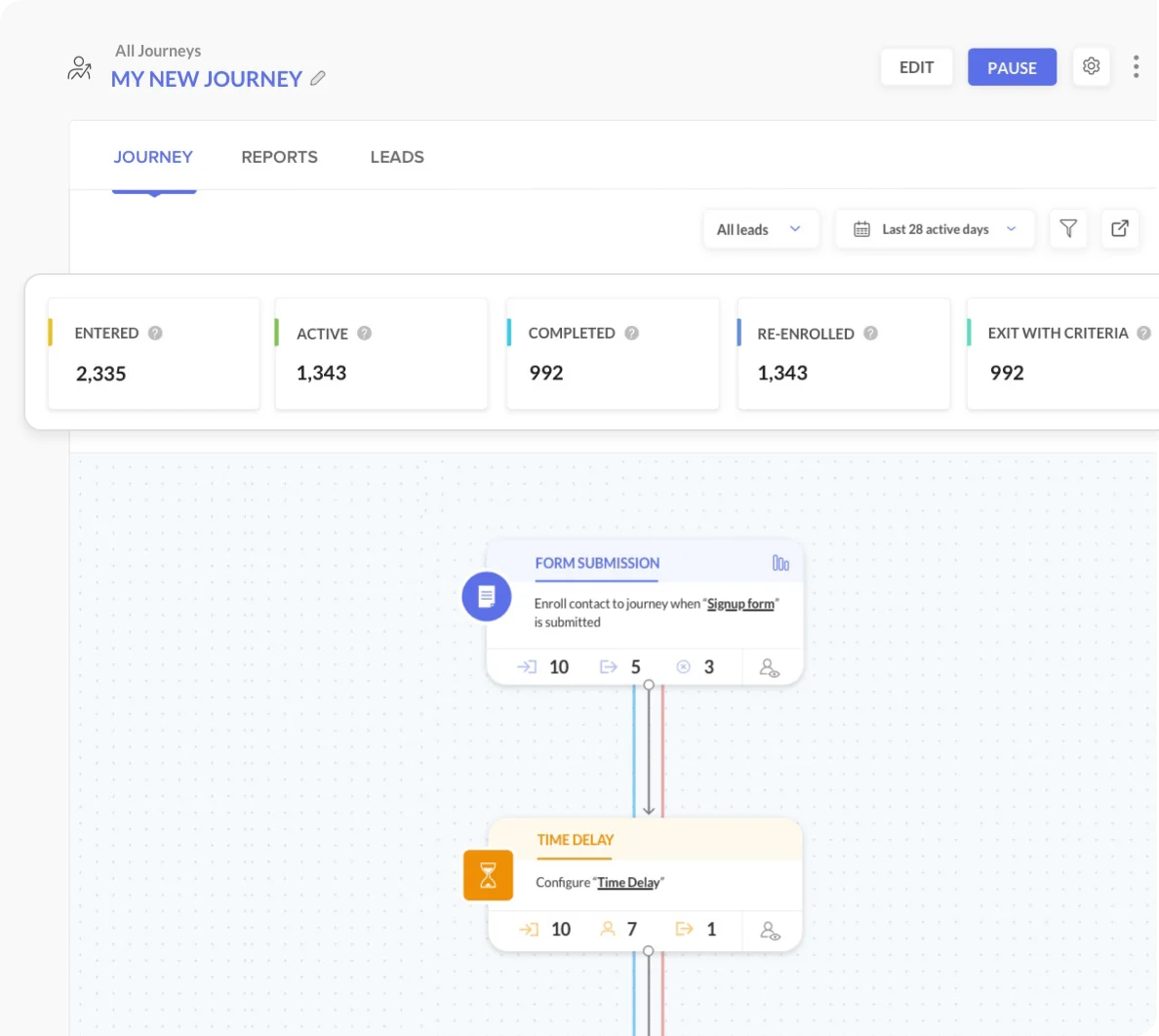
Zoho's omnichannel journey builder, separate from Zoho Campaigns, with website tracking, lead scoring and native two-way sync with Zoho CRM.
Zoho Marketing Automation fits a team that moves its CRM to Zoho as well, so scores and stages flow back to one system.
What you keep from HubSpot: a journey builder with website tracking and lead scoring, which is what most HubSpot users actually run. Professional adds advanced journeys, custom re-entry rules and scoring, and Enterprise adds lead assignment and X-RAY journey tracking.
What you give up: the HubSpot connection. HubSpot isn't on Zoho's integrations page, and webhooks are Enterprise only, so a team that wants to keep HubSpot CRM and run Zoho's journeys will have to bridge the two with an automation tool, which isn't what most teams want to maintain. The native two-way sync is with Zoho CRM, through journey-based field updates.
What it costs: contacts, with unlimited emails. At 1,000 contacts billed annually, Standard is $14, Professional $22 and Enterprise $44 a month ($19, $29 and $59 billed monthly). Seats are 10, 15 and 25 by plan, and there's no free plan, only a 14-day trial. On the CRM side, Zoho CRM is free for up to 3 users and lists paid plans from $14 per user per month on G2, which makes the full move the cheapest in this list, and it's the one with the most to rebuild.
- your CRM is already Zoho CRM and you want scores and stages pushed back to it
- you want the lowest per-contact price among the contact-priced tools here
- you need webhooks or a native HubSpot connector on a mid-tier budget: webhooks are Enterprise only and HubSpot is not on Zoho's integrations page
- you want a free plan: there is only a 14-day trial
- Starting price
- At 1,000 contacts billed annually: Standard $14, Professional $22, Enterprise $44 per month ($19, $29, $59 billed monthly); unlimited emails; no free plan, 14-day trial
- Billing metric
- Contacts, unlimited emails
- Seats
- 10 (Standard), 15 (Professional), 25 (Enterprise)
- Professional adds
- Advanced journeys, custom re-entry rules, scoring
- Enterprise adds
- Webhooks, lead assignment, X-RAY journey tracking
- CRM sync
- Two-way with Zoho CRM through journey-based field updates
Brevo#
Brevo
Brevo prices on emails sent, not contacts, and bundles email, SMS, WhatsApp and a sales CRM. Unlimited multi-step workflows start on the Standard plan.
Brevo fits a team that wants to keep HubSpot CRM, replace the marketing side, and bill on emails sent instead of contacts.
What you keep from HubSpot: workflows on lists, events and website tracking, plus a built-in sales CRM and SMS and WhatsApp in the same plan. Unlimited multi-step workflows start on Standard, and re-entry is off by default, so each contact passes through a workflow once unless you change that setting.
What you give up: a self-serve CRM connection. Brevo lists a two-way HubSpot and Salesforce sync on Professional and Enterprise only, and it's set up with Brevo's Enterprise team. Professional is listed from $499 a month at 150,000 emails, so the cheap plans don't come with the sync that makes keeping HubSpot CRM practical, and that's the catch.
What it costs: emails sent. Free allows 300 emails a day, and at 5,000 emails a month Starter is $9 and Standard $18 on monthly billing. A list of 20,000 contacts mailed twice a month is 40,000 emails, so you'll want to run your own send plan against the tiers before you compare it with HubSpot's per-contact tiers. G2 reviewers name missing automation features and design limits (107 mentions) and rising SMS costs (55) as the main complaints, against 314 mentions of ease of use.
- you have a large list but send rarely, so pricing on email volume beats pricing on contacts
- you want email, SMS and a CRM in one tool at a low entry price
- you need self-serve native Salesforce sync: it is limited to Professional and Enterprise accounts and set up with Brevo's Enterprise team
- you send weekly to a large list, where the volume-based plans climb fast
- Users like
- Ease of use (314 mentions)
- Users dislike
- Missing automation features and design limits (107 mentions); expensive with rising SMS costs (55)
- Source: G2, 2,776 reviews
- Starting price
- Free with 300 emails a day; at 5,000 emails a month Starter is $9 and Standard $18 on monthly billing; Professional from $499 at 150,000 emails; automation workflows start at Standard
- Billing metric
- Emails sent per month
- Free plan
- 300 emails a day
- Workflows
- Unlimited multi-step workflows from Standard
- Re-entry
- Off by default, one entry per contact
- CRM sync
- HubSpot and Salesforce two-way, Professional and Enterprise, set up with Brevo's Enterprise team
- Mailchimp import
- Brevo's migration guide says contacts, tags, lists, segments and templates transfer; automations and reports do not
Customer.io#
Customer.io
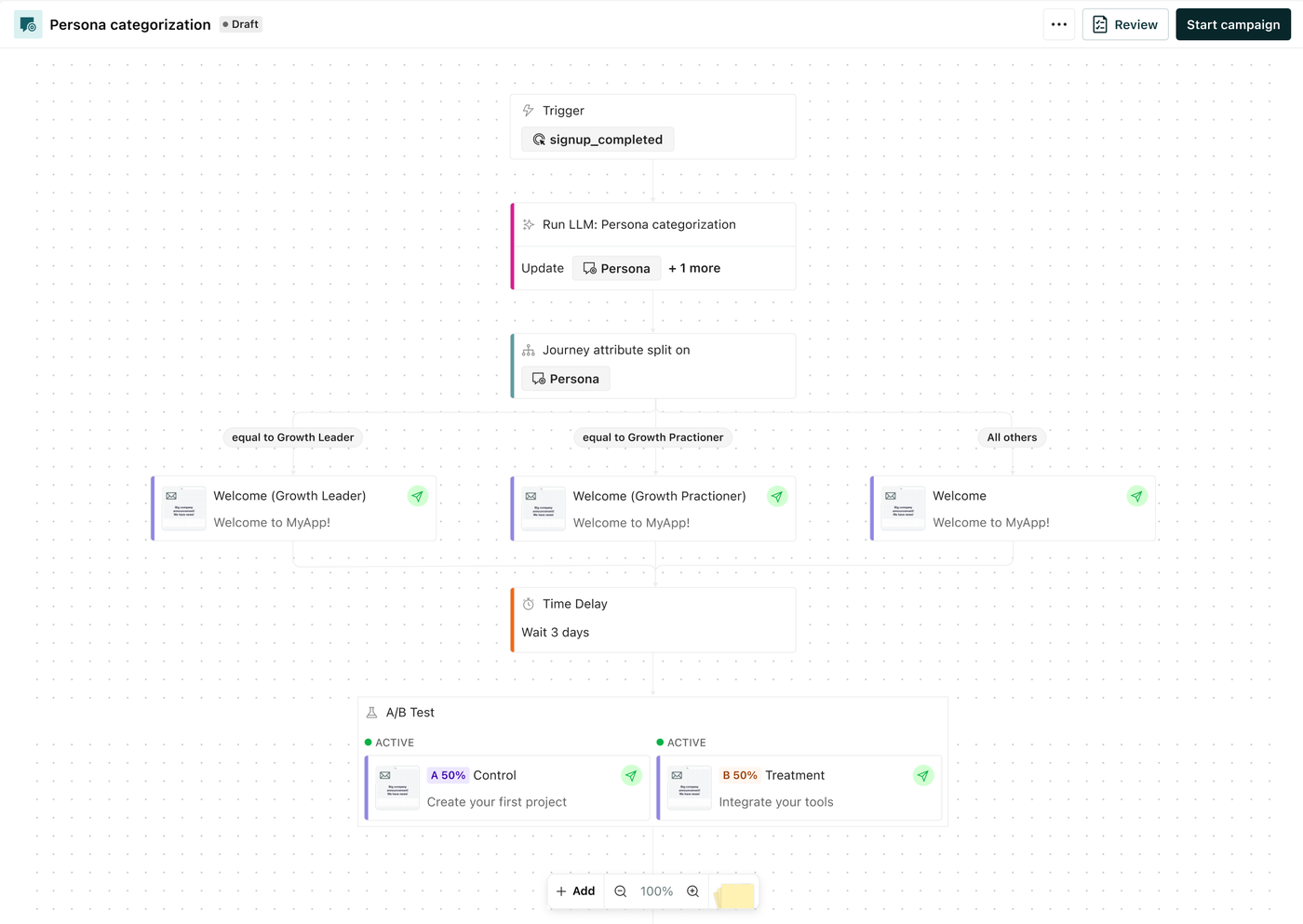
Customer.io sends messages triggered by what people do in your product, with published pricing based on profiles, reverse ETL from your warehouse and account-level objects for B2B.
Customer.io fits a SaaS or product-led team whose messages should react to what people do in the product, not to list membership.
What you keep from HubSpot: workflow-style journeys, with campaigns that start on an attribute, segment, event, webhook or date. Channels include email, SMS, push, in-app, WhatsApp, LINE and Slack.
What you give up: the marketing site toolkit. We found no landing page or CRM in the plan details we read, and reviewers report campaign issues and a learning curve for advanced workflows, so you'll want a developer nearby. Treat it as the messaging layer next to your CRM, not a replacement for the whole suite, though it's a strong one.
What it costs: profiles, which count people and objects. Essentials is $100 a month for 5,000 profiles and it includes 1 million emails a month, and Premium starts at $1,000 a month billed yearly. Webhooks and reverse ETL are on every plan, while warehouse destinations, data replay and 10 object types are Premium only. G2 shows 4.4 from 989 reviews as of October 27, 2026, and we didn't extract theme counts.
- you're a SaaS or product-led team and messages should react to product events, not list sends.
- you want published, self-serve pricing and a way to message accounts as well as people.
- you need deep built-in reporting; reviewers report campaign issues and a learning curve for advanced workflows.
- you're mostly sending newsletters to email-only subscribers: a cheaper email tool will do.
- Starting price
- $100 per month for 5,000 profiles (Essentials); Premium from $1,000 per month billed yearly
- Channels
- Email, SMS, push, in-app, WhatsApp, LINE, Slack, webhooks
- Journey builder
- Campaigns (attribute, segment, event, webhook or date triggers)
- Pricing metric
- Profiles (people plus objects); Essentials includes 1 million emails a month
- Webhooks and reverse ETL
- On every plan
- Premium only
- Warehouse destinations, data replay, 10 object types
Salesforce Account Engagement#
Salesforce Marketing Cloud Account Engagement
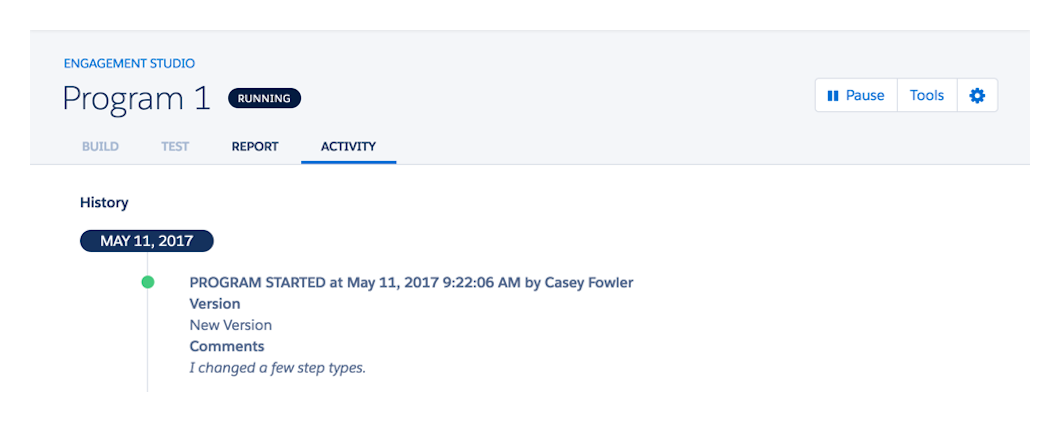
Salesforce B2B marketing automation for lead capture, nurture, scoring and CRM handoff; pricing depends on edition, contact blocks and optional consumption.
Account Engagement, formerly Pardot, fits a B2B team whose CRM is Salesforce and whose sales team works the leads there.
What you keep from HubSpot: lead capture, nurture programs, scoring and a handoff to sales. Forms and landing pages are capped at 50 each on Growth+ and unlimited above that.
What you give up: the shared database. Prospects sync to Salesforce leads and contacts, and the Salesforce CRM license isn't in the Account Engagement price, so you'll pay for both. Someone has to own the field mapping and lead lifecycle, and that owner is still you, as our guide to the HubSpot Salesforce integration shows for the reverse direction.
What it costs: a flat price per org on an annual contract. Growth+ is $1,250 a month, Plus+ $2,750, Advanced+ $4,400 and Premium+ $15,000, with 10,000 contacts included and extra contacts at $100 per 10,000 a month. Automation rules are capped at 50, 100, 150 and 150 by edition, and API calls per day at 25,000, 50,000, 100,000 and 100,000. That makes the entry price lower than HubSpot Enterprise at 10,000 contacts, but only if Salesforce is already paid for, and you'd still need an admin. See Salesforce Account Engagement pricing for the total cost.
- teams that run B2B nurture and Salesforce lead handoffs
- organizations prepared to govern CRM field mapping and campaign operations
- teams seeking a standalone low-cost newsletter sender
- buyers without an owner for Salesforce integration and lead lifecycle operations
- Starting price
- Per org per month on an annual contract: Growth+ $1,250, Plus+ $2,750, Advanced+ $4,400, Premium+ $15,000; 10,000 contacts included (75,000 on Premium+), extra contacts $100 per 10,000 per month
- Contacts
- 10,000 included, then $100 per 10,000 a month
- Automation rules
- 50 / 100 / 150 / 150 by edition
- API calls per day
- 25,000 / 50,000 / 100,000 / 100,000
- Forms and landing pages
- 50 each on Growth+, unlimited above
- Salesforce CRM
- Separate license, not in this price
Adobe Marketo Engage#
Adobe Marketo Engage
Adobe Marketo Engage is Adobe's B2B marketing automation platform, and it's built for teams with a dedicated marketing ops function.
Marketo Engage fits a B2B team that runs programs at volume across regions or business units and has at least one dedicated Marketo admin.
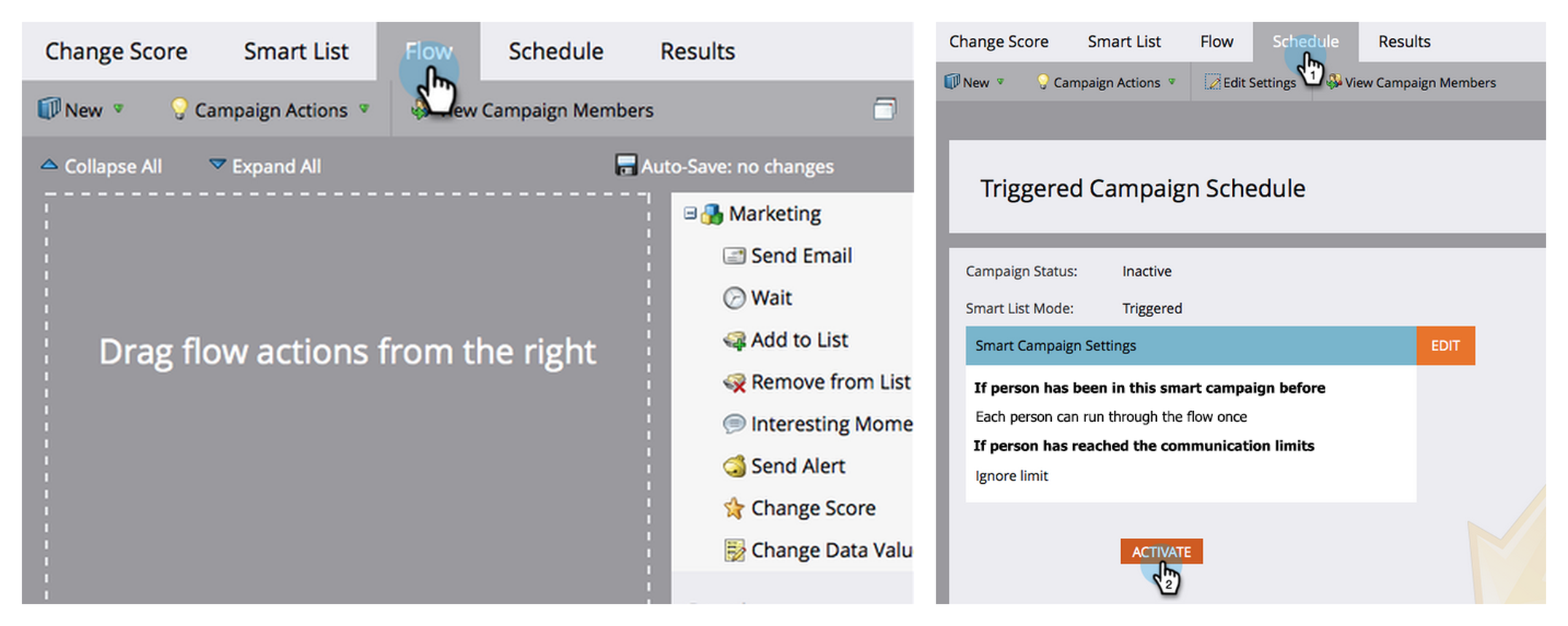
What you keep from HubSpot: scoring and routing, which are included in every package, plus Smart Campaigns built from a smart list, a flow and a schedule. Attribution dashboards start on Select, and multi-touch attribution is Ultimate only.
What you give up: simplicity and a published price. Pricing is a quote on package (Growth, Select, Prime or Ultimate) and contact quantity, and there's no public number to anchor on. The Salesforce sync runs continuously with a 5-minute pause between cycles, and rules differ by object and direction, so the sync needs ongoing admin time. If marketing is two or three generalists, the platform asks more of the team than HubSpot does, even though the sync is mature.
Limits by package: Growth has 10 users and 20,000 API calls a day, and Select and above have 25 users and 50,000. Sandbox access is Prime and Ultimate only. G2 shows 4.1 from 3,339 reviews, with the steep learning curve as the main complaint. Compare it with HubSpot in HubSpot vs Marketo and see Marketo Engage pricing for what we could confirm.
- you run B2B programs at volume across regions or business units and have at least one dedicated Marketo admin.
- your CRM is Salesforce, Dynamics or Veeva and you'd rather rely on a mature, documented sync.
- marketing is two or three generalists who don't have time for an admin role: Smart Campaign logic and the sync need ongoing admin time.
- you want a CRM and marketing tool in one system, which is HubSpot's strength.
- Users like
- Ease of use and automation
- Users dislike
- Steep learning curve
- Source: G2, 3,339 reviews
- Starting price
- Quote only for Growth, Select, Prime and Ultimate; priced on contact quantity
- Users and API
- Growth 10 users and 20,000 API calls a day; Select and above 25 users and 50,000
- Scoring and routing
- Included in every package
- Attribution dashboards
- Select and above; multi-touch (Marketo Measure) is Ultimate only
- Sandbox
- Prime and Ultimate only
- Salesforce sync
- Runs continuously with a 5-minute pause between cycles
Do you need to leave the CRM, or only Marketing Hub?#
Many HubSpot owners don't need to leave HubSpot, only Marketing Hub. Of course, that only works if the CRM still fits your sales team. HubSpot's free CRM covers up to 2 users, Sales Hub Starter lists from $7 per seat per month billed annually, and Professional and Enterprise Sales Hub add a one-time onboarding fee of $1,500 and $3,500. Marketing Hub is the part that gets expensive, and that's no secret among owners, while the CRM stays cheap or free. That's the split to look at first. So the first decision is which of the two you're replacing, and that's what decides how many handoffs you create.
| Your situation | What to replace | What stays | Handoff you now own |
|---|---|---|---|
| The bill is the problem | Marketing Hub only | HubSpot CRM or Sales Hub | A sync from the new tool to HubSpot |
| The CRM no longer fits | Both | Nothing | A full migration of records and automations |
| Sales moves to Salesforce | Marketing Hub, likely to Account Engagement or Marketo | Nothing from HubSpot | Salesforce lead lifecycle and field mapping |
| Sales wants a lighter CRM | Sales Hub | Marketing Hub | A sync from the new CRM, such as Pipedrive or Zoho CRM |
What budget each path needs is easiest to see in the entry prices. Under about $50 a month at 1,000 contacts you're looking at ActiveCampaign Starter ($15) or Zoho Marketing Automation Standard ($14), both billed yearly. Around $100 a month at 5,000 profiles is Customer.io Essentials. From $1,250 a month per org is Account Engagement, and Marketo is a quote. HubSpot Professional sits at $800 a month before the $3,000 onboarding fee, so the cheaper paths save most when you don't need its shared CRM record.
For a lighter CRM, the two that appear in our own research are Pipedrive and Zoho CRM. Pipedrive is a pipeline-first sales CRM, but its lead scores apply to deals, not leads, so marketing can't score a lead before it converts. Zoho CRM has a leads module with rule-based assignment and scoring rules, and the free tier covers 3 users. Our lead management software comparison covers both in more depth.
What carries over from HubSpot, and what breaks?#
What carries over from HubSpot is records, and what breaks is everything you've built on top of them. HubSpot's record export downloads current property values and associations for contacts, companies, deals, tickets and custom objects. Its documentation, last updated April 2, 2026, doesn't describe a workflow or landing page export, so plan to document those by hand before you cancel. You'll thank yourself in month two.
| What you built | Export route in HubSpot's documentation | What you rebuild |
|---|---|---|
| Contacts, companies, deals | Record export as CSV, XLS or XLSX; link arrives by email and expires after 30 days | Property mapping in the new tool |
| Associations | Included by default up to 1,000 associated record IDs per column; all associated records for CSV only | Company and deal relationships |
| Calls and notes | Exported separately: individual contact data, activity reports or the engagements API | Activity history, if the new tool stores it |
| Workflows, forms, landing pages | Not covered by the export article we read | Every one, from a written inventory |
The technical limits are worth knowing before a large export, because they're easy to hit. You can run up to 300 exports in a rolling 24 hours and three at a time, a CSV over 2 MB is zipped, and XLS and XLSX files cap at 256 and 16,384 columns, so a record with many properties should go out as CSV.
After you switch: seven checks for your campaign data#
The switch isn't finished when the first email sends, and it's usually the quiet failures that cost the most. A marketing platform sits between forms, the CRM and your analytics, and each of those handoffs can quietly break during a move. This checklist covers the ones that cost leads, the ones we've seen go quiet, and the campaign tracking checklist goes deeper on each one.
- Authenticate the sending domain in the new tool and send a test to an inbox you can inspect
- Submit a test lead through every form that used to post to HubSpot and confirm it lands in the new tool with its source fields filled
- Check that links in the first campaigns follow your UTM naming convention, using our guide to UTM parameters
- Compare the new tool's billable contact count with the number you imported and look for unsubscribed or non-marketing contacts that are now billed
- Create a test contact and watch it reach the CRM, noting the field mapping, the direction and the delay
- Confirm that unsubscribed contacts are suppressed and not mailable
- Remove the HubSpot tracking code, embedded forms and pop-ups so no page keeps feeding an account nobody reads
Where The Marketing Ops Manager fits#
The Marketing Ops Manager fits after the switch, because none of the six tools tells you that a form stopped sending its UTM fields or that a CRM connection expired. It checks landing pages, tracking, forms, CRM connections and sales handoffs on a schedule and opens an incident with evidence when a step fails. It isn't a marketing automation platform, and it doesn't replace any of the tools above. Connections are read-only by default, fixes need a human approval, and signup is invite-only with a 14-day trial on every plan.
Frequently asked questions#
Why are people leaving HubSpot?
People leave HubSpot mainly because of cost, complexity and feature gates. G2 reviewers name a steep learning curve (808 mentions), missing features for smaller teams (786) and cost as the contact list grows (667). Professional starts at $800 a month plus a required $3,000 onboarding fee, and the contact tier can't be lowered until the contract renews.
What is the best HubSpot alternative for a small business?
For a small team that wants automation on a budget, ActiveCampaign and Zoho Marketing Automation start at $15 and $14 a month at 1,000 contacts billed yearly. ActiveCampaign has the deeper automation, and Zoho is the better fit if you also move the CRM to Zoho CRM, which is free for up to 3 users.
Is there a free alternative to HubSpot?
No tool in this comparison matches HubSpot's free CRM and free marketing tools for up to 2 users at the same scope. Brevo has a free plan that allows 300 emails a day, and Zoho CRM is free for up to 3 users. ActiveCampaign, Zoho Marketing Automation and Customer.io offer a trial or a paid start instead.
Can I keep HubSpot CRM and replace Marketing Hub?
Yes, as the free CRM and Sales Hub work without Marketing Hub. The cost is a sync. Brevo lists a two-way HubSpot sync on Professional and Enterprise, set up with its Enterprise team, while Zoho lists no HubSpot connector, so check the sync direction and field depth with a sample contact before you commit.
What is the best HubSpot alternative for Salesforce users?
Salesforce Account Engagement and Adobe Marketo Engage are the two built around a Salesforce sync. Account Engagement starts at $1,250 a month per org with 10,000 contacts included, and Marketo is quote only. ActiveCampaign also lists a two-way Salesforce sync.
How do I export my data from HubSpot?
Open the object in the CRM, choose the view, click Export and pick CSV, XLS or XLSX. You get an email with a download link that expires after 30 days. Calls and notes are exported separately, and workflows and landing pages aren't covered by the record export.