UTM parameters are short tags added to the end of a link that tell your analytics tool which campaign, source and medium sent a visitor. UTM stands for Urchin Tracking Module (a few older sources say Urchin Traffic Monitor), a name that goes back to Urchin, the web analytics software Google later developed. A tagged link looks like this: https://www.example.com/?utm_source=newsletter&utm_medium=email&utm_campaign=summer-sale. When someone clicks it, Google Analytics reads the three values and files the visit under that campaign. Without them, the same click often lands in "direct" or a vague referral row.
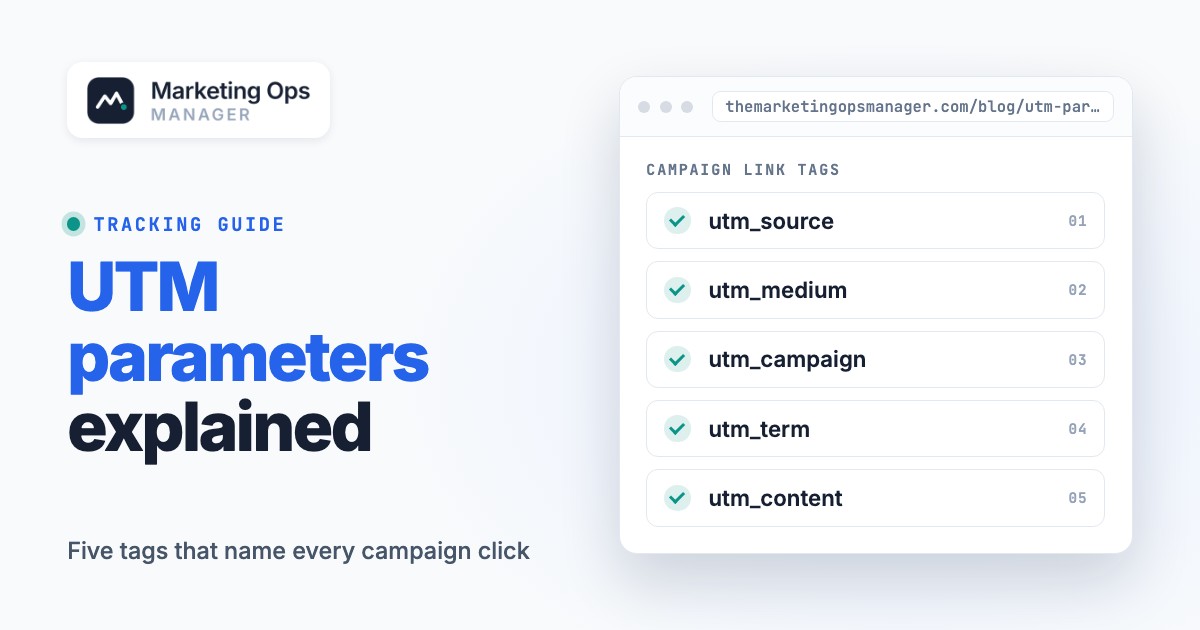
- There are five standard parameters: utm_source, utm_medium, utm_campaign, utm_term and utm_content. Google Analytics also reads utm_id, utm_source_platform, utm_creative_format and utm_marketing_tactic.
- Always set utm_source, utm_medium and utm_campaign together. If one is missing, Google Analytics 4 (GA4) reports show (not set).
- Values are case sensitive, so Email and email become two different rows. Pick lowercase and write the rules down.
- The utm_medium value decides which GA4 default channel a visit lands in. A made-up medium such as newsletter can end up in Unassigned.
- A tag only helps if it survives to your customer relationship management (CRM) system. Check redirects, forms and hidden fields before a campaign goes live.
What are UTM parameters?#
UTM parameters are name and value pairs that follow a question mark in a URL, so analytics software can tell which marketing activity produced a visit, but they only work if the tool reading them recognizes the names. According to the Wikipedia article on UTM parameters, the tags identify the campaign that refers traffic to a specific website, and analytics tools such as Google Analytics and Adobe Analytics parse them to fill standard and custom reports.
The name is easy to misread. It's got nothing to do with the UTM map coordinate system that shows up in search results for the same letters. If your question was "what does UTM mean in marketing", the answer is short: a UTM is a tag on a link.
Why bother? One page can receive links from a newsletter, a LinkedIn post and a paid ad. Untagged, your analytics tool sees the browser's referrer at best. Tagged, you choose the labels, and the values you type become rows in the Traffic acquisition report, where Google Analytics shows session source, medium and campaign.
What are the five UTM parameters?#
Wikipedia and Google Analytics Help name five standard UTM parameters: utm_source, utm_medium, utm_campaign, utm_term and utm_content. Only three of them do the daily work. Google's guidance says that whenever you add parameters to a URL you should always use source, medium and campaign, while term and content are optional extras.
| Parameter | What it answers | Example value |
|---|---|---|
| utm_source | Where did the visit come from? The referrer, such as a site, newsletter or platform. | google, newsletter4, linkedin |
| utm_medium | How was the link delivered? The marketing medium. | cpc, email, paid_social |
| utm_campaign | Which promotion or product push is this? | spring_sale, webinar-q4 |
| utm_term | Which paid keyword triggered the ad? | running+shoes |
| utm_content | Which creative or link was clicked? Used to tell two versions apart. | toplink, blue-button |
Google Analytics reads four more parameters, according to the Analytics Help page on URL builders:
| Parameter | What it is for | Reported in GA? |
|---|---|---|
| utm_id | A campaign ID that matches the IDs you use when uploading campaign data | Yes |
| utm_source_platform | The platform that directs traffic, such as a buying platform like Search Ads 360 or Display & Video 360 | Yes |
| utm_creative_format | Type of creative, such as display, native, video or search | Not currently reported |
| utm_marketing_tactic | Targeting criteria applied to a campaign, such as remarketing or prospecting | Not currently reported |
So the answer to "what are the 5 UTM parameters" is the first table, and the answer to "how many UTM parameters are there" depends on whose list you read: five in the classic set, nine in Google's current documentation. One practical note from the same page: if you set one UTM parameter, Google strongly recommends setting all the relevant ones, especially source, medium, campaign, utm_id and utm_source_platform, because missing parameters produce (not set) values in reporting.
How do you add UTM parameters to a URL?#
Add a question mark after the page address, then write each parameter as name=value, and join the pairs with ampersands. Google's page puts it the same way: separate the parameters from the URL with a question mark, list parameter and value pairs separated by an equal sign, and separate each pair with an ampersand. You can add parameters in any order.
Start from the final URL
Copy the exact address of the destination page, including
https://. When that page already has a query string, join your pairs to it with&rather than a second question mark.Choose the values from your naming list
Source, medium and campaign come from your list of allowed values, never from memory. utm_content earns its place only when two links or creatives need telling apart, and utm_term only when a paid keyword is involved.
Build the URL
Google offers a Campaign URL Builder for websites and a Play Campaign URL Builder for Android app ads; typing the pairs by hand or filling a spreadsheet works too. Locking the spreadsheet values to a dropdown stops typos before they start.
Test the link
In a private window, confirm that the page loads and the parameters stay in the address bar. Then find your own visit in the Realtime report or a tag debug view.
Shorten only after testing
A shortener adds a redirect, so click the shortened version once more and confirm the tags survived.
The screenshot shows the builder with the newsletter example filled in; it writes the same URL you would type by hand.

Here are three examples taken from the same pattern Google shows, adapted to different channels:
| Channel | Tagged URL |
|---|---|
| Newsletter | https://www.example.com/?utm_source=newsletter1&utm_medium=email&utm_campaign=summer-sale |
| Blog referral | https://www.example.com/?utm_source=exampleblog&utm_medium=referral&utm_campaign=summer-sale |
| Newsletter, second link | https://www.example.com/?utm_source=newsletter1&utm_medium=email&utm_campaign=summer-sale&utm_content=toplink |
The last row shows why utm_content exists. Google's example: two call-to-action links in the same email can carry different utm_content values, so you can see which version is more effective.
Where you can look at the result: in Google Analytics, session source/medium, session medium, session source and session campaign appear in the Acquisition, Traffic acquisition report.
What is a good UTM naming convention?#
A good convention is a short written list of allowed values, in lowercase, with one separator, and one owner who'll approve new values. The reason is mechanical, and it's costly. Google's documentation states that parameter values are case sensitive: utm_source=google is different from utm_source=Google, and Meta and meta are treated as different values. Each variant becomes its own row, so one campaign can split into several rows, which isn't what anyone wants in a report.
Google's own best-practice table for Analytics points the same way:
| Field | Rule from Google's best practices | What it prevents |
|---|---|---|
| utm_source | One unique value per platform, such as a separate value for Facebook and Instagram | Merged or mislabeled platforms |
| utm_medium | One unique value per channel, such as paid_social and organic_search | Channels landing in the wrong group |
| utm_campaign | One unique name that matches the exact campaign name | One effort split across several rows |
| utm_content | Unique to the specific creative or format, with consistent naming | Unreadable creative comparisons |
| utm_term | Unique, strict and consistent keywords, for example all lowercase | Keywords grouped incorrectly |
| Dynamic parameters | Use dynamic UTMs in platforms that support them, to avoid manual entry errors | Typos at scale |
The template below is ready to copy into a spreadsheet. The values are examples of the structure, not a standard, so don't treat them as rules. Change them to fit your channels and keep one list for everyone.
| Field | Format | Allowed values or pattern | Example |
|---|---|---|---|
| utm_source | lowercase, no spaces | google, linkedin, newsletter, partner-name | linkedin |
| utm_medium | lowercase, underscore | cpc, email, paid_social, organic_social, referral, affiliate | paid_social |
| utm_campaign | lowercase, hyphen, topic first | product-launch, webinar-q4, spring-sale | webinar-q4 |
| utm_content | lowercase, hyphen | creative or placement name | video-a |
| utm_term | lowercase, plus for spaces | the paid keyword | utm+tracking |
| utm_id | as in your campaign import | the ID from your ad platform or CRM | cmp-2047 |
Two habits keep the list alive, and they're cheap. Put the campaign name in the project brief before anyone builds links, so the value exists before the first ad is live. And review the list each quarter, because every platform you add brings new source values that someone will invent on the fly.
How do UTM parameters affect GA4 channel groups?#
Google Analytics assigns every session to a default channel group using rules on the source and medium, so the utm_medium value you choose decides whether a visit lands in Email, Paid Social, Display or Unassigned. Google's help page on default channel group definitions says the channel definitions aren't case sensitive and can't be edited, and that Unassigned is the value used when no other channel rule matches the event data.
The table below shows the manual-traffic rules from that page for the mediums marketers use most.
| utm_medium (or source) | Channel it lands in | Rule from Google's definitions | |||
|---|---|---|---|---|---|
email | Source or medium equals email, e-mail, e_mail or e mail | ||||
cpc, ppc, paid_social, paid-social with a social or search source | Paid Social or Paid Search | Source matches a list of social or search sites AND medium matches `^(.cp.\ | ppc\ | retargeting\ | paid.*)$` |
social, social-network, social-media, sm | Organic Social | Medium is one of those values, or source matches the list of social sites | |||
display, banner, expandable, interstitial, cpm | Display | Medium is one of those values | |||
affiliate | Affiliates | Medium equals affiliate | |||
referral, app, link | Referral | Medium is one of those values | |||
sms | SMS | Source or medium exactly matches sms | |||
organic | Organic Search | Medium exactly matches organic | |||
Anything else, such as newsletter or post, with a source that matches no rule | Unassigned | No rule matches |
If a row says (not set), a parameter was missing. Google's page says missing UTM parameters result in (not set) values in reporting. If you've found a large Unassigned or (not set) bucket in your Traffic acquisition report, compare the medium values in it with the table above first.
Do UTM parameters work with Google Ads auto-tagging?#
UTM parameters work with Google Ads auto-tagging, but the two don't carry equal weight. Google's help page on auto-tagging benefits states that when you use manual tagging and auto-tagging together, the source, medium and other traffic classification dimensions use the auto-tagged values, while your manual utm_content and utm_term values feed the Manual Ad Content and Manual Term dimensions.
That has a practical consequence, and it's easy to miss. For Google Ads clicks, you don't need UTM source and medium at all, and Google recommends leaving auto-tagging on. Its documentation lists the reasons: you can import Analytics key events into Google Ads, you save the work of tagging each final URL, you remove typo risk (utm_source=Google against utm_source=google is Google's own example), you can build audiences from Google Ads dimensions such as ad group, and you see extra dimensions like ad group name, keyword text and query. Google adds that reporting features coming in the future will only be available with auto-tagging.
Use UTM parameters for everything auto-tagging doesn't cover: email, organic social, partners, other ad platforms, QR codes and offline-to-online links. If you also want your own campaign labels on ad platform clicks, Google Ads has ValueTrack parameters for tracking templates. Per Google's page, a tracking template must contain a parameter that inserts your final URL, such as {lpurl}, or the landing page URL will break. A template like {lpurl}?matchtype={matchtype}&device={device} appends several parameters with ampersands, and {campaignid} inserts the campaign ID.
How do UTM parameters get into your CRM?#
UTM values sit in the URL until something saves them. Your CRM learns about a tagged visit only if a form field, a tracking script or a native integration stores it, so check that handoff for every form. It's where good tagging usually goes to waste.
Two common setups behave differently:
| System | How UTM data gets in | What to check |
|---|---|---|
 HubSpot Marketing Hub HubSpot Marketing Hub | HubSpot's own tracking URLs save the parameters of a visit when someone arrives from a tracking URL. You pick a campaign, a source category and optional medium, term and content values. | The campaign is required, and the source you choose decides where the visit is bucketed. Test with the tracking code validator before the campaign goes live. |
| Salesforce | Out of the box, a Lead has one Lead Source field and no UTM fields. Teams add custom text fields and hidden form inputs filled by a script from the URL. | Fields must exist on Lead and be mapped to Contact and Opportunity on conversion, and the script has to survive page changes. |
Salesforce setups depend on custom work, so ask whoever owns the form to show you a test submission. If your CRM is HubSpot synced to Salesforce, our guide to the HubSpot Salesforce integration shows how field mapping decides which value wins. A practical check is to submit a test lead from a tagged link and confirm that the record carries the source, medium and campaign you typed.
To get UTM values into a CRM record, work through these four steps for each form:
- Create a field for each of the five standard parameters on the lead or contact record.
- Add matching hidden fields to the form and fill them from the URL with a script or the form tool's built-in option.
- Keep the values in a first-party cookie if visitors move across pages before they convert.
- Submit a tagged test lead and check that the record shows all five values.
If your team keeps first-touch and last-touch values, store them in separate fields. Otherwise the next tagged visit overwrites the first one and you'll lose the original source.
What breaks UTM tracking?#
Yes, a UTM tag can break, for example when a redirect drops the query string, and most failures are silent: the page still loads, the ad still spends, and the report quietly fills with wrong rows. The table lists the common causes and how to spot each one.
| Failure | What you see | How to fix it |
|---|---|---|
| Mixed case or spelling variants | The same campaign appears in several rows (Email, email, e-mail) | Lowercase naming list, builder with dropdowns |
| Missing medium or source | (not set) values in reports | Always set source, medium and campaign together |
| Medium outside GA4 rules | Visits in Unassigned or in the wrong channel | Use mediums from the channel table |
| UTMs on internal links | A visit that came from an ad shows as coming from your own site | Tag links you share outside your site, not links between your own pages |
| Redirect drops the query string | Clicks happen, but the landing page shows no campaign | Click the final shortened or redirected link and read the address bar |
| Auto-tagging and manual tags disagree | Google Ads source and medium differ from what you typed | Leave source and medium to auto-tagging for Google Ads |
| Form never saves the values | Leads reach the CRM with an empty source | Test a submission end to end, see the CRM section |
| A tag manager change removes the event | UTMs are fine but conversions stop | Monitor the conversion event, not only the link |
Should you use UTM parameters on internal links? No, as a rule. The internal-link row is common practitioner advice rather than something Google's UTM page spells out. It's still a rule worth following, because a link between your own pages that carries a campaign tag can replace the real source in reports.
UTM QA checklist before you launch#
Run this list for every campaign. Ten minutes here saves a week of cleaning data, and it's the cheapest check you'll do. To confirm that a test click really fires your tags, follow our guide to using Google Tag Assistant.
- Source, medium and campaign are all set on every tagged link
- Every value comes from the naming list, in lowercase, with no spaces
- The medium is one GA4 understands, such as email, cpc or paid_social
- Auto-tagging stays on for Google Ads, and UTMs are used for other channels
- Internal links between your own pages carry no UTM tags
- The final URL, after any shortener or redirect, still shows the parameters
- A test click shows up with the right source, medium and campaign in the Realtime report
- A test form submission reaches the CRM with the source, medium and campaign filled in
- The campaign name exists in the project brief or tracker before the first link is shared
- One person owns the naming list and approves new values
Keeping UTM tracking from silently breaking#
A clean naming convention fixes the first half of the problem, the data you create. It doesn't fix the second. The second half is what happens after launch: a tag manager publish removes an event, a form field gets renamed, a CRM connection expires, and the tagged links keep working while the numbers go quiet. That's the gap between campaign setup and reporting, and it's why many marketing ops teams add regular checks next to the naming list. For the background on the function that owns this work, see our guide to what marketing operations is. If you're picking the tools that sit around your campaigns, our roundup of marketing operations software compares them. And if you'd like an AI assistant to help with the checks, our explainer on the Model Context Protocol shows how Claude and ChatGPT connect to those systems.
 The Marketing Ops Manager checks the steps a UTM-tagged click passes through. It monitors landing pages, tracking, forms, CRM connections and sales handoffs on a schedule, opens an incident with evidence when a step fails, and works in Claude, ChatGPT or any MCP client. It's read-only by default and every write needs human approval. Signup is invite-only right now.
FAQ#
What are the 5 UTM parameters?
Source, medium, campaign, term and content. In Google Analytics Help the list has grown to nine, adding utm_id, utm_source_platform, utm_creative_format and utm_marketing_tactic, though the last two are not currently reported.
What does UTM stand for?
UTM stands for Urchin Tracking Module, although a few older sources say Urchin Traffic Monitor. Urchin was a web analytics program from Urchin Software Corporation that Google later developed. The letters are unrelated to the UTM map coordinate system.
Which UTM parameters are required?
Three: utm_source, utm_medium and utm_campaign. Leaving any of them out gives you (not set) values in reports.
Are UTM parameters case sensitive?
Yes, UTM parameter values are case sensitive. Google's documentation states that parameter values are case sensitive, so utm_source=google and utm_source=Google are different values and show up as separate rows. Use lowercase for every value and keep one written list of allowed values.
Do UTM parameters work with Google Ads auto-tagging?
Yes, but auto-tagging wins on source and medium. Keep it on for Google Ads and save manual tags for other channels.
Why do my UTM visits show as Unassigned in GA4?
Google Analytics uses Unassigned when no default channel rule matches the session. The usual cause is a utm_medium value the rules don't recognize, such as newsletter. First compare your medium with the channel table in this guide, then switch to a recognized value such as email, cpc or paid_social, and retest the link.