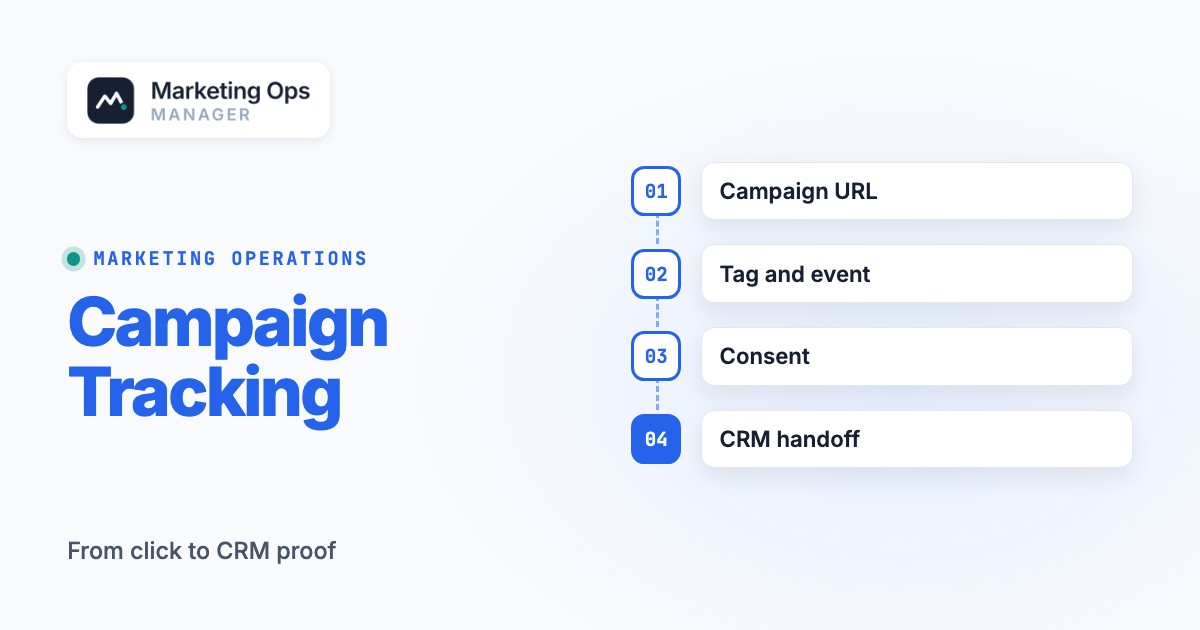
A campaign tracking checklist is a set of pass-or-fail tests that proves a campaign can be measured from its first tagged visit through a real conversion and the downstream CRM record. It should verify URLs, tags, events, consent, forms, routing, attribution fields, and reporting before the campaign goes live. A green tag in a browser extension isn't enough: the conversion has to reach the system where your team makes decisions.
This guide is for marketing operations teams launching paid media, webinars, email nurture, partner campaigns, or product announcements. It includes a copyable checklist, a launch sign-off record, two worked test journeys, and a troubleshooting method for the cases where an ad platform, analytics report, and CRM disagree. Use it as a launch gate, then repeat the critical tests after deployment. If the campaign is an affiliate program, our guide to affiliate marketing software shows how each tool ties a sale to a partner.
- Name the conversion, reporting owner, and expected record before you build links.
- Approve one UTM dictionary and test final URLs after every redirect.
- Prove tags and consent behavior with a real browser journey, and don't rely on screenshots of settings.
- Submit a synthetic lead and trace the campaign fields into the CRM and owner queue.
- Save evidence, assign failures, and re-test the live version after launch.
What should a campaign tracking checklist cover?#
Campaign tracking is a chain of evidence, not a list of software installations. A campaign can have a correctly configured analytics property and still lose the campaign name when a short link redirects. It can record a lead event but still fail to create a CRM record. It can create a CRM record with no sales owner, leaving the campaign's actual business outcome invisible.
Treat every single handoff as a separate control. Document what enters, what should leave, who owns the boundary, and the proof that the output arrived. For a campaign with a lead form, the chain looks like this:
- 01Campaign clickBreaks when the tagged link drops or misspells a source or campaign value.
- 02Landing pageBreaks when a redirect strips parameters, the page fails to load or consent state is wrong.
- 03MeasurementBreaks when a tag doesn't fire, or the event name, parameters or key-event setting are wrong.
- 04Lead captureBreaks when a valid submission doesn't create a marketing-platform record.
- 05CRM handoffBreaks when source fields are overwritten, duplicates merge wrongly or no owner is assigned.
- 06ReportingBreaks when definitions differ between systems or nobody owns the incident.
If a campaign has no form, replace the capture and CRM stages with the relevant outcome, such as an ecommerce purchase or a completed booking. Keep the same rule: a test is complete only when the final system of record contains the expected evidence.
Agree on the event and business outcome first#
Write a measurement brief with the campaign ID, primary outcome, secondary diagnostic actions, audience, landing-page owner, channel owners, analytics property, CRM destination, and reporting view. Don't call every button click a conversion. A click is useful diagnostic evidence, but it isn't the outcome. A confirmed form submission or completed order is a different business event.
For lead generation, Google's recommended GA4 event name is generate_lead. Google also distinguishes events from key events, which are selected events that represent important business actions. The naming decision belongs in the measurement brief so analytics, ad optimization, and reporting teams aren't using different definitions.
Decide what a successful test should create; you'll need that answer later. For example: a confirmed webinar registration, an analytics event, a marketing contact, a CRM campaign association, and a monitored owner or queue. If your team can't name the expected output, it can't prove the tracking works.
Pre-launch campaign tracking checklist#
You'll get the most value from running these checks against the final campaign assets, not a staging-only configuration. Record Pass, Fail, Blocked, or Not applicable for each item. A pass always requires a URL, screenshot, event payload, test record, or another reproducible artifact. A blocked item requires an owner and an explicit go/no-go decision.
1. Approve campaign IDs and UTM naming#
Google Analytics supports manual campaign tagging with utm_source, utm_medium, utm_campaign, utm_term, and utm_content. Its reporting distinguishes manual campaign dimensions from first-user and session-level traffic-source dimensions. The checklist therefore needs both an approved naming dictionary and an explicit reporting perspective.
- One campaign ID and canonical campaign name are recorded in the brief.
- Every externally distributed manual-tagged link uses approved source and medium values.
- Campaign name spelling, case and separators match across channel assets.
- Creative variants use distinct content values when variant reporting is required.
- Final URLs load the intended page and preserve the required parameters through redirects.
- Each live link is saved in a single campaign-link register with owner and channel.
If you need the parameter basics first, the UTM parameters guide covers each field. Use a naming pattern that your team can understand without reverse-engineering it, such as product_a_launch_enterprise_fall. Keep a short controlled vocabulary for mediums; it's easier to enforce. A channel owner shouldn't be free to alternate between paid_social, paid-social, and social when the reporting rules expect one value. The exact vocabulary is your governance decision, but it'll need to match the channel grouping you intend to use.
Example of a manually tagged link:
https://example.com/demo?utm_source=linkedin&utm_medium=paid_social&utm_campaign=product_a_launch_enterprise_fall&utm_content=video_a
That's a fictional example, not a claim that every analytics property will classify that medium identically. Verify the resulting channel classification in the actual property. Keep raw campaign URLs out of internal site navigation unless you have a deliberate measurement reason: you don't want internal clicks to masquerade as new acquisition touchpoints.
For Google Ads, check auto-tagging separately. Google documents that auto-tagging can attach a Google Click ID (gclid) to an ad destination. Google Analytics also explains that auto-tagged values can take precedence over manually tagged values in traffic classification. Don't layer conflicting manual parameters on top of Google Ads tagging without testing the intended outcome.
2. Confirm tags, triggers, and event payloads#
Google Tag Manager's Preview mode connects the site to Tag Assistant so you can inspect which tags fired and in what order. Use that view to test the actual page and interaction; a published container version or an enabled trigger is configuration evidence, not transaction evidence.
- The final page loads the intended analytics tag and property ID.
- The primary success action sends the correct event name and required parameters.
- A failed form attempt doesn't send the successful-lead event.
- The same successful action doesn't produce unintended duplicate events.
- The relevant event is configured as a key event when the measurement plan requires it.
- The tag behavior is tested on mobile and on the actual production hostname.
For a walkthrough of the debugger itself, see our guide to using Google Tag Assistant. Create a clean test journey, trigger the intended action, and inspect the event payload. For a lead form, the browser's button-click event shouldn't substitute for the server-confirmed success state. For ecommerce, inspect the transaction identifier and monetary parameters rather than trusting a thank-you-page view alone. Document the rule that prevents duplicate success events when users refresh or revisit a confirmation page, because they'll do both.
Google states that marking an event as a key event doesn't retroactively change earlier data. Set up the intended event and classification before launch, then confirm receipt through the available debugging and reporting views.
3. Test consent and data hygiene#
Tracking has to behave as intended for the visitor's consent choice. Google describes Consent Mode as a way to communicate consent status so tags adjust their behavior; it isn't itself a consent banner. Test the actual consent-management implementation rather than assuming that installing a tag template settles legal requirements.
- The default consent state is tested before any dependent tag action.
- Accept, reject and preference-change journeys behave as documented.
- Tracking is checked for the regions and devices the campaign will target.
- Landing-page URLs and event payloads contain no unnecessary personal data.
- Test records are clearly marked and aren't routed to live sales follow-up where appropriate.
Google's analytics policy prohibits uploading data that lets Google personally identify an individual, including email addresses. Inspect URLs, query strings, event properties, and debugging payloads for accidental identifiers. A campaign may need personal data in a CRM, but that doesn't make the same data appropriate for an analytics event.
Here's the split: a privacy reviewer should decide the applicable consent and retention requirements for the markets involved. The marketing operations owner should prove that the implementation follows those reviewed decisions. Keep the legal judgment and the technical test in separate fields.
4. Test forms, automation, and CRM routing#
A completed form has to lead to a usable record. The marketing platform may update an existing contact rather than create a new one, which isn't a failure, and the CRM may route the record into a queue rather than a named salesperson. Decide the expected identity and routing behavior in advance, then check the actual result.
- A valid synthetic submission creates or updates the intended marketing record.
- Invalid submissions don't count as successful conversions.
- Hidden campaign fields contain the expected values at submit time.
- The CRM record preserves the agreed source, medium, campaign and landing-page context.
- Deduplication and returning-contact behavior match the documented policy.
- The record reaches an active owner or monitored queue with the correct lifecycle stage.
- Follow-up and suppression rules behave correctly for the test contact.
You'll want to capture the test submission ID, contact or lead ID, timestamp, and expected destination. If a test is missing in the CRM, don't guess; check whether the connector failed, whether a required field was rejected, whether the record merged into an existing contact, or whether the team is searching the wrong object. Don't count a missing new lead as an integration failure until you've checked the identity rule.
For multi-domain booking or checkout journeys, don't skip continuity across domains. Google explains that cross-domain measurement passes identifiers via the _gl parameter when properly configured. If your campaign crosses root domains, test the journey rather than assuming a single analytics session will survive.
5. Reconcile dashboards before approving launch#
Define what each dashboard actually counts. GA4 sessions, successful form submissions, unique contacts, accepted leads, and qualified opportunities are different units. A mismatch may be normal if the definitions, identity resolution, attribution perspective, or time windows differ. The attribution models guide explains how the credit rules differ between tools. A mismatch with no documented explanation is a finding, and it's one you can't ignore.
- The primary KPI has a documented formula and reporting owner.
- Channel reports use the intended session, first-user or other attribution perspective.
- The dashboard identifies campaign ID, channel, conversion event and date window.
- A synthetic transaction or lead can be found in each applicable system.
- Known exclusions, processing delays and identity differences are documented.
- An alert owner and escalation route exist for a failed high-value conversion path.
Build a compact reconciliation view with columns for campaign ID, analytics key events, marketing submissions, CRM unique records, accepted leads, and opportunity outcomes. Add an explanation field for any discrepancy. Don't force these columns to match by quietly changing definitions after launch; document any change instead.
Copyable campaign tracking checklist template#
Copy the table into a spreadsheet or launch ticket, and don't skip the evidence column. Each row should be assigned to a person, and the evidence column should point to an artifact rather than a statement like "looks fine." Every status starts as Not tested, so the template can't be mistaken for a completed QA run.
| Control | Pass condition | Evidence | Suggested owner | Status |
|---|---|---|---|---|
| Measurement brief | Primary outcome and event agreed | Approved brief | Marketing ops | Not tested |
| Campaign ID | Stable identifier used across systems | Campaign register | Demand gen | Not tested |
| UTM dictionary | Approved source and medium values | Naming sheet | Marketing ops | Not tested |
| Published link | Final URL and redirect preserve parameters | Final URL capture | Channel owner | Not tested |
| Google Ads tagging | Auto-tagging behavior matches plan | Account setting and test click | Paid media | Not tested |
| Tag installation | Intended property receives page event | Tag Assistant evidence | Analytics | Not tested |
| Conversion event | Success event fires with intended payload | Debug event record | Analytics | Not tested |
| Failure path | Invalid submission doesn't convert | Negative test result | Web team | Not tested |
| Consent | Consent choices produce reviewed behavior | Consent test log | Web team | Not tested |
| Cross-domain path | Identity continuity behaves as planned | Journey and URL capture | Analytics | Not tested |
| Marketing record | Correct contact created or updated | Test contact ID | Marketing ops | Not tested |
| CRM routing | Correct owner, stage, and source fields | CRM record | RevOps | Not tested |
| Dashboard | Test is visible under documented definitions | Report and filter snapshot | Analytics | Not tested |
| Incident handling | Failed check has an owner and retest | Launch ticket | Campaign owner | Not tested |
You'll also want to add fields for campaign_id, test_case_id, expected_result, actual_result, evidence_url, severity, owner, and retest_at. The first two identifiers make it possible to match a browser session with the downstream CRM record without putting a person's email address into analytics.
A lightweight sign-off record#
Use this copyable row structure for each test:
Campaign | Test case | Channel | Final URL | Expected event | Expected CRM result | Actual result | Evidence link | Owner | Status | Retest date
For a small campaign, a shared sheet is usually enough. For a complex campaign, link the row to a ticket and retain the original evidence. A status without evidence definitely shouldn't be interpreted as proof of readiness.
How to run an end-to-end tracking dry run#
The best test follows the same path a prospect will take. Coordinate the test with sales and customer support so it doesn't trigger a real customer conversation, a paid order, or an unapproved email sequence.
Freeze the expected journey
Record the exact channel URL, campaign ID, consent scenario, intended event, marketing record and CRM owner. Assign a test-case ID.
Open the real destination
Use a clean browser session so old cookies don't skew the result. Follow the final campaign link, inspect redirects and confirm the expected page and query parameters.
Inspect tags and consent
Use Tag Assistant or the applicable debugging tools to inspect tag execution and payloads. Repeat under the relevant consent choices.
Complete and fail the form
Submit a valid synthetic record, then a separate invalid case. Only the successful path should produce the primary success event.
Trace the downstream record
Locate the marketing record, CRM object, campaign fields, owner, and workflow state. Save identifiers and timestamps so nobody has to guess later.
Compare reports and close the gate
Confirm the record appears where expected, note reporting latency, attach evidence, assign unresolved issues, and obtain a named launch decision.
Worked scenario: a webinar lead from a paid social ad. The channel owner supplies a tagged ad URL. The tester follows it to a webinar form, accepts the relevant consent choices, and submits a synthetic registration. The analytics owner confirms the successful event. Marketing ops locates the webinar contact. RevOps confirms the campaign association, lead stage, and assigned queue. The test fails if the contact exists but the original campaign field was overwritten by a generic web-form source.
Next, test the negative path: submit a form with a required field missing. The page should show a validation error; it shouldn't create the same success event or a qualified CRM lead. A separate returning-contact test should establish whether the system updates an existing record and whether the source-history policy behaves as documented.
Worked scenario: an email campaign with a booking tool. A subscriber follows a tagged link, reaches the landing page, and then moves to a booking service. The tester checks whether the intended analytics session and campaign context survive the handoff, whether the booking confirmation is measured, and whether the resulting record reaches the correct sales queue. If the booking service is on another root domain, the cross-domain configuration becomes a dedicated test case.
What to monitor after the campaign launches#
A pre-launch test isn't a substitute for production monitoring. Content changes, tag-container publishes, consent banner updates, form revisions, and CRM field mappings can break a previously healthy journey. You'll want an assigned owner re-test the highest-value path immediately after launch and whenever a relevant dependency changes.
Monitor the handoff, not only aggregate traffic. Useful checks include whether campaign-tagged sessions still arrive, whether the primary event is recorded, whether submissions create marketing records, whether the CRM sync is current, and whether routing queues have unowned records. An incident shouldn't just say conversions fell; it should identify the last working boundary, the failing boundary, the business impact, and the person who can repair it.
A good post-launch note records the last successful synthetic test, the first failed observation, the change deployed between them, and the result of the retest. That's more actionable than an alert that simply says "conversions down."
Troubleshooting: where campaign tracking usually breaks#
| Symptom | Likely boundary to inspect | Test before changing anything |
|---|---|---|
| Campaign traffic appears as unexpected source | URL parameters or channel classification | Compare final URL, manual dimensions and tagging rules |
| Sessions appear but no lead event | Trigger or success-state instrumentation | Submit a valid test and inspect the event payload |
| Lead event appears twice | Multiple tags or repeated confirmation state | Compare event timestamps, triggers and transaction identifiers |
| Analytics shows a lead but CRM doesn't | Form, automation, integration or identity mapping | Search by submission ID and existing contact record |
| CRM lead has no campaign | Hidden field, mapping or overwrite rule | Compare field values at submission and after sync |
| Lead exists but nobody owns it | Assignment rules or fallback queue | Inspect routing history and queue monitoring |
| Checkout creates a new session | Domain transition or tagging configuration | Follow the cross-domain path and inspect the destination |
| Consent test gives inconsistent results | Consent defaults, updates or tag settings | Repeat accept, reject and changed-preference cases |
Don't repair reporting by rewriting historical campaign names without a migration plan. Preserve the original values and record the correction rule so the team can distinguish a real acquisition change from a reporting transformation.
Separate data loss from a reporting-definition difference#
When an ad platform and GA4 show different conversion counts, don't assume a bug. First compare the event definition, attribution window, identity model, and counting unit. Then check whether both systems actually received the test. If they did, you'll probably have a measurement-definition difference. If only one received it, you have a collection or integration problem. The distinction changes which team should own the incident.
For a CRM discrepancy, check whether the dashboard counts unique contacts while the marketing platform counts form submissions. Repeat submissions can create multiple events while updating a single contact. That isn't automatically an error, but it should be explained in the metric dictionary.
Who owns each campaign tracking check?#
Assign one accountable owner per boundary, even when several teams help execute it. Demand gen owns channel links and campaign naming inputs. Marketing operations owns the tracking specification and the handoff test plan. Analytics owns the event implementation and reporting definitions. The web team owns landing-page and form behavior. RevOps owns CRM mapping, identity and routing. Privacy or legal reviews the consent requirements; the web or tag owner implements the approved behavior.
Here's a simple launch decision rule: if the primary outcome can't be observed end to end, hold the affected campaign or explicitly document the business owner's risk acceptance. A missing optional creative dimension can be a follow-up task. An untracked primary conversion or unowned lead queue absolutely deserves escalation before spend increases.
The same checklist can serve both a single-channel email launch and a multi-channel acquisition campaign. Scale the number of test cases with the number of distinct journeys, domains, form variants and consent scenarios, not merely with the number of ads.
How does a campaign tracking checklist differ from an analytics audit?#
An analytics audit inspects the broader measurement implementation, including governance, configuration and data quality across properties and campaigns. A campaign tracking checklist is narrower and transactional: it tests whether this particular campaign's real journey will work at launch. The two are complementary, and neither replaces the other. A clean property makes launch QA easier, but a property-wide audit can't certify a new landing-page form or CRM handoff that nobody has tested.
For teams with a recurring launch calendar, keep a reusable checklist and create a new evidence record for every campaign. Reusing the questions saves time. Reusing last month's green checkmarks doesn't.
Once the campaign is live, the numbers still have to reach a report someone trusts, and our marketing report template includes a weekly tracking check for exactly that.
Campaign tracking checklist FAQ#
What is the minimum campaign tracking checklist?
Define the conversion, approve the campaign URL and UTM values, verify tags and consent behavior, complete a real test conversion, trace the downstream record, and confirm the reporting owner. Record evidence for each pass.
Should every campaign URL use UTM parameters?
Use consistent manual tagging where it's appropriate for external campaign traffic. Check the ad platform's auto-tagging behavior before adding manual parameters, and avoid tagging ordinary internal site navigation as acquisition traffic.
How do I know whether a GA4 conversion is tracked correctly?
Trigger the real success action, inspect the event name and parameters, confirm the intended key-event configuration, and reconcile the event with the downstream business record. A tag that merely fires isn't enough, and it's the most common false pass.
Why do GA4 and CRM lead counts differ?
GA4 and the CRM don't always count the same unit: events, submissions, unique contacts, or qualified leads. That's why you should compare identity, attribution, time windows, deduplication and routing before treating the difference as a tracking failure.
When should campaign tracking be tested?
Test before launch, immediately after the live deployment, and after changes to landing pages, tags, consent behavior, forms or CRM integrations. Keep the evidence and a named owner for failed tests, because you'll need both for the retest.
Can campaign tracking QA be automated?
URL checks, tag observations and recurring synthetic journeys can be automated in part. Human owners still need to approve conversion definitions, consent requirements, CRM outcomes and launch risk decisions.
For the wider review that sits around launch QA, use the marketing operations audit checklist.
A reliable campaign launch isn't the one with the longest checklist. It's the one where every critical handoff has an expected outcome, an observed result, a named owner, and enough evidence to reproduce a failure. Keep the template simple, but don't make the proof vague.