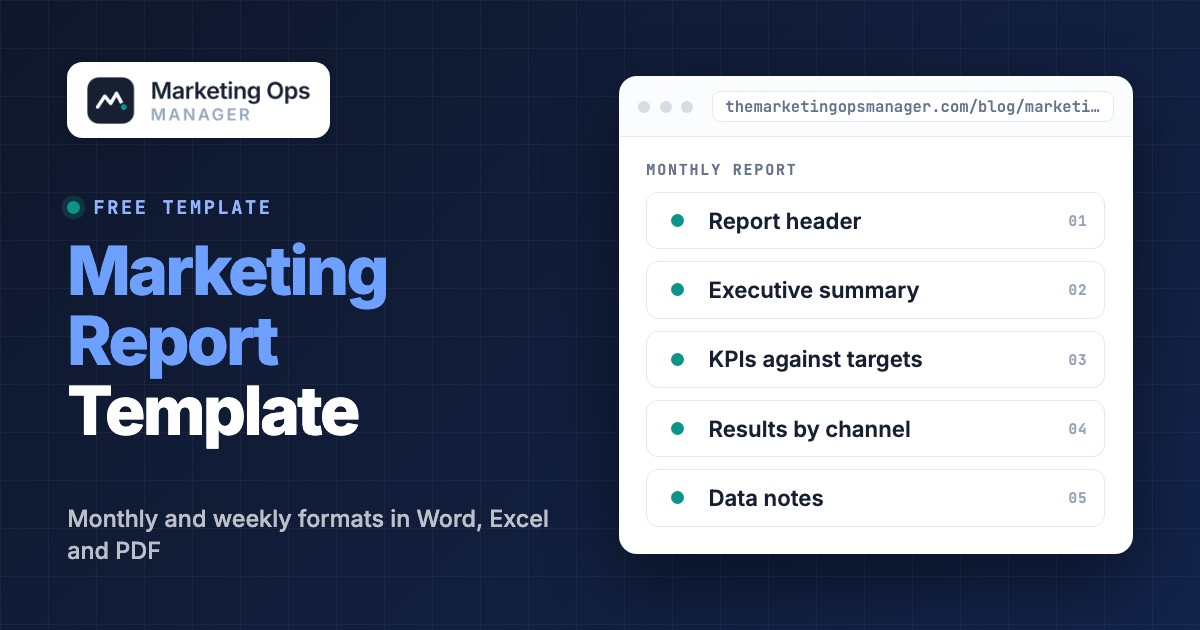
A marketing report template is a reusable document with fixed sections and fields that turns channel data into a summary a reader can act on. This page gives you two of them: a monthly report for managers and executives, and a one-page weekly report for the people running campaigns. Both come as Word, Excel and PDF files with example values you replace, followed by the metrics and formulas to fill them in, a six-step process, a finished example and a check to run before you send anything.
- Use the weekly template to catch problems and steer campaigns, and the monthly template to show results against targets.
- A report that gets read opens with a headline and a decision, then shows KPIs against targets, results by channel, what you learned and what happens next.
- Pull every metric from one source of truth and name that source in the report, so two tools never answer the same question differently.
- Write the summary last. Stackmatix suggests a monthly executive summary of 150 words at most.
- Check the numbers before you send. Google says many Google Analytics reports can take 24 to 48 hours to process data, and the default conversion window in Google Ads is 30 days.
Monthly Marketing Report Template#
Use the monthly report when the reader needs to know whether marketing hit its goals and what to do next: a marketing director, a VP, a founder or a client. It runs to one page of summary and one or two pages of detail. Copy the fields below into your own document, or download the file and replace the grey example values. The example is a made-up B2B software team, so every number is a placeholder.
Monthly marketing report template
Grey values are an example (a made-up B2B software team). Hints under each field say what to write. Replace both before you send.
- Report period
- October 1 to October 31Calendar month, start and end date
- Reader and decision
- VP Marketing, approves November budget splitWho reads it and what they decide with it
- Data cut-off
- November 3The date you pulled the numbers, at least 48 hours after period end for analytics data
- Prepared by
- Marketing operations managerOne named owner
- Headline
- Qualified leads beat target by 9%, but pipeline finished 8% short because cost per lead rose to $162.One sentence: result against goal and the main reason
- What changed
- Paid social cost per lead up 18%; webinar series added 41 leads; organic non-branded sessions up 9%Three bullets at most, each with a number
- Decision needed
- Approve moving $4,000 from paid social to paid search by November 8What you need from the reader, with a deadline
| Metric | Target | Actual | vs target | vs last month |
|---|---|---|---|---|
| Marketing-sourced pipeline | $250,000 | $231,000 | -8% | +6% |
| Qualified leads | 180 | 196 | +9% | +4% |
| Cost per qualified lead | $145 | $162 | +12% | +7% |
| Spend | $30,000 | $31,750 | +6% | +3% |
| Visit-to-lead conversion rate | 2.4% | 2.1% | -0.3 pts | -0.1 pts |
| Organic non-branded sessions | 14,000 | 15,300 | +9% | +5% |
| Channel | Spend | Qualified leads | Cost per lead | One-line note |
|---|---|---|---|---|
| Paid search | $14,000 | 88 | $159 | Branded terms steady, two non-brand ad groups paused |
| Paid social | $9,500 | 46 | $207 | Frequency above 4 on the main audience |
| Email and webinars | $3,250 | 41 | $79 | October webinar converted 14% of registrants |
| Organic search | $5,000 | 21 | $238 | Content and tooling cost, leads from guide downloads |
- What worked
- Webinar follow-up email with one call to action converted better than the three-link versionOne result and the likely reason
- What did not
- Lookalike audience on paid social: cost per lead rose for the third monthOne result and what you'll stop or change
| Priority | Owner | Hypothesis | Metric to judge it |
|---|---|---|---|
| Shift $4,000 to paid search | Paid media lead | Search captures the demand that social no longer converts | Cost per qualified lead under $150 |
| Rebuild the paid social audience | Paid media lead | A narrower audience lowers frequency and cost | Frequency under 3, cost per lead |
| Repeat the webinar format | Lifecycle manager | A second session at the same cost adds leads at a lower cost per lead | Qualified leads per session |
- Source of truth per metric named (web analytics, ad platforms, CRM)
- Tracking, form, redirect or consent changes during the period listed
- Leads in analytics reconciled to leads in the CRM, gap explained
- Definitions or targets that changed since last month marked
Two parts of this template do most of the work. The first is Decision needed. A report without a requested decision turns into a status update, and status updates are what readers skim. The second is Data notes, which is short and rarely found in report templates: it states where each number came from and what changed in the tracking during the month. It's the part that protects you when someone asks why leads from paid social don't match the CRM.
Weekly Marketing Report Template#
The weekly report is for the people who run campaigns and for the manager who needs to spot trouble early. It should be quick to write and quick to read. Stackmatix, a marketing agency, says a weekly report should take under 10 minutes to produce and under 5 minutes to read; treat that as a useful ceiling, not a standard. If the weekly report grows into a short monthly report, nobody reads it and the early warning is lost.
Weekly marketing report template
One page. Pull the numbers on the same weekday every week. Grey values are an example.
| Metric | This week | Last week | Pace vs target |
|---|---|---|---|
| Qualified leads | 46 | 41 | On pace (target 45 a week) |
| Spend | $7,400 | $7,100 | Slightly ahead (budget $7,000) |
| Cost per qualified lead | $161 | $173 | Above target of $145 |
| Visit-to-lead conversion rate | 2.2% | 2.0% | Below target of 2.4% |
- Paused two non-brand search ad groups with no leads in 14 days
- Published the webinar follow-up email with a single call to action
- Rankings for the pricing guide moved from position 9 to 6
- Anything that moved more than you expected
- Direct traffic up 30% on Tuesday, links in the webinar email were missing UTM parametersA number that jumped, fell or went to zero
- Tracking and form check
- Yes for webinar and demo pages; pricing page form not testedDid a test conversion on each main landing page reach the CRM this week?
- Data delays
- Analytics figures for Sunday still processing, shown as provisionalAny source that hadn't finished reporting when you pulled the numbers
| Test | Hypothesis | Metric | Owner |
|---|---|---|---|
| Single call to action in nurture email 2 | Fewer links raise clicks to the demo page | Click rate to demo page | Lifecycle manager |
| Narrower paid social audience | Lower frequency reduces cost per lead | Frequency, cost per lead | Paid media lead |
- Blocked by
- Web team: redirect on the pricing page strips parametersPerson or team and what you need
- Decision needed this week
- Approve $1,000 test budget for search ad group splitLeave blank if none
The line that sets this template apart from a trimmed monthly report is Anomalies and tracking check. A weekly report is the earliest place to notice that a form stopped submitting or a campaign lost its UTM parameters, because the damage is still one week old. The campaign tracking checklist lists the tests behind that one line.
Weekly vs Monthly Marketing Report: Which Format to Use#
Send a weekly report to the people who can still change this week's results, and a monthly report to the people who judge the month. The two formats answer different questions, so they shouldn't share the same metric list or the same length. Whatagraph, another vendor that publishes report templates, frames the split the same way: weekly for quick optimization, monthly for the full overview and quarterly for strategy.
| Report | Main reader | Question it answers | Length | Decision it supports |
|---|---|---|---|---|
| Weekly | Channel owners and the marketing manager | Are we on pace, and did anything break? | One page | Pause, fix or test something this week |
| Monthly | Marketing director, executives, clients | Did we hit our goals, and why? | One page of summary, one to two pages of detail | Move budget, change targets, approve plans |
| Quarterly | Leadership team | Is the strategy working? | Summary plus trend charts | Stop, start or scale a program |
Most teams need the first two. Add the quarterly version only when someone asks a question the monthly report can't answer, such as whether a channel is improving over several months or whether targets need to move.
What to Include in a Marketing Report#
A marketing report should include five parts: a headline summary, KPIs against targets, results by channel, what you learned, and what happens next. Everything else is optional. Swydo, a reporting tool for agencies, recommends putting 6 to 9 KPIs at the top of a report; the exact number matters less than choosing metrics tied to a goal, because a KPI only means something against a target.
Use the table to choose metrics and to write down the formula and the source for each one. The source column is the part most templates skip, and it's where most disagreements start.
| Metric | Formula | Read it in | Use it to |
|---|---|---|---|
| Visit-to-lead conversion rate | Leads divided by sessions on the landing page | Web analytics, then the CRM for the lead count | Judge whether pages and offers convert |
| Cost per lead (CPL) | Spend divided by leads | Ad platform for spend, CRM for leads | Compare channels on the same lead definition |
| Customer acquisition cost (CAC) | Total acquisition spend divided by new customers | Finance or CRM | Judge whether growth pays back |
| Return on ad spend (ROAS) | Revenue attributed to ads divided by ad spend | Ad platform, checked against the CRM | Decide whether to scale paid spend |
| Click-through rate (CTR) | Clicks divided by impressions | Ad platform or email platform | Test ad copy, subject lines and audiences |
| Marketing-sourced pipeline | Value of opportunities created from marketing leads | CRM | Show the effect on revenue, not just activity |
| Organic non-branded sessions | Sessions from organic search excluding brand terms | Web analytics and Search Console | See whether search visibility grows beyond people who already know you |
| Email click rate | Unique clicks divided by emails delivered | Email platform | Judge content, since opens are a rough signal |
Compare each number with two reference points: the target and the previous period. Target tells the reader whether the result is good; the previous period shows direction. If you only show one, show the target.
Keep vanity numbers out of the main table unless they explain something. Followers and impressions can sit in a channel appendix. A reader who sees 40 metrics has to build the story alone, and that's one of the main reasons Stackmatix gives for reports getting ignored.
How to Write a Marketing Report in Six Steps#
Write a marketing report by choosing the reader and the decision first, then setting targets, fixing the data sources, checking the numbers, writing the summary last and sending on a fixed day. The steps below follow the order that keeps rework low.
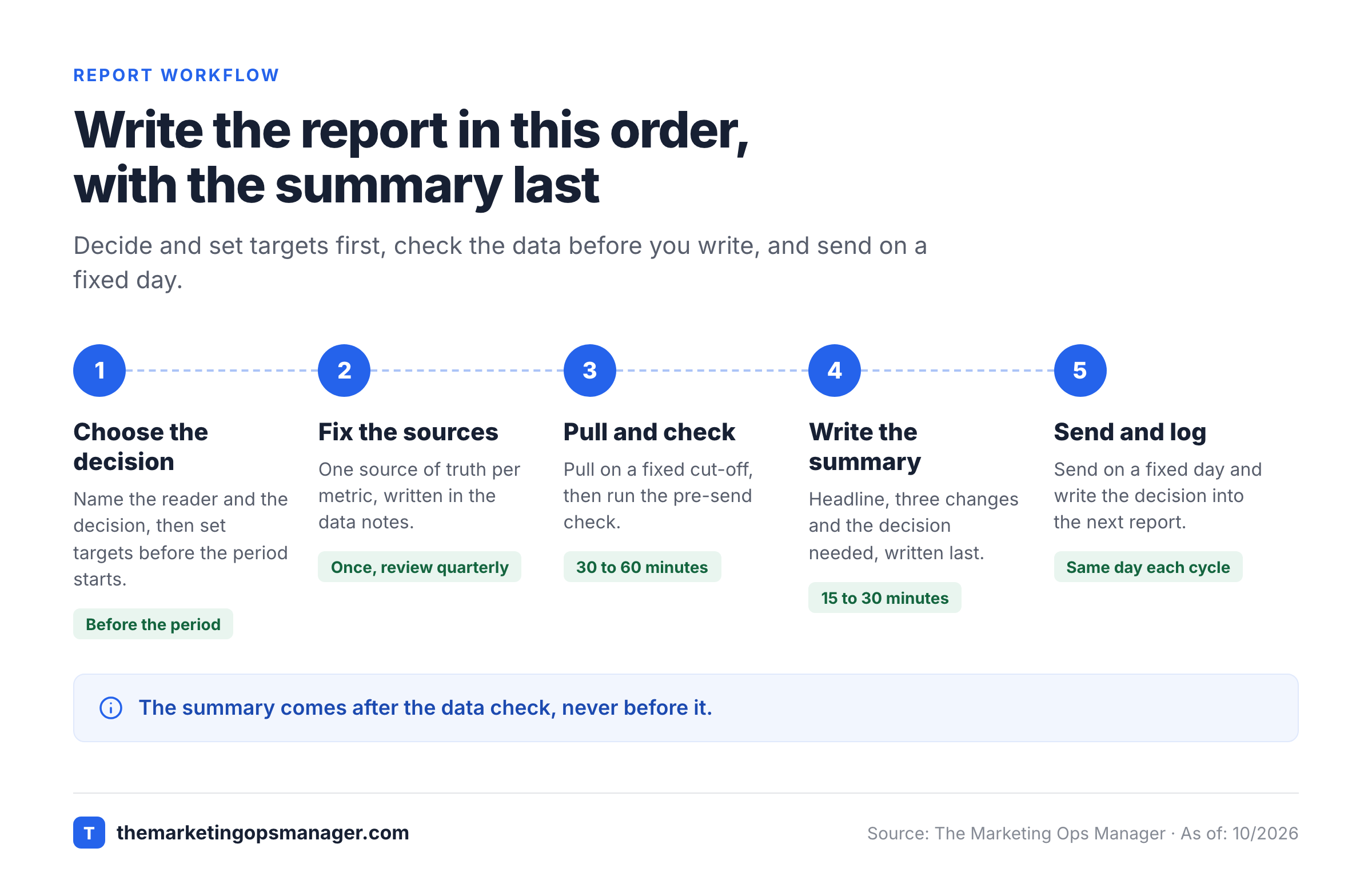
Choose the reader and the decision
Write one sentence: who reads this and what do they decide with it. A budget owner needs a different report than a channel owner. If you can't name the decision, the report is probably a dashboard.
Set the targets and the comparison
Agree each target before the period starts, not after you've seen the data. Without a target, any result can be explained as good. Decide the comparison too: target, last period, or both.
Pick one source of truth per metric
Decide where each number is read from, for example spend from the ad platform and leads from the CRM, and write it in the data notes. When two tools disagree, the source of truth wins and the difference is explained, not averaged.
Pull the data on a fixed cut-off and check it
Pull all numbers on the same day, after delayed data has settled, then run the pre-send check below. Mark anything still provisional.
Write the summary last
Once the table is final, write the headline, the three changes and the decision needed. Stackmatix suggests keeping a monthly executive summary to 150 words at most. If the headline needs the word 'but', it's usually the right headline.
Send on a fixed day and log the decision
A predictable send day builds the habit of reading. After the meeting, write the decision into next period's report so you can see whether it worked.
Marketing Report Example (Filled In)#
The example below shows how the headline, the table and the decision fit together. The company and the numbers are made up by us for illustration, and they aren't benchmarks for any industry.
The headline for the month reads: qualified leads beat target by 9%, but pipeline finished 8% short because cost per lead rose to $162 against a target of $145.
| Metric | Target | Actual | vs target | vs last month |
|---|---|---|---|---|
| Marketing-sourced pipeline | $250,000 | $231,000 | -8% | +6% |
| Qualified leads | 180 | 196 | +9% | +4% |
| Cost per qualified lead | $145 | $162 | +12% | +7% |
| Spend | $30,000 | $31,750 | +6% | +3% |
| Visit-to-lead conversion rate | 2.4% | 2.1% | -0.3 pts | -0.1 pts |
The pipeline shortfall and the cost per lead point to the same cause. Spend ran 6% over budget while leads came in 9% above target, but the extra leads were more expensive and converted less often to opportunities. In the example, the paid social channel produced most of the cost increase, so the decision asks the reader to move $4,000 to paid search by a specific date.
Three decisions come out of this one page. Each one has a number attached, so next month shows whether it worked.
- Move $4,000 from paid social to paid search and judge it on cost per qualified lead under $150.
- Rebuild the paid social audience, because frequency above 4 points to a saturated audience.
- Repeat the webinar format, which produced leads at a lower cost than any paid channel.
A report without that last step shows what happened but leaves the reader to decide what to do. The decisions are also what you'll check next month.
Check the Numbers Before You Send the Report#
Wrong numbers in a marketing report usually come from three places: tracking that changed or broke during the period, data that hadn't finished processing when you pulled it, and tools that count a conversion differently. Check these before the summary goes out, because a headline built on a broken number is worse than a late report.
Two facts from Google's own help pages explain a large share of mismatches. Google says many Google Analytics reports and explorations can take 24 to 48 hours to process data, so a monthly report pulled on the first of the month can understate the last day or two. And in Google Ads, a conversion window is the period after an ad interaction during which a conversion is recorded; it can be set per conversion action, and the default is 30 days. If analytics counts a lead on the day it happens and the ad platform credits it to the click weeks earlier, the two numbers will differ even when both are right.
Google also notes that a Google Analytics key event can be used to create a Google Ads conversion, so the counts match between the two and discrepancies are reduced. When conversions are shared that way, some settings, such as the conversion window and counting method, might not be editable in Google Ads, and Google provides tools to find diverging conversion settings. If your numbers disagree, compare those settings first. For how the credit rules themselves differ, see the attribution models guide.
| What you see | Likely cause | How to confirm |
|---|---|---|
| Ad platform shows more conversions than analytics | Different conversion windows, counting methods or attribution, or analytics data still processing | Compare the conversion settings in both tools and re-pull after 48 hours |
| Analytics leads are higher than CRM leads | Submissions that never created a record, duplicates, spam, or a routing rule that drops leads | Submit a test lead and trace it to the CRM record |
| One channel falls close to zero in a week | A removed tag, a changed form field or a redirect that strips parameters | Load the landing page, check the event fires, check the final URL |
| Direct traffic jumps | Links without UTM parameters, or a redirect that removes them | Check the links in the latest emails and ads against your UTM naming convention |
| Email platform clicks differ from analytics sessions | Clicks and sessions are different events, and some clicks never load the page | Compare clicks with sessions that carry the email's UTM campaign |
A drop of that shape deserves a tracking check before it gets a performance explanation. If a webinar page lost its conversion event after a tag change, no amount of ad optimization will fix the report. The Google Tag Assistant guide shows how to confirm that tags fire, and the UTM parameters guide covers the link side.
- At least 48 hours have passed since period end before analytics numbers were pulled
- Every metric names its source system in the data notes
- Conversion definitions and windows match between ad platforms and analytics, or the difference is written down
- Leads in analytics reconcile to leads in the CRM within a gap you can explain
- Every tag, form, redirect and consent change during the period is logged
- A test conversion on each main landing page reached the CRM this week
- Percent changes compare periods of the same length and the same start day
- Any number that moved more than expected was investigated before it was explained
Running these checks by hand once a month works for a small program. When several campaigns run across ad platforms, forms, analytics and a CRM, the failures tend to appear between the tools, and the report is the last place anyone looks. The marketing operations audit checklist covers the broader review, and The Marketing Ops Manager runs journey checks on landing pages, tracking, forms and CRM handoffs on a schedule and opens an incident with evidence when a step fails.
Adapting the Report for Executives, Sales and Clients#
The same data goes into different reports depending on who reads it. Change the order and the depth, not the numbers.
| Reader | Lead with | Cut | Format |
|---|---|---|---|
| Executives and board | Pipeline, CAC and the decision needed | Channel mechanics | One-page summary, appendix on request |
| Sales | Lead quality and volume by source | Impressions and engagement metrics | Short table plus notes on lead handoff |
| Channel owners | Pace, anomalies and tests | Long narratives | Weekly one-pager |
| Agency clients | Results against agreed goals and next steps | Raw platform exports | Monthly report with a glossary of terms |
Whatever the version, the final test is whether the reader can take a specific action after reading it. If they can't, the report is still describing instead of deciding.
What should a marketing report template include?
A marketing report template should include a report header with the period and reader, an executive summary with a headline and the decision needed, KPIs against targets, results by channel, what you learned, next steps and data notes naming the source of each metric. The templates on this page contain all seven sections.
How do you write a good marketing report?
Start with the reader and the decision, set targets before the period starts, read each metric from one named source, check the numbers for tracking changes and delayed data, then write the summary last. End with a decision tied to a date so the report leads to action.
What are examples of marketing reports?
Common examples are a weekly performance report, a monthly marketing report, a quarterly business review, a campaign report written after a launch, a channel report for SEO, paid search, paid social or email, and an executive summary for leadership. This page gives a weekly and a monthly template, the two formats most teams run on a schedule.
How long should a marketing report be?
A weekly report should fit on one page. A monthly report works best as a one-page summary with one or two pages of detail. Stackmatix suggests an executive summary of 150 words at most, and Whatagraph says a stakeholder should be able to understand performance in 2 to 3 minutes. Treat these as guidelines from vendors, not standards.
Can I use the marketing report template in Excel, Word or Google Sheets?
Yes, you can download each template as a Word file, an Excel file and a PDF with the same fields. To use the Excel file in Google Sheets, upload it to Google Drive and open it with Google Sheets. You can also copy the template text from the page into any document.