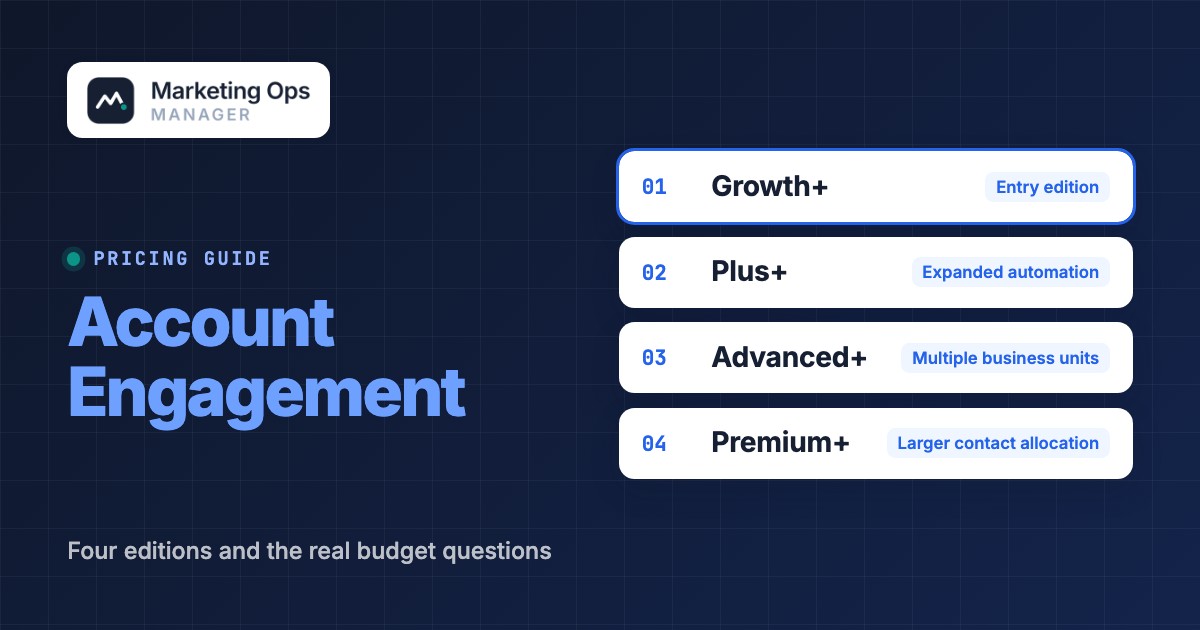
Salesforce Account Engagement pricing starts at $1,250 per organization per month for Growth+, with annual billing and an annual contract. The other published editions are Plus+ at $2,750, Advanced+ at $4,400, and Premium+ at $15,000 per organization per month. Those are list prices, not an implementation quote, and they don't capture additional contact blocks, messaging credits, optional capabilities, or the labor needed to make marketing and CRM data agree.
For a marketing operations buyer, the expensive mistake isn't simply selecting the wrong feature tier. It's buying a nurture platform before you've defined how forms create prospects, how those prospects sync with Salesforce, who owns scoring, and what happens when a qualified lead's assigned to sales. This guide translates Salesforce's current edition table into a budget and implementation decision.
Salesforce Account Engagement pricing at a glance#
- Growth+$1,250 per org/month, billed annuallyEntry edition
- 10,000 contacts included
- 50 forms, 50 form handlers and 50 landing pages
- 50 automation rules
- Marketing Cloud Next Growth Edition
- Plus+$2,750 per org/month, billed annuallyExpanded automation
- 10,000 contacts included
- Unlimited forms, form handlers and landing pages
- 100 automation rules
- Marketing Cloud Next Advanced Edition
- Advanced+$4,400 per org/month, billed annuallyMultiple business units
- 10,000 contacts included
- 150 automation rules
- 2 business units included
- Dedicated IP address
- Marketing Cloud Next Advanced Edition
- Premium+$15,000 per org/month, billed annuallyLarger contact allocation
- 75,000 contacts included
- 150 automation rules
- 5 business units included
- Premier Success
- Marketing Cloud Next Advanced Edition
Salesforce US Account Engagement pricing page, checked October 24, 2026. List prices exclude optional extras; every per-month product requires an annual contract.
The word monthly describes the pricing unit, not a cancel-anytime subscription. Salesforce says outright that its per-month products require an annual contract. Get the order form, renewal language and any negotiated credits in writing before you treat a public list price as your final budget.
At published rates, the base annual license is $15,000 for Growth+, $33,000 for Plus+, $52,800 for Advanced+, or $180,000 for Premium+. These figures are plain multiplication of the listed monthly prices by twelve, before discounts, taxes, services, add-ons, and consumption charges. The tier jump can be substantial even when the contact allowance doesn't increase.
- Growth+ list price per org/month
- $1,250
- Included contacts in Growth+ through Advanced+
- 10,000
- Included contacts in Premium+
- 75,000
- Additional 10,000 contacts per month
- $100
What changes between Growth+, Plus+, Advanced+ and Premium+?#
Growth+: a controlled starting point for B2B nurture#
It's the one most first-time buyers start with. Growth+ is the cheapest published Account Engagement edition. It covers core lead nurturing and scoring and bundles access to Marketing Cloud Next Growth Edition. Its published caps work when the marketing team has a reasonably stable library of forms, landing pages, and rules.
The practical test is inventory, not aspiration. Count your active acquisition forms, any form handlers attached to an existing CMS, landing pages still used by paid campaigns, and automation rules that marketing really needs, because that's what decides the edition. Include seasonal and regional campaigns in that count, since they're the ones people forget. A team can outgrow an edition's object limits long before it outgrows its audience allowance.
Growth+ isn't attractive when the campaign team needs many independently managed landing pages or complicated routing logic. Don't pay for a higher edition just because the team expects more campaigns someday. First consolidate obsolete assets and document what you really need.
Plus+: more campaign objects and automation#
Plus+ keeps the same included contact allowance, but it removes the published numeric caps on forms, form handlers, and landing pages. Salesforce lists more automation rules than Growth+. It also includes Marketing Cloud Next Advanced Edition access.
For marketing ops, the question is whether the extra spend resolves a real bottleneck. If your team uses a CMS for pages, a small set of embedded forms, and few automation rules, the incremental edition features may sit idle. If several brands or regions share one marketing operations team and repeatedly hit asset limits, the difference becomes easier to defend.
Before upgrading, ask which B2B Marketing Analytics capabilities and licenses are included in the actual quote. Salesforce's comparison table lists analytics features separately from the product headline, and optional Analytics Plus is another commercial line item.
Advanced+: governance for complex Salesforce environments#
Advanced+ adds a published allocation of 2 business units, more automation capacity, and a dedicated IP address in the edition summary. Lower editions can add a dedicated IP for $500 per month, according to the same page. This is a meaningful change for organizations that need clearer brand or region boundaries, rather than just more landing pages.
A business unit isn't a substitute for a governance model. Decide which marketing team owns the shared taxonomy, which Salesforce fields are authoritative, who approves a new automation rule, and how leads cross organizational boundaries. Otherwise the extra separation can create duplicated logic, conflicting field definitions, and reporting that executives can't reconcile.
Advanced+ still shows 10,000 included contacts on the US pricing page. Don't assume a higher edition automatically raises your audience allowance. If audience growth is the reason for the upgrade, price the extra contacts first and compare that with the feature need you've actually documented.
Premium+: contact scale and higher-touch support#
It's the edition you'll only need if audience size is the real constraint. Premium+ lists 75,000 included contacts and 5 business units, alongside Premier Success and the capabilities of the lower editions. It's the largest published Account Engagement edition in the current US table.
The buying decision shouldn't float free of the scale and operating model of the organization. A marketing team with one brand and an uncomplicated Salesforce handoff won't necessarily need the larger bundle, even if its CRM is big. Conversely, an organization with distributed marketing teams, multiple brands, and substantial audience volume may value the combination of capacity and governance.
Salesforce's page describes Premier Success as part of Premium+. Check the order form for the precise support entitlements, response terms, and any exclusions rather than assuming every Salesforce support offering is included.
- Core nurture with controlled asset countsEvaluate Growth+ and audit form, page and rule counts.
- Many forms, landing pages or more automation rulesEvaluate Plus+ against current limits and actual campaign operations.
- Separate business-unit governance and dedicated IPEvaluate Advanced+; design ownership and data sharing first.
- Larger included contact allocation and Premier SuccessEvaluate Premium+; compare its bundle with a smaller tier plus extras.
Additional costs that change the real quote#
The Salesforce edition table is a starting point. The following items should appear as separate lines in your budget model, even when their final amounts aren't yet known.
Extra contacts and audience growth#
Salesforce currently advertises additional contacts at $100 per 10,000 contacts per month. That's a published add-on rate, not a guarantee about how every contract calculates or rounds contact usage. Ask your account team what counts toward your purchased contact blocks, whether overages are automatic or need an order, who pays for them, and how reductions are handled.
For an illustrative scenario, suppose a Growth+ buyer needs 20,000 contacts and purchases one extra 10,000-contact block at the advertised price. The simple list-price model becomes $1,350 per month or $16,200 per year, excluding all other extras. Treat this as arithmetic for budget planning. It's not a Salesforce quote, and it won't survive a negotiated discount unchanged. The actual billable contact definition and contract terms still need confirming, so don't treat the figure as final.
List prices plus $100 per extra 10,000-contact block, rounded up to whole blocks (assumed). Before discounts, taxes and other add-ons. Salesforce US pricing page, checked October 24, 2026.
Messaging and Marketing Cloud Next consumption#
Account Engagement+ gives you access to Marketing Cloud Next capabilities, but access isn't the same thing as unlimited usage. Salesforce says the next-generation functionality uses a consumption model and that customers may need Einstein Request, Messaging, and Data 360 credits. The pricing page lists SMS and WhatsApp as add-ons across the editions.
That creates a planning problem for teams that think they're buying only email nurture. If a future campaign requires text messaging, conversational channels, or unified audience data, the usage model may change. Ask the vendor to model your intended channel mix, projected consumption, and the way usage is measured. Keep those assumptions next to the license line in the approval packet.
Optional analytics and sales enablement add-ons#
Salesforce lists B2B Marketing Analytics Plus at $3,000 per user per month and Sales Emails and Alerts at $50 per user per month. These are separate advertised add-ons. The site also shows certain Growth+ capabilities with additional monthly charges, including Advanced Dynamic Content and Advanced Email Analytics at $400 per month each.
Don't automatically include every option in your baseline. Write down the problem each add-on would solve, the named owner, and what you'd use instead if you didn't buy it. A line item with no owner and no measurable outcome isn't a good candidate for a long-term commitment.
CRM licenses, implementation and ongoing operations#
The Account Engagement page quotes its product by organization. It doesn't establish your complete Sales Cloud licensing bill or the price of implementation services. If your team also needs new CRM seats, consultant work, or custom integration, obtain separate quotes.
Budget for data mapping, deduplication, consent and suppression rules, domain authentication, templates, lead assignment, QA, analytics definitions, and admin time. These tasks exist whether you hire a partner or use your own staff, and they won't vanish if you ignore them. The useful comparison is the total cost of a working, governed lead lifecycle, not the license line alone.
A worked first-year Account Engagement budget#
Here's a buyer worksheet that separates verified Salesforce list prices from assumptions you must supply. It's simple enough to copy into a spreadsheet; Salesforce hasn't published a universal implementation fee.
| Budget line | What to enter | Evidence or owner |
|---|---|---|
| Base edition | Growth+, Plus+, Advanced+, or Premium+ annualized list price | Salesforce published US price; procurement checks quote |
| Additional contact blocks | Purchased blocks multiplied by the quoted monthly rate | Marketing ops audience forecast; Salesforce order form |
| Messaging and AI credits | Forecasted usage and contracted credit rates | Channel owner and Salesforce sales team |
| Optional analytics or sales features | Explicitly selected SKUs and users | RevOps, BI and procurement |
| CRM licensing | New or incremental licenses, if any | Salesforce administrator and finance |
| Implementation | Fixed-scope internal or partner estimate | Project lead and delivery partner |
| Ongoing administration | Internal hours or support contract | Marketing ops manager |
| Contingency | Buyer-defined reserve, documented separately | Finance |
For the 20,000-contact Growth+ example, the advertised license and one extra contact block produce the $16,200 annual planning subtotal above. Now add your actual implementation quote, CRM needs, and consumption forecast. Don't use an arbitrary percentage as a substitute for those estimates. If the seller bundles credits or discounts, compare the quote line by line with this worksheet.
A useful decision record also captures the owner of each assumption and the date it was last confirmed. If a campaign team adds a new region, the worksheet should change before the renewal conversation, not after the invoice arrives.
What your edition must support across the marketing-to-sales data flow#
Account Engagement isn't a standalone form builder in the operational sense. It participates in a flow that crosses web properties, marketing automation, Salesforce records, and human follow-up. Pricing decisions get clearer when you test the full sequence.
- CaptureForm to prospect
 Salesforce Marketing Cloud Account Engagement
Breaks when Verify field mapping, source attribution, consent and duplicate handling. - QualifyProspect to scored lead
- Salesforce Marketing Cloud Account Engagement
Breaks when Agree on scoring, grading, assignment thresholds and exceptions. - SyncMarketing to CRM
- Salesforce Marketing Cloud Account Engagement
Breaks when Test initial imports, field ownership, sync errors and lead conversion. - HandoffCRM to sales action
- Salesforce Marketing Cloud Account Engagement
Breaks when Check owner assignment, alerts, follow-up evidence and reporting.
Capture: the form is only the beginning#
Start with a real campaign landing page and submit a test lead. Confirm the record lands in the expected place, the campaign source is preserved, the consent state is usable, and duplicate handling matches your policy. If you use an external CMS, test its form-handler path rather than assuming the native form configuration represents your production environment.
This is where edition limits on forms and form handlers matter. Count how many unique capture points your organization maintains, and note which ones aren't earning their keep, but also work out which ones you'd retire. Consolidating several abandoned assets can be more valuable than buying a higher limit.
Qualify: define what sales should receive#
Sales won't act on scores they don't trust. Salesforce supports lead scoring and grading concepts in Account Engagement. The existence of a scoring feature doesn't define a good MQL. Marketing and sales must agree on the events that indicate interest, the attributes that indicate fit, the disqualifying conditions, and what happens when a lead's status changes.
Document who owns the model, who's allowed to change it, and how you'll validate it against outcomes. If you're planning to use Einstein scoring, check edition access, data prerequisites, and the exact scoring features in your contract. Don't assume every AI label on a product page means the same model or licensing entitlement.
Sync: map records and test failure cases#
Don't skip this one, because it's where most rollouts stall. Salesforce's connector guidance explains that existing CRM leads and contacts need an initial import to establish the first sync; the connector doesn't simply create Account Engagement prospects for all historical CRM records. It also calls for mapping custom fields, configuring users, and testing the connector.
That detail is easy to miss in a procurement comparison. A demo might show a clean lead arriving in the CRM, while a real implementation has mismatched picklists, old contacts, ownership conflicts, and records that can't sync. Build an acceptance test around your own data before you sign off on the rollout.
Handoff: prove that the right salesperson acted#
The handoff is where deals quietly leak, and it's rarely the software's fault. A lead can be captured and scored correctly and still fail commercially if the owner assignment, alert, or follow-up process is unclear. Treat this as a cross-team operating agreement. Define which lead states create a task, who receives the notification, how rejected leads return to nurture, and how managers see exceptions.
For ongoing monitoring, distinguish the system that executes nurture from the process that checks whether each campaign handoff still works. A marketing operations team should use a campaign tracking checklist to test the capture-to-CRM path after major form changes, field changes, and automation edits.
How to choose a plan without overbuying#
Inventory the live assets
Export or count active forms, form handlers, landing pages and automation rules. Separate current production use from old campaigns and experiments.
Forecast the audience
Model active contacts by business unit and region. Ask Salesforce how the contract counts contacts and how additional blocks are purchased.
Map the CRM handoff
Document form fields, prospect creation, scoring, lead assignment, field ownership and the exception path back to nurture.
Scope channels and credits
List planned email, SMS, WhatsApp, AI and Data 360 use cases. Request credit allocations and rates in the quote.
Compare written commercial terms
Check the annual commitment, renewal provisions, edition changes, support entitlements, implementation scope and named add-ons.
Use the smallest edition that meets your verified requirements, not the one with the longest feature list. That's the cheapest safe choice. An ongoing marketing operations audit checklist can help reveal which controls need ownership before an upgrade. The right upgrade is the one that removes a measured constraint: an asset cap, governance requirement, analytics need, or included audience limit. An upgrade without a measurable constraint often creates a larger budget without fixing the process that actually breaks.
Ask for a sandbox or representative demonstration of your highest-risk handoff. Don't settle for a slide deck. A vendor demo that proves only email creation doesn't prove that your form submissions will sync into the correct Salesforce lead and trigger the right owner action. Document pass and fail criteria before the demonstration.
Contract terms and renewal questions to ask Salesforce#
Here's the part buyers skip: the list price isn't the contract. Salesforce states the published per-month Account Engagement products require an annual contract and that listed prices can change. It also says customers can upgrade and purchase additional products later in a contract. Those statements are useful, but they don't tell you your specific renewal notice period, price protections, credit carryover, or cancellation mechanics.
Request the current order form and applicable terms. Ask which terms govern auto-renewal, how much notice is required, whether unused credits expire, how contact blocks are added or removed, and whether a mid-term edition change restarts a commitment. What you've signed governs your purchase.
- Edition and per-organization license amount are stated in USD
- Annual term, billing cadence and renewal terms are explicit
- Included contacts and additional contact-block rules are written down
- Optional analytics, sales, messaging and AI SKUs are itemized
- Consumption credits, expiration and overage rules are documented
- CRM licensing and implementation scope are separately estimated
- Business units, form limits, rule limits and API capacity match requirements
- Support entitlement and escalation process are identified
- Marketing-to-Sales sync acceptance test has a named owner
- Finance has approved a first-year total cost and renewal baseline
Account Engagement vs Marketing Cloud Next: avoid double-counting#
Salesforce now bundles access to Marketing Cloud Next capabilities with Account Engagement+. Its official FAQ says Growth Edition customers receive Next Growth access, while Plus, Advanced and Premium customers receive Next Advanced access. It also says current customers don't need a new SKU solely to access this functionality through permission-set licenses, while consumption credits may still be necessary.
That's a meaningful packaging distinction. When reviewing a proposal, ask the seller to identify which capabilities are already available through your Account Engagement edition, which are new licensed products, and which are metered usage. A separate line for a capability that appears bundled is a reason to ask for clarification.
The decision between a new Marketing Cloud Next implementation and Account Engagement also depends on your existing data model, CRM setup, and campaign workflow. Don't run a feature-by-feature comparison that ignores migration effort, governance, and the cost of operating parallel systems.
Frequently asked questions#
How much does Salesforce Account Engagement cost?
The published US list prices are $1,250, $2,750, $4,400 and $15,000 per organization per month for Growth+, Plus+, Advanced+ and Premium+, respectively. All are billed annually, and Salesforce requires an annual contract.
Is Pardot the same as Salesforce Account Engagement?
Pardot is the older name buyers often use for Salesforce's B2B marketing automation product. Use the current Marketing Cloud Account Engagement edition table when evaluating a new purchase.
Does a higher edition always include more contacts?
No, it doesn't. Salesforce lists 10,000 included contacts for Growth+, Plus+ and Advanced+, while Premium+ lists 75,000. Additional contact blocks are separately advertised.
Are SMS, WhatsApp and AI usage included in the base price?
Don't assume unlimited usage. Salesforce lists SMS and WhatsApp as add-ons and explains that Marketing Cloud Next functionality can require Messaging, Einstein Request and Data 360 credits.
Can I pay month to month?
Salesforce displays monthly prices but says its per-month Account Engagement products require an annual contract. Confirm invoicing cadence and negotiated terms in the order form.
Does Salesforce publish a standard implementation fee?
The Account Engagement pricing page doesn't provide a single implementation fee for every deployment. Scope the integration, data cleanup, consent, training and testing work and obtain a project-specific estimate.
The bottom line#
Start with your marketing-to-sales process, then select the edition. Growth+ is a defensible entry point for a tightly managed campaign operation. Plus+ makes sense when real asset and automation limits constrain the team. Advanced+ is easier to justify when business-unit governance matters. Premium+ addresses a substantially larger included audience and support bundle.
Before you approve the quote, you'll want a contact forecast, a usage-credit schedule, a tested Salesforce handoff, and a written renewal baseline. The edition price is the easy number, and it's rarely the whole story. The real cost is the full system your team has to maintain to turn campaign responses into trustworthy sales actions.