HubSpot vs Marketo is a choice between a marketing platform built around a shared CRM and an automation platform that connects to an external CRM. HubSpot Marketing Hub is the more straightforward choice when marketing and sales can work from HubSpot records. Adobe Marketo Engage deserves a closer look when Salesforce already governs the revenue process and the team needs detailed program controls.
The biggest cost isn't always the subscription. It's the work of defining who owns a lead, how campaigns change that record and what happens when a form submission or sync fails. A capable marketing operations team should evaluate that data path before debating email editors.
If the CRM itself is still undecided, HubSpot vs Salesforce compares seat prices, tier limits and lead routing.
HubSpot vs Marketo: the short verdict#
HubSpot is the stronger default for a team that wants CRM records, campaign execution and reporting in a connected environment. Marketo is a serious contender for an established Salesforce operation that needs granular program membership, campaign triggers and configurable synchronization. Neither choice eliminates the need for clean data ownership or release testing.
 Choose HubSpot Marketing Hub
- Marketing and sales can use HubSpot CRM as their shared record
- Your team wants visual workflows and fewer CRM handoff points
- Published plan pricing is useful for an initial budget
 Choose Adobe Marketo Engage
- Salesforce is already the system of record
- Program membership and detailed Smart Campaign controls are central to operations
- You can support ongoing sync monitoring and platform administration
A platform shouldn't win because a demo ran smoothly. It should win because its normal operating model matches the people who'll maintain it after launch.
HubSpot vs Marketo at a glance#
HubSpot and Marketo both support marketing automation, but their records, packaging and operational responsibilities differ. The comparison below focuses on the decisions that change campaign reliability, not generic feature checkmarks.
| Tool | Primary operating model | Automation design | Salesforce handoff | Public plan prices | Program governance | Best fit |
|---|---|---|---|---|---|---|
| HubSpot Marketing Hub | Marketing Hub shares HubSpot CRM records | Workflows with enrollment and re-enrollment controls | Salesforce integration with planned record and field ownership | Published USD starting prices | Campaigns and CRM-centered workflows | Teams standardizing on HubSpot CRM |
| Adobe Marketo Engage | Marketing automation with native CRM integrations | Smart List, Flow and Schedule in Smart Campaigns | Salesforce sync with object-specific direction rules | Request a customized quote | Program statuses and member progression | Teams operating a mature Salesforce-centered stack |
The practical distinction isn't that one platform has automation and the other doesn't. It's where a marketer investigates a failed handoff, who can fix it and whether the change belongs in a shared CRM record or a synchronized system.
How HubSpot and Marketo move campaign data#
A HubSpot campaign can collect a form response into the CRM record used by its marketing tools. Marketo can collect a response and synchronize the relevant person data into Salesforce. Those are different architectures, so the ownership questions and failure checks aren't interchangeable.
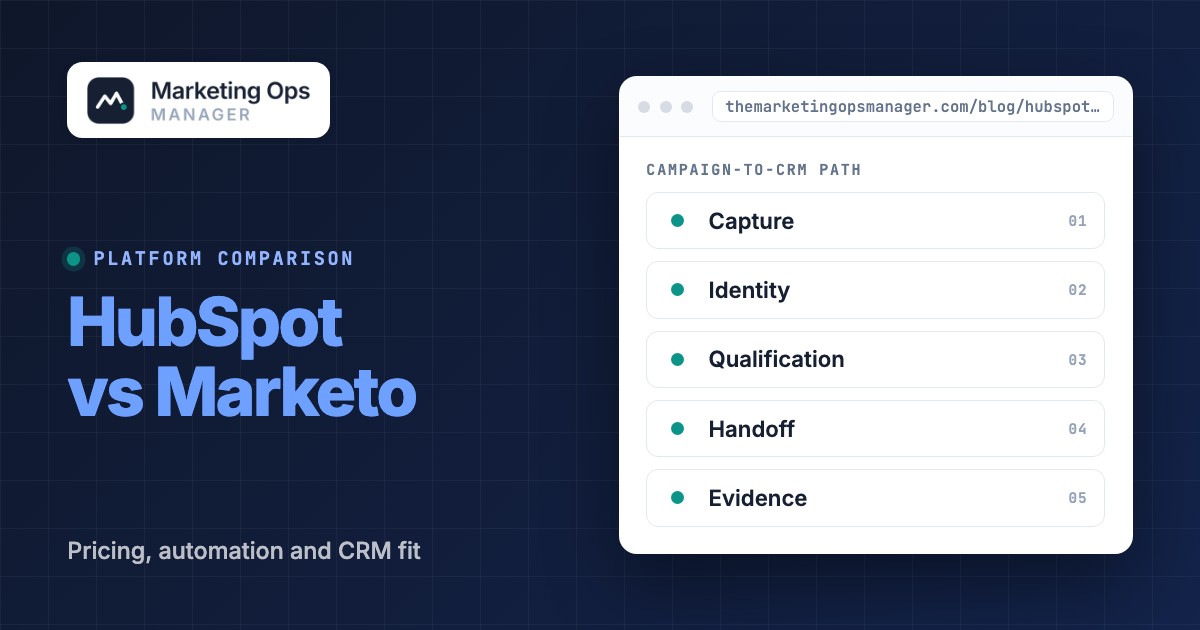
For a typical gated-content campaign, map the path before you configure anything. These are the five checkpoints we use.
- Capture: A visitor submits the form. Confirm the submission is recorded and consent fields aren't silently dropped.
- Identity: Match the submission to the correct person. Decide which identifier wins when an email address changes.
- Qualification: Apply the right segment and trigger. Verify that suppression rules still hold when a record changes.
- Handoff: Create or update the CRM record with the agreed owner and lifecycle stage.
- Evidence: Confirm that the handoff completed, not merely that the marketing platform queued an action.
A diagram that stops at the email send is incomplete. The sales team needs to know whether the record arrived with the expected owner and whether the campaign source survived the trip. It's non-negotiable to assign an owner to each transition.
HubSpot's shared-record advantage#
HubSpot Marketing Hub operates alongside HubSpot Smart CRM, so teams using that CRM can avoid a separate marketing-to-CRM synchronization boundary for ordinary contact workflows. You'll still need to agree on lifecycle stages, permissions and field definitions. A shared database won't rescue a badly defined process. It can't assign ownership for you, and it doesn't settle consent rules.
HubSpot also offers a Salesforce integration, but that changes the architecture. HubSpot's implementation guidance tells administrators to decide which system controls records and fields before connecting the two. If Salesforce remains the source of truth, test the connector as carefully as any other data integration.
Marketo's Salesforce synchronization boundary#
Adobe documents a Salesforce sync that pauses for five minutes between cycles. Its documentation says that bidirectional synchronization applies to leads, contacts and Salesforce campaigns, while other objects follow different directions. That's a concrete reason to document ownership object by object rather than call the entire connection bidirectional.
The delay matters when sales expects immediate action after a high-intent form. Some actions can trigger a direct sync, but your operational design shouldn't assume every field change is instantly visible everywhere. Record the source object, target object, sync rule and error owner before the first live campaign. If the owner can't explain the sync rule, the campaign isn't ready. Don't accept a passing email test when the CRM record doesn't change.
HubSpot workflows vs Marketo Smart Campaigns#
HubSpot workflows center on enrollment criteria and actions, whereas Marketo Smart Campaigns divide targeting, actions and timing into Smart List, Flow and Schedule. Both can run useful nurture programs. Their differences become clearer when someone must diagnose why a contact entered twice or never entered at all.
What HubSpot workflow operators should test#
HubSpot's workflow documentation says records generally enroll the first time they meet the trigger unless re-enrollment is configured. That's an operational control, not just a setup detail. A repeated form submission might not restart a nurture unless the workflow is configured to permit it.
Test a fresh contact, an existing contact and a contact that has completed the workflow. Then test a contact that stays eligible without leaving the segment. If the behavior differs from the campaign brief, don't launch on the assumption that the platform will interpret the business rule for you.
HubSpot's enrollment settings also interact with exclusions and permissions. Your QA record should capture the trigger definition, the re-enrollment setting and the actual enrollment history. A workflow can be technically active while the wrong audience receives the message. If you don't test suppression, you won't know whether a returning lead can enter again. That isn't an edge case when sales and marketing share records.
What Marketo Smart Campaign operators should test#
Adobe describes a Marketo Smart Campaign as a Smart List for the audience, a Flow for actions and a Schedule for timing. Filters select people who qualify at evaluation time, while triggers respond to events. Wait steps and split choices live in the Flow.
That separation gives operators explicit places to inspect a missed action, but it also means a campaign can look correct in one tab and fail because of another. Verify qualification rules, flow order, recurrence and communication limits together. An edit to a program should be tested against existing members rather than only new leads.
Marketo also tracks program membership through channel-defined statuses. Adobe says a person can't move backward to an earlier program status. Teams migrating campaign history should map those states before import, since a familiar label isn't proof that the new program has equivalent progression rules.
HubSpot vs Marketo pricing and total cost#
HubSpot publishes US dollar pricing for Marketing Hub, while Adobe asks buyers to request customized Marketo Engage pricing. HubSpot's published figures support a starting budget. Marketo's public packaging supports a feature discussion, but it doesn't support a defensible monthly-price comparison without a current quote.
| Platform or package | Public starting price (USD) | Commercial detail | What to verify |
|---|---|---|---|
| HubSpot Marketing Hub Professional | $800/month with annual commitment | 3 Core Seats and 2,000 marketing contacts included | Contact tiers, onboarding and extra seats |
| HubSpot Marketing Hub Enterprise | $3,600/month | 5 Core Seats and 10,000 marketing contacts included | Contact tiers, onboarding and governance features |
| Adobe Marketo Engage Growth | Quote required | Foundational automation package | Database size, implementation and included services |
| Adobe Marketo Engage Select | Quote required | Essential marketing automation and measurement | CRM setup, API usage and support |
| Adobe Marketo Engage Prime | Quote required | Account-based capabilities and journey analytics | Package entitlements and add-ons |
| Adobe Marketo Engage Ultimate | Quote required | Premium attribution package | Attribution scope and renewal terms |
HubSpot amounts are advertised starting figures, checked October 19, 2026. Adobe's current public page lists packages without US dollar prices. Promotional pricing, billing choices and negotiated terms can change the quote.
HubSpot's Professional price page also shows $890 per month as the alternate displayed amount. The Professional tier has a required one-time onboarding fee of $3,000. Enterprise's required onboarding fee is $7,000. It's a mistake to compare the subscription headline while leaving those fees outside the approval memo.
For a simple, explicitly limited first-year baseline, $800 × 12 + $3,000 = $12,600 for HubSpot Professional before extra contacts, seats and other charges. For Enterprise, $3,600 × 12 + $7,000 = $50,200 before additions. These are arithmetic examples from advertised amounts, not customer quotes or estimates of full implementation costs.
HubSpot also bills around marketing-contact tiers. Its product catalog says a contact-tier downgrade waits until contract renewal, and crossing a purchased tier can trigger immediate billing. Don't assume an annual cleanup of inactive contacts immediately reduces the current contract. Ask for a modeled invoice at the projected contact count.
Adobe's package matrix is useful for a different reason. It shows Growth with 10 users and 20,000 daily API calls, while Select lists 25 users and 50,000 daily API calls. Those published entitlements are worth checking against your sync and administration design, but they aren't substitutes for a complete proposal.
What belongs in the Marketo quote request#
A Marketo quote request should specify the database size, intended package, CRM integration, anticipated API load, support expectations, implementation scope and renewal provisions. Ask Adobe to identify which features are included and which require an additional product or service. If two proposals have different scopes, a cheaper number doesn't prove a cheaper operating model. You can't price Marketo from a blog estimate, and you shouldn't present one as a vendor quote. If the proposal doesn't list database scope, it's incomplete.
Request an itemized implementation statement of work alongside the subscription. Include who configures scoring, field mapping, programs, consent logic and monitoring. If the vendor won't define ownership for a failure scenario, the internal team will inherit it.
Reporting, attribution and program governance#
HubSpot and Marketo can both contribute to campaign reporting, but a meaningful comparison starts with the event definitions and the CRM records behind each metric. Neither platform can turn inconsistent lifecycle stages into a reliable pipeline report without governance.
HubSpot's shared CRM makes it appealing when campaign reporting and sales activity should refer to the same underlying records. Marketing operations still needs a stable campaign taxonomy and clear rules for contact association. Otherwise, two dashboards can disagree while each faithfully reflects its own filters.
Marketo's program membership is valuable when an event, webinar or nurture program needs an explicit participation state. Adobe's packaging places premium attribution in Ultimate, so buyers should verify the exact reporting entitlement in the proposal. Don't infer that every package contains the same attribution capability.
For either system, define the numerator and denominator for each conversion rate, the attribution window and the treatment of requalified leads. Document the logic outside the dashboard. If you can't reproduce the number from an agreed record set, it'sn't ready for an executive report. A dashboard can't distinguish a valid lead from a badly mapped one unless the definitions are consistent. Don't call the report reliable when its source fields don't agree.
A buyer scorecard for the campaign-to-CRM path#
Rather than rate every feature equally, score the workflow you must support after launch. Use a small test group from marketing operations, sales operations and the CRM administration team. Each person should inspect the same test records and sign off on the same expected outcomes. You can compare the two platforms without inventing a universal implementation timeline.
| Decision criterion | What the buyer should demonstrate | HubSpot-focused question | Marketo-focused question |
|---|---|---|---|
| CRM ownership | A test record has the right owner and lifecycle stage after the campaign | Will sales work in HubSpot CRM or Salesforce? | Which Salesforce objects and fields sync in each direction? |
| Repeat participation | A returning lead receives only the intended automation | Are re-enrollment triggers and exclusions configured? | Do Smart List rules, schedule and program status permit the intended action? |
| Failure recovery | An operator can reproduce a failed handoff and show evidence of a fix | Can the team trace the workflow and connector history? | Can the team trace person activity and the sync result? |
| Reporting | A conversion metric reconciles to an agreed CRM record set | Are contact associations and lifecycle definitions consistent? | Are program status, success and attribution definitions aligned? |
| Commercial scope | Finance receives a quote covering the full operating model | What changes at the next contact tier or renewal? | Which package, database size, API limits and services are included? |
Don't declare a winner by counting checkmarks. Mark the criterion pass only when a real record or contract line supports the answer. Mark it needs configuration when a capability exists but the team hasn't tested the intended implementation. Mark it not included only after the vendor confirms that entitlement for the quoted package.
How to run the scorecard without gaming the result#
If you're evaluating both platforms, don't let the vendor pick the cleanest sample record. You'll learn more from a returning lead whose owner has changed. It's worth using an existing contact because a fresh demo record won't expose every duplicate or suppression problem. You can't judge a handoff by an email confirmation alone. If the CRM owner doesn't change, the process isn't complete, even when the campaign dashboard says it succeeded.
Don't accept a vague promise that a feature is available. Ask whether it's included in the proposed tier and whether you'll need another license or service. You'll also want the vendor to show the failure log, not just the happy path. If you can't reproduce the result with your own test account, you haven't verified the operating model. That doesn't mean the product is unsuitable. It means the evaluation isn't finished. You shouldn't sign off until someone can demonstrate the expected record state.
A controlled procurement test#
Give both vendors the same brief: a prospect submits a form twice, changes email address, becomes sales-qualified and later unsubscribes. Ask each vendor to show the exact contact or person record, the automation enrollment history, the sales-owner assignment and the suppression result. Then introduce one deliberate field-mapping failure and ask how an operator would detect it.
For a HubSpot-centered stack, pay particular attention to whether Salesforce is also in scope. The shared CRM benefit's different when sales insists on Salesforce as the system of record. For a Marketo-centered stack, insist on an object-by-object synchronization diagram. Adobe's documentation makes clear that not every object follows the same synchronization direction.
This exercise produces an actionable decision record. The winning platform is the one whose configuration, staffing and contract can support your real operating requirements, not the one with the longest feature list.
Implementation checklist: test the handoffs, not only the screens#
A HubSpot or Marketo implementation should be accepted only after a real test record completes the campaign-to-sales path. Use the checklist below as a release gate, then store evidence for failures and retests. It's more useful than a generic feature score because it tests the work your team will run every week.
- Document the CRM system of record and owner for every shared field.
- Submit a test form with expected consent and campaign-source values.
- Confirm the contact is matched or created without an unwanted duplicate.
- Verify the correct automation starts, including repeat-submission behavior.
- Check suppression, unsubscribe and frequency rules with an existing contact.
- Inspect the CRM owner, lifecycle stage and campaign association after handoff.
- Trigger a controlled sync failure and confirm the alert reaches an accountable owner.
- Retest after a mapping or program change and save the before-and-after evidence.
A realistic failure scenario#
A prospect submits a high-intent form and receives the right email, but the Salesforce lead owner never changes. The marketing dashboard may show a conversion even though the sales handoff failed. In HubSpot, investigate the workflow history and any Salesforce connector rules. In Marketo, inspect the Smart Campaign flow, the person activity and the Salesforce sync result.
A failed CRM handoff is a failed campaign, period. The remedy isn't another dashboard. It's a test that checks the final CRM field, a named owner for sync errors and an escalation path when the expected value doesn't arrive. Repeat that test whenever a form, workflow or field mapping changes. You shouldn't treat the first test as proof of reliability. It won't catch a broken mapping introduced after launch, and it doesn't cover repeat submissions.
What to document before migrating#
Migration planning should preserve the meaning of campaign and contact data, not just the rows. Inventory lifecycle stages, program statuses, scoring rules, suppression lists, consent fields, active automations, attribution definitions and historical campaign membership.
Map each item to its new owner and destination. Then run a controlled sample through both systems and reconcile outcomes. You'll discover the hardest mismatches in the state transitions, not in the number of contacts imported.
What independent users report about HubSpot and Marketo#
TrustRadius provides a useful but imperfect snapshot of buyer sentiment. Its comparison page currently shows HubSpot Marketing Hub at 8.4 out of 10 and Adobe Marketo Engage at 8 out of 10. Those scores aren't controlled tests and don't tell you which platform will fit your data model.
The review page includes experiences from different company sizes and configurations. Read reviews written by teams that resemble yours, especially those describing Salesforce sync, workflow administration and reporting maintenance. A glowing email-editor review won't resolve a lead-routing problem. A review score can't substitute for an acceptance test. It doesn't reveal which admin will own the integration when it fails.
See the TrustRadius comparison. Review scores were checked October 19, 2026 and may change.
Which platform should your team choose?#
Choose HubSpot when shared CRM records and a more compact marketing stack are priorities. Choose Marketo when Salesforce remains central and your team has a concrete need for its program architecture. The deciding evidence should be a tested campaign path, an itemized contract and a named operating owner.
- Marketing and sales will share HubSpot CRM recordsHubSpot Marketing Hub
- An established Salesforce team needs explicit program membership controlsAdobe Marketo Engage
- Budget approval requires a published subscription starting pointHubSpot Marketing Hub
- The team can administer detailed Smart Campaign and sync rulesAdobe Marketo Engage
A team without a dedicated administrator shouldn't buy complexity it can't maintain. A sophisticated Salesforce operation shouldn't replace a working program architecture just because a competing editor looks friendlier. Both are poor decisions if no one owns the data path after go-live.
Where independent campaign monitoring fits#
Neither HubSpot nor Marketo removes the need to verify that landing pages, forms and CRM handoffs still work after changes. A separate monitoring step can check the outcome from the outside instead of treating a successful automation run as proof that every downstream system received the right data.
Before adding any monitoring tool, decide what success means: the page loads, the form accepts the test submission, the expected CRM record appears and an accountable person receives evidence when it doesn't. Those acceptance criteria matter regardless of the automation vendor.
HubSpot vs Marketo FAQ#
HubSpot and Marketo answer different operating needs. These short answers cover the practical questions buyers raise after comparing the feature lists.
Is HubSpot better than Marketo for B2B marketing?
HubSpot is often the better fit when the team wants marketing automation on shared HubSpot CRM records. Marketo can be the better fit for a Salesforce-centered operation with detailed program and sync requirements.
Does Marketo publish its monthly price?
Adobe doesn't publish a fixed US dollar monthly price on its current Marketo Engage package page. Buyers need a quote for the selected package and database scope.
Can HubSpot integrate with Salesforce?
HubSpot offers a Salesforce integration, but administrators should agree on field ownership and synchronization rules before connecting the systems. The integration isn't a reason to skip handoff testing.
How does Marketo automation differ from HubSpot workflows?
Marketo Smart Campaigns separate the audience, flow actions and schedule. HubSpot workflows use enrollment triggers and actions, with re-enrollment behavior that must be configured for repeat participation.
What should a marketing operations team test before choosing?
The team should test a real form submission through automation and CRM ownership, including duplicate handling, suppression rules and a controlled failure. The successful end state matters more than a demo checklist.