Ad intelligence software shows you the ads your competitors run: the creative, the copy, the channels and, in some tools, an estimate of what they spend. The eight tools below do three different jobs that get lumped together: checking what a competitor runs right now, collecting and briefing creative, and estimating spend and share of voice. They differ less in features than in one detail that decides how far you can trust the output: whether the data comes straight from an ad platform or is modeled by the vendor.
We judged each tool on that detail and on where its output goes next. For every entry we read the vendor's pricing page, a product page, a help or documentation page where one was readable, and a review source, and we say where a fact could not be confirmed. Review scores come from G2 listing summaries and can lag the live page. Meta and Google offer free libraries that have no review listings at all.
- tools compared
- 8
- free first-party libraries (Meta, Google)
- 2
- tools that label spend or impressions as estimates or models
- 5
- lowest published paid monthly price (SpyFu Basic)
- $39
Our picks by situation#
 Best free check of what runs on MetaMeta Ad LibraryFirst-party data straight from Meta, with no spend for commercial ads. Browse-only, no saving or alerts.
 Best free check for Google and YouTubeGoogle Ads Transparency CenterSearch, Display, Gmail and YouTube ads from verified advertisers, filterable by region and date.
 Best for saving Meta ads and writing briefsForeplayTracks brands' Meta ads and keeps them after they disappear. Spyder tracking starts on the Workflow plan at $149 per month billed annually.
 Best for multi-platform creative search on a budgetBigSpyFree plan on Facebook. Google, YouTube and TikTok start at Growth, $119 per month billed annually.
 Best for display, video and social estimates inside SemrushSemrush AdClarityEstimated spend across 650,000 publishers in 51 markets. Starter is $129 per month.
 Best when ad data should sit next to traffic dataSimilarwebPaid search and display modeled from traffic. The self-service plan with ad intelligence is $542 per month billed annually.
 Best for enterprise cross-channel reportingSensor Tower (Pathmatics)Pathmatics estimates spend across social, display, video and CTV. Access is by demo and quote.
 Best for Google search ad copy historySpyFuKeywords bought, ad variations and test history, from $39 per month.
 Our product · for testing what you learnThe Marketing Ops ManagerIt doesn't research competitors. It checks your own landing page, tracking and CRM handoff before and after you launch a test inspired by what you found.
Ad intelligence software compared#
| Tool | Category | What comes in and what you can take out | Starting price (USD) | Review score |
|---|---|---|---|---|
| Meta Ad Library | Free ad transparency archive (Meta) | In: ads running on Meta products, searchable by keyword or advertiser page; out: creative, page, delivery dates and placements via browser or Ad Library API, no saving or tagging | Free public tool, no plans or credit limits; spend and impression ranges only for political and issue ads | No reviews yet |
| Google Ads Transparency Center | Free ad transparency archive (Google) | In: ads by verified advertisers on Google Search, Display, Gmail and YouTube, searchable by advertiser, date, location; out: creative views only, EEA API, no native export or alerts | Free public tool, no plans or credit limits found; no spend shown for normal ads | No reviews yet |
| Foreplay | Ad swipe file and Meta competitor ad tracker | In: Meta Ad Library ads from tracked brands and manually saved ads; out: boards, briefs, Slack/email alerts, MCP/API access to AI tools (CSV export UNVERIFIED) | Basic $59/mo ($49 annual, 1 user, no Spyder); Workflow $175/mo ($149 annual, 5 users, 15 Spyder brands, Lens); Agency $459/mo ($389 annual, 10 users, 50 Spyder brands); extra users $20; 7-day trial; Enterprise custom | 4.8 (118) |
| BigSpy | Multi-platform ad spy tool | In: ads from up to 9 platforms depending on plan, searchable by keyword, advertiser, domain; out: creative downloads (daily quota) and tracked-creative lists (bulk export, API, Slack, Sheets UNVERIFIED) | Free $0; Starter $69/mo ($49 annual); Growth $159/mo ($119 annual); Scale $399/mo ($299 annual, 5 seats); Ultimate $499/mo ($399 annual); platforms and daily download and tracking quotas rise by plan | 4.6 (650) |
| Semrush AdClarity | Display, video and social ad intelligence | Comes in: own-collected display, video and social ad occurrences across 650,000 publishers in 51 markets; goes out: PDF and quota-limited Excel exports plus weekly or monthly email digests | Semrush App Center: Starter $129/month (1 channel, 3 months history), Professional $298/month (all channels, 6 months), Team $349/month (12 months); extra markets $69/month each; 7-day trial on Starter and Professional | 4.1 (10) |
| Similarweb | Digital marketing intelligence with paid search and display ad data | Comes in: Similarweb traffic data plus partner sources, modeled into paid search and display spend and impressions; goes out: API and data feeds are quote-only, other exports UNVERIFIED | Entrepreneurs plans for 1 user: Competitive Intelligence $125/month billed annually ($199 monthly); with SEO and AEO $333 ($399 monthly); with Ad Intelligence added $542 ($649 monthly); business and enterprise packages, API and data feeds are quote-only | 4.4 (1,176) |
| Sensor Tower (Pathmatics) | Cross-channel digital ad intelligence (enterprise) | In: advertiser or brand searches; out: PDF or CSV exports of creatives, spend tables, top advertisers and publisher rankings (API UNVERIFIED) | No public pricing; demo or sales contact required, plan names, seats and limits not published (checked on vendor page). | 4.3 (346) |
| SpyFu | Google Ads competitor keyword and ad history | In: competitor domain or keyword; out: keyword and ad-copy history lists exported as rows (10k per month on Basic, unlimited from Pro + AI), API access on all plans per the plan table | Basic $39/month (1 user, 10k row search results and exports, 10+ years of historical data); Pro + AI $59 for the first month, then $119/month (unlimited results and exports, extra users $30/month); Team/Agency $249/month (5 users); annual billing saves 25%; vendor pricing page read 2026-11-04 | 4.6 (516) |
| The Marketing Ops Manager Our product | Campaign monitoring | Checks every handoff in the campaign journey on a schedule | Starter $199 per month (up to 10 campaigns, checks every 15 minutes), Growth $499 per month (up to 50 campaigns, checks every 5 minutes); billed monthly in advance through Stripe, card required at checkout, cancel anytime (live homepage, checked 2026-11-02) | No reviews yet |
Starting prices are the lowest published paid monthly price or the free tier, as read on vendor pages on November 4, 2026. Foreplay and BigSpy list lower prices on annual billing. Sensor Tower publishes no prices, and Similarweb's plan with Ad Intelligence is $542 per month billed annually. Review scores are G2 unless noted and come from listing summaries.
What is ad intelligence software?#
Ad intelligence software is a tool that collects ads from advertising platforms and shows who runs them, what they look like and, in some tools, how much they appear to spend. Marketers use it to research performance creative, see which angles a competitor tests, which creative stays live and which channels get the budget.
Three jobs sit under that one label, and most tools in this list do one or two of them well.
| Job | The question it answers | Where plans usually draw the line |
|---|---|---|
| Verify | Is this competitor running ads right now, and what do they look like? | Free libraries cover one platform each and can't save or alert |
| Collect | Which ads should we keep, tag and turn into a brief? | Number of tracked brands, saved creatives and daily downloads |
| Estimate | How much do they spend, and on which channels and publishers? | Channels, markets and months of history per plan |
The difference that matters most is where the numbers come from. A library run by Meta or Google is first-party: it shows the ads the platform says are running. Everything else is a scrape of those libraries, a vendor's own crawl or a statistical model. The table below lists what we could confirm for each tool.
| Tool | Where the ad data comes from | Spend or impressions | History |
|---|---|---|---|
| Meta Ad Library | Meta, first-party | Not shown for commercial ads | Political and issue ads kept 7 years |
| Google Ads Transparency Center | Google, first-party | Not shown for normal ads | Not stated on Google's help page |
| Foreplay | Scrape of the Meta Ad Library | Not stated on published pages | Kept indefinitely once tracked |
| BigSpy | Not stated on published pages | Impressions estimated by BigSpy's algorithm | Not stated |
| Semrush AdClarity | Own collection from 650,000 publishers | Labeled estimated | 3, 6 or 12 months by plan |
| Similarweb | Similarweb traffic data plus partner sources | Modeled from traffic | Not stated |
| Sensor Tower (Pathmatics) | Opt-in panel, crawlers, partnerships and machine learning | Estimated | Not stated |
| SpyFu | Not explained by the vendor | Cost and clicks modeled | 10+ years on every plan |
Ad intelligence isn't the same as competitive intelligence software such as battlecard and win-loss tools, covered in our marketing intelligence software guide, which track product, pricing and messaging changes beyond advertising. We cover only tools that show competitors' ads. If you also need to monitor your own channels, see our marketing operations software guide.
Where does ad intelligence fit in campaign operations?#
Competitor ads are an input, not an answer. A finding becomes useful only after it passes through four steps, and each step has a way to lose it.
- Step 1Collect
- Meta Ad Library
- Google Ads Transparency Center
- BigSpy
- SpyFu
Breaks when an ad is pulled before you saved it, and the library no longer shows it - Step 2Save and brief
- Foreplay
Breaks when saved ads sit in a board nobody turns into a test brief - Step 3Estimate
- Semrush AdClarity
- Similarweb
- Sensor Tower (Pathmatics)
Breaks when a modeled spend figure is quoted in a meeting as if it were exact - Step 4Launch and verify
- The Marketing Ops Manager
Catches the landing page, tracking event or form behind your own test ad has stopped working, with evidence
Step 1 has a documented weakness. Meta lets you search inactive ads only when they were issue, election or political ads, so a commercial ad that was switched off is gone from the library. Foreplay's Spyder module exists for that reason: it keeps the ads of tracked brands after they leave Meta's library, from the day you start tracking.
Step 3 is where most mistakes happen, especially once a figure leaves the tool and lands in a slide. Semrush labels its figure "estimated ad spend", and Similarweb's help center says spend and impressions are modeled from traffic with assumed CPM and click-through rates. Use those numbers to rank advertisers and spot shifts, but don't use them to size a budget; the gap between modeled and actual spend can be large. When research turns into a buy, see programmatic advertising software for how each platform charges and what it needs from your tracking.
Step 4 is the one these tools don't cover, and it decides whether a test teaches you anything. If you copy an angle and send traffic to a page whose conversion event is broken, the result tells you nothing. Use UTM naming conventions so the test is traceable, and run a campaign tracking checklist before launch. If paid clicks feed the test, click fraud protection software keeps bot traffic out of the result.
How do you choose ad intelligence software?#
Start from the question rather than the feature list, because the same tool is excellent for one and useless for another. Five criteria separate the tools in this list.
- Channels. Meta only, Meta plus Google, or social, display and video. Match the list to where your competitors advertise.
- Exact or modeled. Decide whether you need first-party proof of what runs, or an estimate of how much.
- History. Whether you can see ads that already ended, and for how long.
- What you can do with an ad. Save, tag, brief, alert or export. A library you can only browse leaves the work to a spreadsheet.
- How the price scales. Seats, tracked brands, markets, daily downloads or a sales quote.
| If your question is | Start with |
|---|---|
| Is a competitor running ads on Meta right now? | Meta Ad Library |
| Is a competitor running ads on Google Search or YouTube? | Google Ads Transparency Center |
| Which Meta ads should we keep and brief from? | Foreplay |
| What are competitors running on TikTok, YouTube or Google in one search? | BigSpy |
| What do competitors spend on display, video and social? | Semrush AdClarity, Similarweb or Sensor Tower (all estimates) |
| Which search keywords and ad copy has a competitor tested? | SpyFu |
Ad intelligence software reviewed: 8 tools#
Each entry follows the same order: what the tool does and where its data comes from, what it costs and how the price scales, what you can take out of it, what reviewers report and who should skip it. The tools are grouped by the research question they answer.
Best ad intelligence software for checking what a competitor runs now#
Meta Ad Library
Meta's official, free archive of ads running on Facebook, Instagram and other Meta products, giving first-party competitor ad research for Meta only.
Meta's Ad Library is the reference you check paid tools against, because it shows what Meta itself says is running on its products.
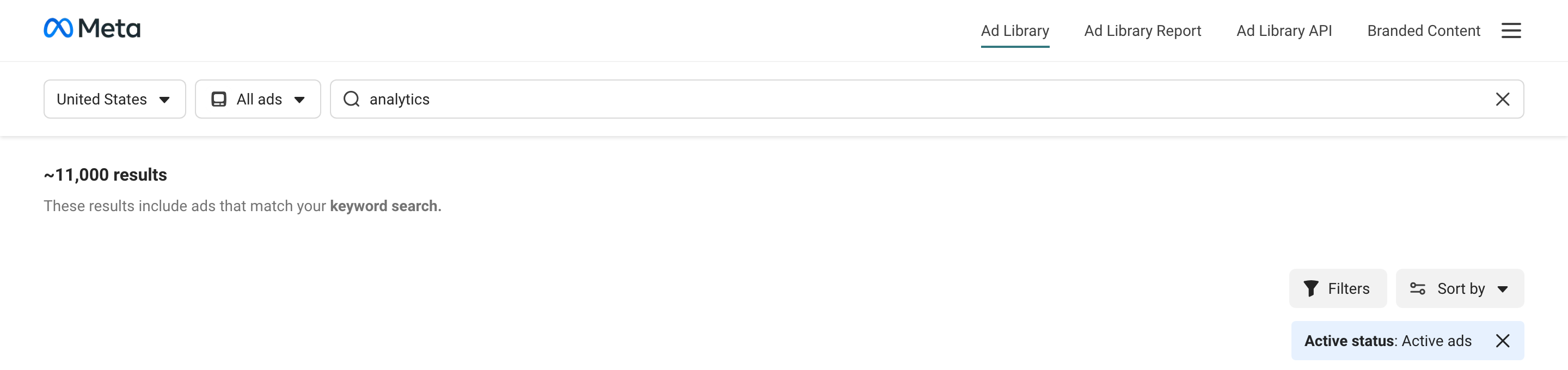
You search by keyword or advertiser page and see ads that are currently active on Meta products, with the creative, the page name, delivery dates and where the ad appeared. It's free and has no plan, credit or seat limit. It's also browse-only: there is nothing built in to save, tag or alert.
- You need a free, first-party check of what a competitor currently runs on Meta
- You want a source that is not estimated, to verify what paid ad tools show
- You need spend or impression data for commercial ads, because it is only shown for political and issue ads
- You need saved boards, tagging, alerts or non-Meta channels, because it is browse-only and Meta-only
How it works in practice
Spend, impression ranges and audience breakdowns exist only for ads about social issues, elections or politics, and Meta keeps those ads for seven years. For ordinary commercial ads the Ad Library API lists the creative, the page, delivery dates and placements, but no spend or impressions. So any spend number you see for a commercial ad in another tool is an estimate. Inactive ads can be searched only when they were issue, election or political ads.
A third-party report says Meta stopped political and social issue ads in the EU on October 6, 2025, so no new EU political ads enter the library while older ones stay searchable. API access rules and rate limits are not covered here. There is no G2 or Capterra listing for the library, so there are no user-reported strengths to quote.
- Starting price
- Free public tool, no plans or credit limits; spend and impression ranges only for political and issue ads
- Channels
- Meta products only
- Data source
- Official Meta library, not estimates
- Commercial ad metrics
- No spend or impressions
- Political ad history
- 7 years, ranges for spend and impressions
- EU
- No new political ads since 2025-10-06
- Covers
- Meta products only
- Data
- First-party, not estimated
- Commercial ad spend
- Not shown
- Save and alerts
- None built in
Google Ads Transparency Center
Google's free first-party archive of ads run by verified advertisers on Google surfaces, used for competitor ad research on Google channels only.
Google's Transparency Center is the free first-party view of ads that advertisers run on Google Search, Display, Gmail and YouTube.
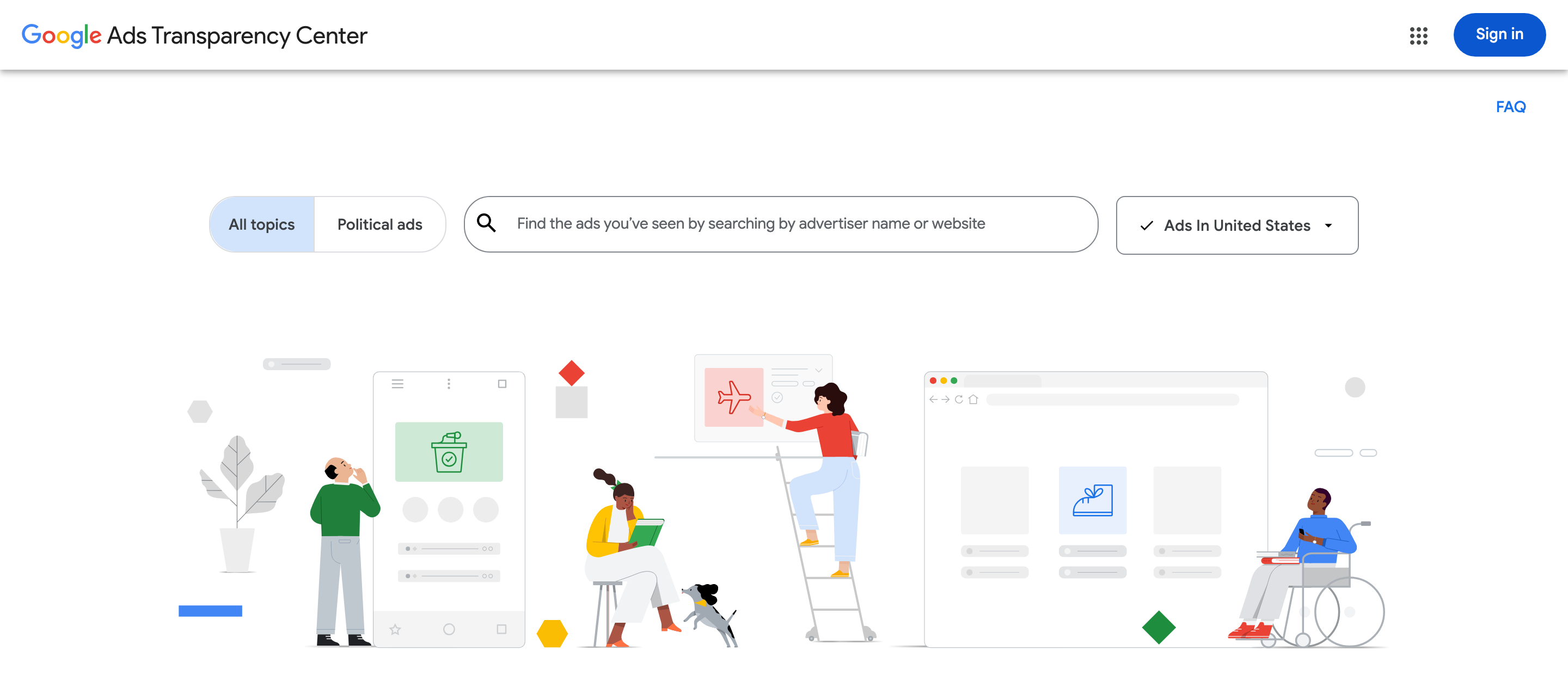
You search for an advertiser or domain and filter by region, date and format. It tells you whether a competitor runs search or video ads and shows the creatives. Google's help page says extra information, such as the number of people reached and targeting, appears only for ads served in certain countries or regions, and that EEA ad data is available through API access.
- You want a free first-party view of which Google and YouTube ads a competitor runs
- You need to confirm what an advertiser runs in a specific region and date range
- You need spend, impressions or performance numbers, because normal ads show none
- You need alerts, saving or cross-channel coverage, because it has no monitoring and covers Google only
How it works in practice
The published vendor pages show no spend or impression figures for ordinary ads, and secondary sources say only verified advertisers appear. Google's help page doesn't state how far back the archive goes. Third-party guides report anything from a 30-day default view to about one year for non-political ads, so check the date filter for the advertiser you care about instead of relying on a number.
It doesn't save, tag or alert, so findings go into your own notes or board by hand. It covers Google surfaces only, not Meta, TikTok or LinkedIn. We found no G2 or Capterra listing for it.
- Starting price
- Free public tool, no plans or credit limits found; no spend shown for normal ads
- Channels
- Search, Display, Gmail, YouTube
- Data source
- Official Google archive, verified advertisers only
- Spend/impressions
- Not shown for normal ads
- History depth
- UNVERIFIED officially (reports: 30-day default, about 1 year)
- API
- EEA ad data via API access
- Covers
- Search, Display, Gmail, YouTube
- Data
- First-party, verified advertisers
- Normal ad spend
- Not shown
- Save and alerts
- None built in
Best ad intelligence software for collecting and briefing creative#
Foreplay
Swipe file and briefing tool whose Spyder module scrapes brands' Meta Ad Library ads and stores them indefinitely.
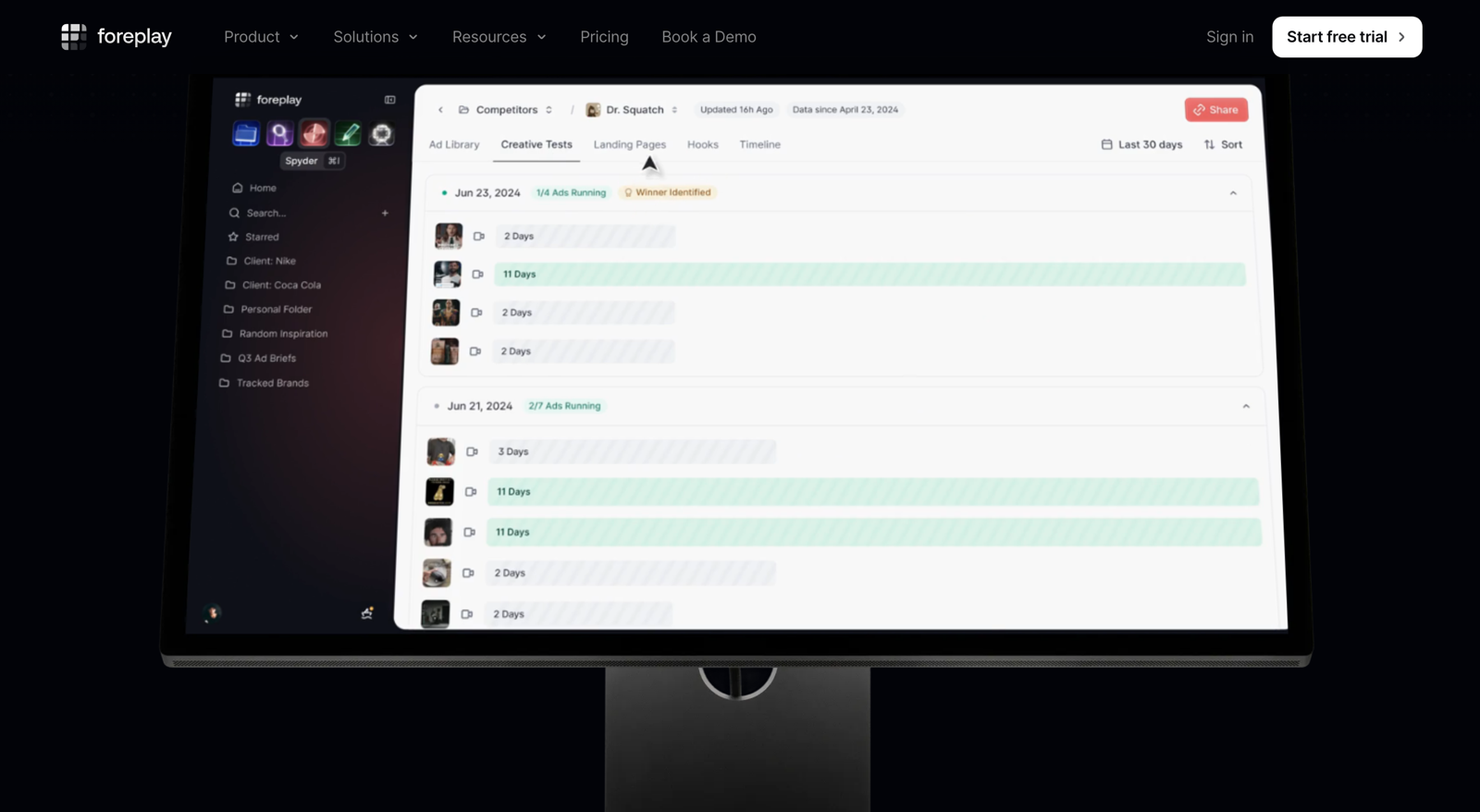
Foreplay is a swipe file with a tracker attached: its Spyder module watches brands' Meta ads and keeps them after the brand takes them down.
You add a brand by search or by pasting its Facebook Ad Library URL and choosing a folder. Foreplay scrapes that brand's ads from the Meta Ad Library and stores them indefinitely from the moment tracking starts. For more than 20,000 brands history goes back to August 2023. A manually added brand starts collecting right away, and its active ads take about 5 to 10 minutes to load, according to the help article. Saved ads live in boards and can be turned into briefs.
- You run Meta or TikTok paid creative and want saved competitor ads turned into briefs in one place
- You need ads to stay available after the brand pulls them from Meta's library
- You need Google, LinkedIn or YouTube competitor ads, because Spyder tracks Meta only
- You need spend or impression estimates, which the pages read do not show
- Users like
- finding winning ad creatives and organizing inspiration in a shared workspace
- Users dislike
- price relatively high versus alternatives
- Source: G2, 118 reviews
How it works in practice
Basic is $59 per month, or $49 on annual billing, for one user with the swipe file, discovery and briefs, but no Spyder. Workflow is $175, or $149 annual, with five users, 15 Spyder brands, Lens for your own Meta and TikTok ads and AI tool connections to Claude and ChatGPT through MCP or API. Agency is $459, or $389 annual, with ten users and 50 Spyder brands. Extra users cost $20 each, and paid plans start with a 7-day trial. The pricing page says brand caps are unlimited on annual billing while the plan cards show lower numbers, so confirm the cap for your plan before you buy.
Alerts about new competitor ads go out by Slack and email. Spyder tracks Facebook and Instagram only, and the published vendor pages don't show spend or impression figures. File formats for exports weren't documented where we looked.
- Starting price
- Basic $59/mo ($49 annual, 1 user, no Spyder); Workflow $175/mo ($149 annual, 5 users, 15 Spyder brands, Lens); Agency $459/mo ($389 annual, 10 users, 50 Spyder brands); extra users $20; 7-day trial; Enterprise custom
- Ad source
- Meta Ad Library scrape
- Retention
- Indefinite once tracked
- Alerts
- Slack and email
- Spyder brands
- 15 on Workflow, 50 on Agency (unlimited on annual per page)
- Free tier
- No, 7-day trial
BigSpy
Ad spy database searchable across Facebook, Instagram, Google, YouTube, TikTok and more, with algorithm-estimated impressions and tracked creatives.
BigSpy is a searchable ad database that reaches beyond Meta, with the platform list set by the plan you buy.
The free plan covers Facebook with 10 searches a day and 20 tracked creatives. Starter adds Instagram and AppLovin (e-commerce only). Growth and Scale add Google Ads, YouTube, X, TikTok and Pangle, and Ultimate adds Pinterest, Yahoo and Unity. LinkedIn isn't listed on the plan page. You search by keyword, advertiser, domain or visual feature, and daily download quotas are 50 on Starter, 300 on Growth and 3,000 on Ultimate.
- You need competitor ads beyond Meta, such as TikTok, YouTube and Google, from Growth at $119/mo annual
- You want to test with a free plan before paying
- You need LinkedIn ads or confirmed API and Slack alerts, which are not listed
- You need exact spend or impression data, because impressions are an internal estimate
- Users like
- strong ad research tools and ease of use
- Users dislike
- price and features locked to higher plans
- Source: G2, 650 reviews
How it works in practice
Starter is $69 per month or $49 on annual billing, Growth $159 or $119, Scale $399 or $299 with five seats, and Ultimate $499 or $399. Annual plans are paid up front. Growth and above can follow pages and domains (100 on Growth, 1,000 on Ultimate) and track individual creatives (500 and 1,000).
Impression figures come from BigSpy's own algorithm and don't equal views, per the company's FAQ. We couldn't confirm where the ad data comes from, how far history goes, how often it refreshes, or whether exports, an API or alerts exist, because none of that is on the published vendor pages. Sources disagree on whether spend is shown, so treat it as unconfirmed. G2 shows about 4.6 from roughly 650 reviews and Capterra 4.8 from 2,484.
- Starting price
- Free $0; Starter $69/mo ($49 annual); Growth $159/mo ($119 annual); Scale $399/mo ($299 annual, 5 seats); Ultimate $499/mo ($399 annual); platforms and daily download and tracking quotas rise by plan
- Platforms
- Facebook free; Starter adds Instagram; Growth adds Google, YouTube, X, TikTok; Ultimate adds Pinterest, Yahoo, Unity
- Impressions
- Estimated, not views
- Downloads
- 50/day Starter, 300/day Growth, 3,000/day Ultimate
- Free tier
- Yes, Facebook, 10 searches a day
- Seats
- 1, except Scale with 5
- Cross-platform
- Google, YouTube, TikTok from Growth
Best ad intelligence software for spend and share-of-voice estimates#
Semrush AdClarity
Semrush App Center app that aggregates display, video and social ad occurrences from its own publisher crawl and shows estimated spend per advertiser.
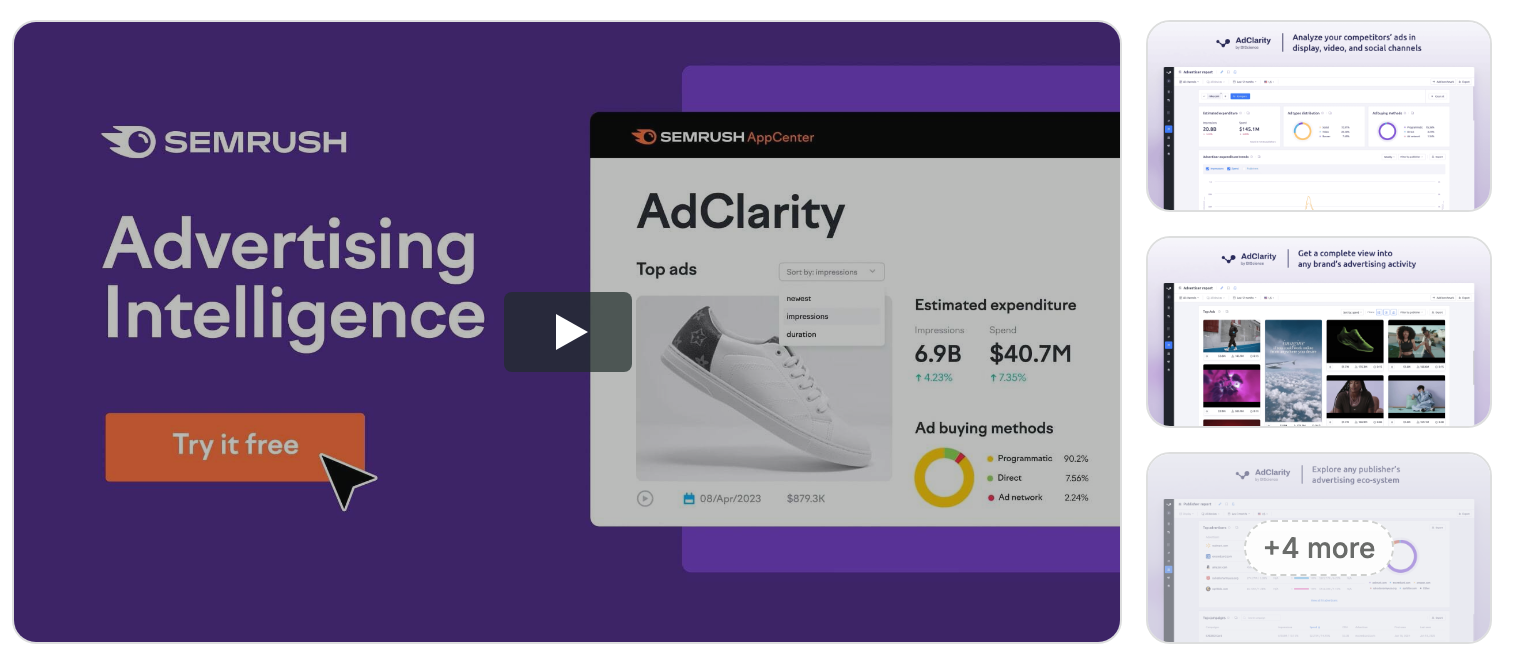
AdClarity is an app inside Semrush that estimates display, video and social ad activity for named advertisers, so it suits teams already working in Semrush.
Semrush says it collects ad occurrences from 650,000 publishers across 51 markets, with one geo included per plan and extra markets at $69 a month each. Starter is $129 per month and limited to one channel, three months of history and the top five campaigns. Professional is $298 and Team is $349. Both include display, video and social (Facebook, Instagram, X, TikTok, Pinterest and LinkedIn), with six and twelve months of history.
- You need display, video and social ad spend estimates inside a Semrush workflow
- You want a monthly-billed entry plan with a 7-day trial before committing
- You need exact spend or Google search ad coverage, since spend is estimated and search ads are not verified
- You need API or Sheets/Slack automation, since only PDF and quota-limited Excel exports are documented
- Users like
- Intuitive, gives competitive insights
- Users dislike
- Expensive and some say inaccurate
- Source: G2, 10 reviews
How it works in practice
Spend is labeled estimated ad spend. Monthly report limits are 50, 100 and 150 by plan. PDF exports are unlimited, while Excel exports are capped at 5 on Starter and 10 on Professional and Team per month. Alerts are weekly or monthly email digests for advertisers and publishers you subscribe to. The 7-day trial covers Starter and Professional, and Team has none.
We found no API, Slack or Sheets integration in the documentation, and we could not confirm Google search or native ad coverage. A price of $750 a month for AdClarity outside Semrush circulates in third-party posts, but we couldn't verify it and don't use it. The G2 score rests on only 10 reviews, so read it as a weak signal.
- Starting price
- Semrush App Center: Starter $129/month (1 channel, 3 months history), Professional $298/month (all channels, 6 months), Team $349/month (12 months); extra markets $69/month each; 7-day trial on Starter and Professional
- Ad data source
- Own publisher crawl, spend estimated
- History
- 3, 6 or 12 months by plan
- Export
- PDF unlimited, Excel capped
- Alerts
- Weekly or monthly email
- Social coverage
- Facebook, Instagram, X, TikTok, Pinterest, LinkedIn
- Data
- Own collection, spend estimated
Similarweb
Traffic-intelligence platform whose Ads Intel Suite covers paid search and display advertisers with spend and impressions modeled from traffic and CPM/CTR assumptions.
Similarweb sells ad data as one suite among its traffic and SEO tools, and the ad numbers are modeled from that traffic data.
The pricing page names four suites: Competitive Intel, Strategic SEO, Ads Intel and Gen AI Intel. The Ads Intel suite lists AI ads, publisher analysis, paid search analysis, and display and social ads. The Packages page lists self-service Entrepreneurs plans for one user: Competitive Intelligence at $125 per month billed annually ($199 monthly), the same with SEO and AEO at $333 ($399 monthly), and a plan that adds Ad Intelligence (creative and campaign insights, search and display insights, advertiser demand signals, ad spend) at $542 ($649 monthly). Business and enterprise packages, premium features, API access and data feeds are quote-only.
- You want competitor paid search and display spend in the same tool as traffic and SEO benchmarking
- You have budget for a sales-led contract and need API or data feeds
- You need creative-level social ad research (Meta, TikTok), since social ads are listed as coming soon
- You only need ad data on a small budget, since the plan that includes Ad Intelligence is $542 per month billed annually
- Users like
- Ease of use and insights
- Users dislike
- Data accuracy
- Source: G2, 1,176 reviews
How it works in practice
According to a summary of Similarweb's help center, spend and impressions are modeled from Similarweb traffic data with assumed CPM and click-through rates, not read from ad servers. Advertiser Activity can be viewed daily, weekly (the default) or monthly. The same source lists social ads as coming soon, so check Meta and TikTok coverage with sales before you buy.
The $542 plan is the cheapest way into the ads data, so the entry price of $125 covers traffic benchmarking only. History depth, export formats and alerts aren't documented in the sources cited. G2 shows about 4.4 from roughly 1,176 reviews for Similarweb as a whole, not for the ad module.
- Starting price
- Entrepreneurs plans for 1 user: Competitive Intelligence $125/month billed annually ($199 monthly); with SEO and AEO $333 ($399 monthly); with Ad Intelligence added $542 ($649 monthly); business and enterprise packages, API and data feeds are quote-only
- Pricing
- $542/month billed annually ($649 monthly) for the plan with Ad Intelligence; business plans quote-only
- Channels
- Paid search and display, social listed as coming soon
- Spend data
- Modeled from traffic with CPM and CTR
- API
- Quote-only
- History and alerts
- UNVERIFIED
- Spend
- Modeled from traffic
Sensor Tower (Pathmatics)
Pathmatics estimates competitor ad spend and impressions across social, display, video and CTV using a first-party panel, crawlers, partnerships and ML models.
Pathmatics is the enterprise option: cross-channel spend and impression estimates for named advertisers, sold by quote only.
On the vendor's product page, Pathmatics covers social platforms including TikTok, X, Snapchat and LinkedIn, plus display, video, CTV and OTT, and retail media. Sensor Tower says its numbers combine an opt-in panel, crawlers, partnerships and machine learning models, which is why spend and impressions are estimates. You search an advertiser or brand, browse creatives and placements, and export tables or creatives as PDF or CSV.
- You need cross-channel (social, display, CTV) spend estimates for named advertisers and have an enterprise budget
- You need creative plus publisher-level placement data for competitive reporting
- You need a public price or self-serve trial to test quickly, since access is demo and quote only
- You mainly need Google search text ad history, which the vendor page does not list
- Users like
- Visibility into competitor spending, creative and placements
- Users dislike
- Some known advertisers are hard to find; long implementation and top cost bracket
- Source: G2, 346 reviews
How it works in practice
No prices, plan names, seat rules, history depth, API or alert details are published. Access is through a demo or sales contact, and limits and credit rules are not published. G2 shows about 4.3 from roughly 346 reviews for Pathmatics. Reviewers praise visibility into competitor spend, creative and placements, and one reports that some advertisers known to be spending are hard to find. The G2 profile also points to a long implementation and the top cost bracket, which is a weak signal from profile fields rather than review text.
- Starting price
- No public pricing; demo or sales contact required, plan names, seats and limits not published (checked on vendor page).
- Pricing
- Quote only
- Data source
- Panel, crawlers, partnerships, ML estimates
- Spend figures
- Estimated, not exact
- Export
- PDF and CSV
- History depth and API
- Not stated publicly
- Data
- Panel, crawlers, partnerships, ML
- Spend
- Estimated
Best ad intelligence software for search ad history#
SpyFu
SpyFu shows the keywords and Google Ads copy competitors have bought over time, with modeled cost estimates, from its own index of search results.
SpyFu is the Google search specialist: it shows which keywords a competitor buys, the ad copy it ran and how that copy changed.
You enter a competitor domain and see paid keywords, ad variations and test history with cost estimates, then download keyword lists. Every plan includes 10+ years of historical data, per the plan table. Basic is $39 per month with one user and 10,000 rows of search results and exports. Pro + AI is $59 for the first month and $119 per month after that, with unlimited results and exports and extra users at $30 a month. Team/Agency is $249 per month with five users. The page offers 25% off for annual billing.
- You run Google search ads and want competitor keyword and ad copy history at a published entry price
- You want exports and an API without a sales call
- You need Meta, TikTok or LinkedIn creative research, which the vendor page does not list
- You need exact spend, since figures are modeled and reviewers flag accuracy gaps
- Users like
- Competitor analysis and research
- Users dislike
- Data inaccuracy and incomplete data
- Source: G2, 516 reviews
How it works in practice
Spend, clicks and cost figures are modeled, and G2 reviewers flag data accuracy and gaps. One G2 reviewer reported that recent competitor ads were sometimes missing. The vendor homepage lists no Meta, TikTok or LinkedIn coverage. The plan table lists API access, with included API credits of $40 on Pro + AI and $100 on Team/Agency. G2 shows about 4.6 from roughly 516 reviews.
- Starting price
- Basic $39/month (1 user, 10k row search results and exports, 10+ years of historical data); Pro + AI $59 for the first month, then $119/month (unlimited results and exports, extra users $30/month); Team/Agency $249/month (5 users); annual billing saves 25%; vendor pricing page read 2026-11-04
- Channel
- Google Ads (search) focus
- History
- 10+ years on every plan
- Export
- 10k rows on Basic, unlimited above
- Spend figures
- Estimated (cost per ad and clicks are modeled)
- Free tier
- Limited free searches
- Covers
- Google Ads search
- Spend
- Modeled
Is there free ad intelligence software?#
Yes, but the free options answer one question each. These are the free tiers and trials we confirmed on vendor pages on November 4, 2026.
| Tool | What is free | The limit that matters |
|---|---|---|
| Meta Ad Library | Full search of ads on Meta products | Meta only, no saving or alerts, no spend for commercial ads |
| Google Ads Transparency Center | Search of ads on Google surfaces | Google only, no saving or alerts, no spend for normal ads |
| BigSpy | Free plan with Facebook ads | 10 searches a day and 20 tracked creatives |
| Foreplay | 7-day trial on paid plans | Paid plans charge automatically after the trial |
| Semrush AdClarity | 7-day trial on Starter and Professional | Starter is limited to one channel and three months of history |
Pair the two official libraries with one paid tool only if you need to save, tag or estimate. For a first look at a competitor, the libraries cost nothing and are the source the paid tools build on.
A weekly workflow from competitor ad to tracked test#
A research habit beats a tool, and it's far easier to keep than to buy. This sequence takes about an hour a week once the competitor list exists.
Pick five competitors and one question
Write the question first, such as "which offers do they lead with on Meta?". A question limits the research and tells you which tool to open.
Check the official library first
Open
Meta Ad Library or Google Ads Transparency Center for each competitor and note what is running now. This is your first-party baseline.Save what is worth keeping
Move useful ads into a board in
Foreplay or a download from BigSpy, so they survive when the advertiser switches them off.Add estimates only for ranking
If you have
Semrush AdClarity, Similarweb or Sensor Tower (Pathmatics), note which advertisers moved up or down. Write "estimated" next to every figure.Turn one finding into a test brief
Pick one angle and one variable. Write what you expect to change and which metric will show it.
Build tracked links and check the path
Tag the ad with the UTM parameters your team uses and confirm that the form, the tracking event and the CRM record all work before spend starts.
What should you check before you launch a test from competitor research?#
Ad research ends when you launch your own version, and that's where marketing ops owns the result. It's the step that most teams skip. The checklist below covers the handoffs that most often make a test unreadable.
- The brief names one variable and one metric, not a copy of the competitor's ad
- Every ad links to a landing page with UTM parameters that follow your naming convention
- The landing page loads fast and the form submits a test lead
- The conversion event fires once in your analytics, and the thank-you page doesn't double count it
- A test lead appears in the CRM with a source, a campaign and an owner
- Any spend figure from a research tool is marked as an estimate in the brief
- The competitor ad you reference is saved, because the platform may remove it from its library
- Someone owns the check on day three, after the first real traffic arrives
For the attribution side of a test, see how attribution models differ.
FAQ#
What is ad intelligence software?
Ad intelligence software collects ads from advertising platforms and shows who runs them, what the creative and copy look like, and in some tools which channels they use and how much they appear to spend. The category ranges from free platform libraries to paid tools that track and estimate.
Is there free ad intelligence software?
Yes. The Meta Ad Library and the Google Ads Transparency Center are free and show first-party data for their own platforms. BigSpy has a free plan on Facebook with 10 searches a day. Foreplay and Semrush AdClarity offer 7-day trials, not free plans.
Does ad intelligence software show competitor ad spend?
Some tools show an estimate. Semrush AdClarity, Similarweb, Sensor Tower Pathmatics and SpyFu present spend or cost as estimated or modeled. Meta and Google don't show spend for ordinary commercial ads, so no tool can give an exact figure from the platform.
What is the difference between an ad library and an ad intelligence tool?
An ad library is a platform's own transparency archive, such as Meta's, and shows which ads are running. An ad intelligence tool adds saving, tracking, history, search across platforms or spend estimates on top of that data, or collects it independently.
How much does ad intelligence software cost?
Prices run from free to quote-only. Among published prices, SpyFu Basic is $39 per month, Foreplay Basic $59 per month ($49 annual), BigSpy Starter $69 per month ($49 annual) and Semrush AdClarity Starter $129 per month. Sensor Tower publishes no prices, and Similarweb's plan with Ad Intelligence is $542 per month billed annually.
Is ad intelligence the same as competitive intelligence?
No. Ad intelligence covers competitors' advertising: creatives, copy, channels and estimated spend. Competitive intelligence is broader and tracks product, pricing and messaging changes, usually for sales and product teams. Some suites, such as Similarweb, cover both.