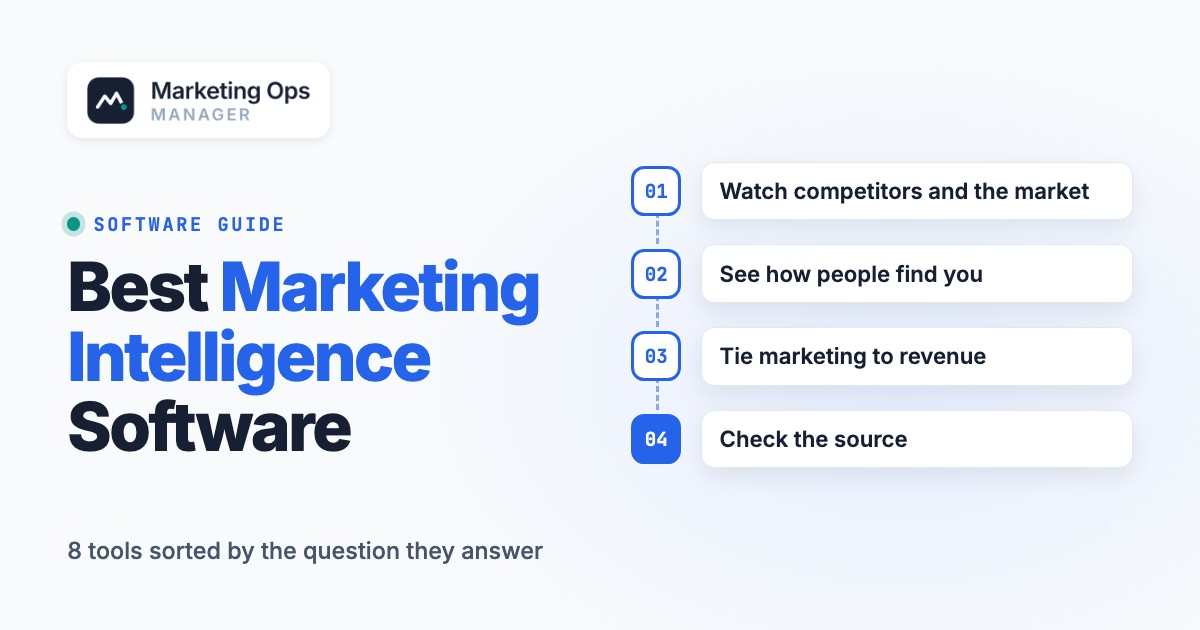
Marketing intelligence software collects data about your market, your competitors and your own campaigns, connects it and turns it into decisions about where to spend and what to say. The eight tools below answer three different questions: what competitors and the market are doing, how people find you through search and your own site, and what your marketing earned in revenue. No single product covers all three well, so most teams end up with one tool from one or two of the groups.
We read vendor pricing, feature and documentation pages and review-site summaries; we haven't run these products ourselves. Prices were checked on November 8, 2026. Four of the eight sell by quote or demo only, so their price cells say so instead of guessing.
- tools compared across 3 jobs
- 8
- sell by quote or demo only (Crayon, Klue, Similarweb, HockeyStack)
- 4
- have a free plan or free tier (Google Analytics 4, Dreamdata, Semrush)
- 3
- lowest published monthly price for attribution (Ruler Analytics)
- $400
What is marketing intelligence software?#
Marketing intelligence software is a platform that gathers marketing and market data from several sources, connects it and turns it into recommendations for the next decision. Web analytics reports what happened on your own site. Intelligence software adds what rivals changed, which channels send buyers and which campaigns ended in revenue.
The category is loose, and vendors apply the label to very different products. A competitor-tracking tool like Crayon shares almost nothing with a revenue attribution tool like Dreamdata, except that both feed a marketing or sales decision. That is why this guide groups the tools by the question they answer instead of ranking them on one list. Contact databases such as ZoomInfo and Lusha belong to sales intelligence, a different category, so they aren't covered here. Tools that identify the companies and people visiting your site are compared in our website visitor identification software guide.
Our picks by situation#
 Best for sales battlecardsCrayonTracks competitor sites and news and pushes battlecards into Salesforce, HubSpot, Slack and Highspot. Pricing is by estimate only.
 Best for deal-level battlecards and win-lossKlueDelivers intel inside Salesforce and Slack, answers questions with cited sources and sells a win-loss program. G2 rating 4.7.
 Best for competitor traffic benchmarksSimilarwebCompetitor traffic, channels and audience overlap, with paid plans reaching back 37 months. Quote-only.
 Best for search and keyword research on rivalsSemrushKeyword gap, backlink gap and domain overview in one subscription. A free plan allows 10 reports a day.
 Best free base for your own site dataGoogle Analytics 4Free standard version, native Google Ads links and a BigQuery export. Standard limits get tight on large sites.
 Best for comparing attribution models in B2BHockeyStackSix attribution models plus lift tests and a two-way Snowflake sync. Custom pricing only.
 Best free start in B2B attributionDreamdataA $0 plan with 5 seats and B2B web analytics. The full product is quote-only.
 Best for lead generation with calls and formsRuler AnalyticsTies form fills, calls and chats to CRM revenue. Published from $400 a month for up to 10,000 visits.
 Our product · for the gaps behind the dataThe Marketing Ops ManagerIt doesn't analyze markets or revenue. It checks the landing pages, tracking and forms that feed these tools.
Marketing intelligence software compared#
| Tool | Category | What it hands off | Starting price | G2 rating |
|---|---|---|---|---|
| Crayon | competitive intelligence platform | Comes in: competitor websites and news, CRM closed-opportunity data (Salesforce), call recordings (Gong, Chorus), field intel from reps; goes out: battlecards and alerts into Salesforce, HubSpot, Slack, Microsoft Teams, Highspot and similar tools, plus win/loss and engagement reports | No public prices or plan names: the pricing page tailors pricing to your program and offers a Request an Estimate form | 4.6 (385) |
| Klue | competitive enablement platform | Comes in: competitor web changes, Slack/Teams posts and forwarded emails, call recordings (Gong, Chorus), CRM deal data (Salesforce), buyer interviews; goes out: battlecards and Deal Tips in Salesforce, Slack, Teams, Highspot, Seismic, plus AI answers inside Claude, ChatGPT and Glean, and win-loss reports | No public prices or plan names: the pricing page shows only a Get a Demo button | 4.7 (443) |
| Similarweb | Digital marketing intelligence with paid search and display ad data | Comes in: Similarweb traffic data plus partner sources, modeled into paid search and display spend and impressions; goes out: API and data feeds, quote-only | No prices on the official pricing page; business and enterprise packages, API and data feeds are quote-only | 4.4 (1,176) |
| Semrush | SEO and competitive research platform | Comes in: your domain, competitor domains and seed keywords; goes out: keyword gaps, backlink gaps and competitor traffic by channel for content and ad planning | Free plan (1 demo project, 10 reports a day); paid plans SEO, Starter, Pro+ and Advanced, with SEO at €134 a month (€112.52 billed annually) on the euro price list and Advanced by quote; Traffic & Market Pro is a separate toolkit at $289 a month | 4.4 (4,303) |
| Google Analytics 4 | web and app analytics platform | Comes in: website and app events via tags and SDKs; goes out: audiences and conversions to Google Ads and other Google products, raw events to BigQuery | Free for the standard version; Analytics 360 needs a contract and Google's help pages state no price. BigQuery streaming export costs $0.05 per GB on the BigQuery side | 4.5 (6,858) |
| HockeyStack | B2B revenue attribution and analytics platform | Comes in: CRM, marketing automation, ad platform, website and data warehouse data (e.g. Snowflake); goes out: attribution and conversion data pushed back to CRMs, ad platforms and warehouses via two-way sync | No public price list: the pricing page offers custom plans and a demo form, and mentions startup pricing without an amount | 4.5 (82) |
| Dreamdata | B2B attribution and revenue analytics platform | Comes in: ad platforms (Google, Meta, LinkedIn, Microsoft), CRMs (Salesforce, HubSpot, Dynamics, Pipedrive), marketing automation and web tracking; goes out: enriched audiences and signals to ad platforms, CRM accounts via reverse ETL, and data to BigQuery, Snowflake, S3 or Azure | Free plan at $0 per month (5 seats, 2 months of user history, 3 stage models, 2 notifications, 1 sync); Advanced is custom and quote-only with a guided free trial; Activation, Data Warehouse and SCIM are add-ons with no listed price | 4.7 (264) |
| Ruler Analytics | marketing attribution and revenue tracking platform | Comes in: website visits, form fills, phone calls, live chat, CRM revenue; goes out: closed-loop revenue and offline conversions to Google Ads and Bing Ads, data to BI tools and data warehouses | Published in USD with a GBP/EUR/USD toggle: Small (up to 10k monthly visits) $400/mo billed monthly or $360/mo billed annually; Medium (up to 50k) $668 or $601; Large (up to 100k) $1,326 or $1,193; Advanced (from 100k) $2,000 or $1,800. Page calls it indicative pricing scaled by traffic, product, data and integration needs. License is per domain, no per-seat fees. | 4.6 (30) |
| The Marketing Ops Manager Our product | Campaign monitoring | Checks every handoff in the campaign journey on a schedule | Starter $199 per month (up to 10 campaigns, checks every 15 minutes), Growth $499 per month (up to 50 campaigns, checks every 5 minutes); billed monthly in advance through Stripe, card required at checkout, cancel anytime (our homepage, as of November 2, 2026) | No reviews yet |
Starting prices as published by each vendor and checked November 8, 2026. Semrush shows plan prices in the viewer's currency, and the SEO plan figure here is the euro list price. G2 ratings and review counts are G2 listing figures and change often.
How to choose marketing intelligence software#
To choose marketing intelligence software, start with the question you need answered, because it decides the data source. If the focus is competitor tracking, start with Crayon or Klue; if it's market and traffic benchmarking, start with Similarweb or Semrush; if it's what your own campaigns earned, start with an attribution tool. Retail price monitoring and financial research are separate product categories that this guide doesn't cover. Competitor tools work from public web material that the vendor collects for you. Search tools work from the vendor's own crawl and panel data. Attribution tools work only on your own tracked visits, forms and CRM records, so they are only as good as your tracking.
| Tool | What its data comes from | What the price counts | Who uses it day to day |
|---|---|---|---|
| Crayon | Competitor sites and news, plus your closed CRM deals | Estimate by program | Product marketing and sales enablement |
| Klue | Competitor changes, call recordings and CRM deals | Demo-led, no public price | Product marketing, sellers and win-loss teams |
| Similarweb | A global panel and public data, modeled | Quote-only packages | Strategy, SEO and media teams |
| Semrush | The vendor's crawl, clickstream and keyword data | Plan tier, plus separate toolkits | SEO, content and paid teams |
| Google Analytics 4 | Your own site and app events | Free; 360 by contract | Everyone who reports on web traffic |
| HockeyStack | Your CRM, ad platforms, site and warehouse | Custom plans | RevOps and B2B marketing leaders |
| Dreamdata | Your CRM, ad platforms and site tracking | Free plan; Advanced by quote | B2B marketing ops |
| Ruler Analytics | Your site visits, forms, calls and CRM revenue | Monthly visits, per domain | Lead-generation marketers and agencies |
Three other checks matter in practice. First, setup effort: G2 reviewers of Crayon, Klue, HockeyStack, Dreamdata and Ruler Analytics all mention setup or a learning curve as a complaint, so plan for weeks, not days. Second, how the answer reaches a person: Klue and Crayon push battlecards into the CRM and chat tools that sellers already open, which is the difference between intel that gets used and intel in a library. Third, cost visibility: if the price is by quote, ask for the contract length before the demo, since one Capterra reviewer of Dreamdata complained about a one-year contract without a proof of concept.
Free is a real option in this category, but only in part. Google Analytics 4 is free for the standard version, Dreamdata has a $0 plan and Semrush has a free plan limited to one demo project and 10 reports a day. None of the three covers competitor tracking.
- Job 1Watch competitors and the market
- Crayon
- Klue
- Similarweb
Breaks when a battlecard goes stale because nobody curates the feed - Job 2See how people find you
- Semrush
- Google Analytics 4
Breaks when a data threshold or a sampled report hides the rows you wanted - Job 3Tie marketing to revenue
- HockeyStack
- Dreamdata
- Ruler Analytics
Breaks when a missing UTM or CRM field makes a campaign look like it earned nothing - Behind all threeCheck the source
- The Marketing Ops Manager
Catches the tracking or form that stopped feeding the data
Competitor and market intelligence tools#
Crayon, Klue and Similarweb watch other companies. Crayon and Klue are built for the people who sell against competitors, and Similarweb is built for the people who size up a market from the outside.
Crayon: competitive intel pushed to sellers#
Crayon
Crayon is a competitive intelligence platform that tracks competitor websites and news and turns it into battlecards and alerts for sales and product marketing teams.
Crayon is a competitive intelligence platform that watches competitor websites and news and turns changes into battlecards and alerts for sales and product marketing. Its data is public web material that the platform collects, not your own.
- you want battlecards pushed into the CRM and sales tools reps already use, with native Salesforce, HubSpot, Freshsales, Slack, Teams and Highspot connections
- you want to tie competitive content to revenue: it ingests closed Salesforce opportunities and reports influenced revenue and battlecard engagement
- you need a published price or a self-serve start: pricing is quote-only, and a Capterra reviewer calls the full platform expensive
- a G2 reviewer theme says poor integration with other CRMs like Salesforce limits the features, and a Capterra reviewer says getting internal teams to keep contributing field intel is hard
- Users like
- centralized competitive intel, battlecards, support
- Users dislike
- CRM integration gaps, setup difficulty, UX
- Source: G2, 385 reviews
How it works in practice
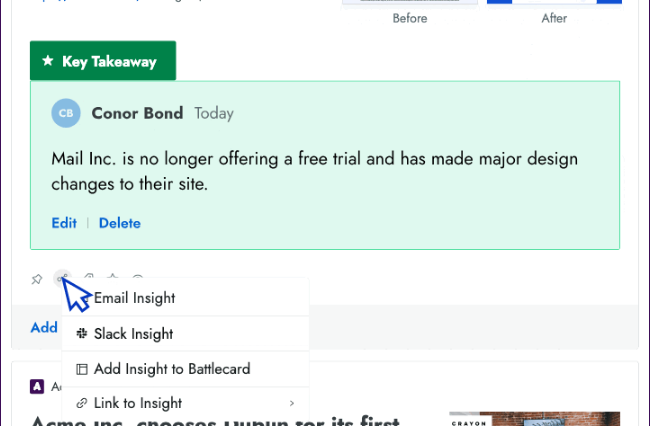
The product is split into modules named Aggregate, Organize, Publish, Enable, Measure, Analyze and Compete, plus Crayon AI. The AI summarizes competitor news into takeaways, scores how important each insight is and runs "Sparks", which are automated recurring updates.
Battlecards reach reps inside Salesforce, Slack and Highspot, and the integrations page also lists HubSpot, Freshsales, Microsoft Teams, Seismic, Gong and Chorus. The Measure module ingests closed Salesforce opportunities to show which competitors cost you deals and how much revenue battlecards helped close.
The vendor publishes no plan names or prices, only a Request an Estimate form. On G2, reviewers praise the central place for competitive intel, the battlecards and support. The recurring complaints are CRM integration gaps and difficult setup, and a Capterra reviewer adds that getting internal teams to keep contributing field intel is hard.
- Starting price
- No public prices or plan names: the pricing page tailors pricing to your program and offers a Request an Estimate form
- Pricing model
- Quote-only (Request an Estimate)
- CRM integrations
- Salesforce, HubSpot, Freshsales
- Chat integrations
- Slack, Microsoft Teams, Yammer
- Conversation intelligence
- Gong, Chorus
- AI features
- Crayon AI summaries, importance scoring, Sparks (automated recurring updates)
Klue: intel delivered inside the deal#
Klue
Klue is a competitive enablement platform that collects competitor intel, keeps battlecards current with AI, and delivers answers and win-loss insights to sellers inside their CRM and chat tools.
Klue is a competitive enablement platform that collects competitor intel, keeps battlecards current with AI and delivers answers to sellers inside their CRM and chat tools. Like Crayon, it works from public web material plus what your own team forwards.
- you want intel delivered where sellers work: Salesforce deal-level battlecards, Slack /klue command, Highspot sync, Gong Deal Tips, and cited AI answers via Ask Klue
- you also want a win-loss program in the same vendor: Win-Loss Suite with AI Interviewer, Win & Loss Story Agent, and human-expert interviews
- a G2 reviewer says it is not geared for a small business and is designed for a medium to large business; another says pricing can be high
- G2 reviewers cite manual data entry and upkeep for battlecards, a learning curve, and a frustrating curator editing UI; Difficult Setup is a top-cited G2 con (5 reviews)
- Users like
- battlecards, alerts, customer support, competitor analysis
- Users dislike
- setup difficulty, curator UX, manual upkeep
- Source: G2, 443 reviews
How it works in practice
Sellers can type /klue and a competitor name in Slack, and in Salesforce they add a competitor to a deal and the battlecard opens in the side panel. Ask Klue answers questions such as objection handling with cited sources, and Claim Validation checks whether a competitor's claim holds up. Integrations include Salesforce, HubSpot, Microsoft Dynamics, Teams, Gong, Chorus, Highspot and Seismic.
Klue also sells a Win-Loss Suite with an AI Interviewer for short voice conversations with buyers and sellers, human expert interviews and a story agent that builds win and loss stories from CRM data and call recordings.
The pricing page shows only a Get a Demo button. G2 reviewers like the quick battlecards, the alerts and the customer support. They also describe manual upkeep, a learning curve and a curator interface they find frustrating, and one says it isn't geared for a small business.
- Starting price
- No public prices or plan names: the pricing page shows only a Get a Demo button
- Pricing model
- Demo-led, no public price
- CRM integrations
- Salesforce, HubSpot, Microsoft Dynamics
- Chat integrations
- Slack, Microsoft Teams
- Conversation intelligence
- Gong, Chorus
- AI features
- Ask Klue (cited answers), Claim Validation, Compete Agent, Auto Insights
Similarweb: competitor traffic and channel mix#
Similarweb
Traffic-intelligence platform whose Ads Intel Suite covers paid search and display advertisers with spend and impressions modeled from traffic and CPM/CTR assumptions.
Similarweb is a traffic-intelligence platform that estimates how much traffic competitor sites get, from which channels and how their audiences overlap. The data is a modeled estimate, not your own tracking.
- You want competitor paid search and display spend in the same tool as traffic and SEO benchmarking
- You have budget for a sales-led contract and need API or data feeds
- You need creative-level social ad research (Meta, TikTok), since social ads are listed as coming soon
- You need a published price or self-serve trial, since the pricing page lists none
- Users like
- Ease of use and insights
- Users dislike
- Data accuracy
- Source: G2, 1,176 reviews
How it works in practice
The competitive analysis view covers traffic, engagement and user journeys across SEO, generative AI, paid search, social, referrals and direct. It also shows audience overlap and affinities between competing brands, and sends alerts on competitor launches, ad changes and traffic shifts. The vendor says its data comes from a global panel plus direct measurement, partnerships and public data extraction. That is the vendor's description, and it is a model, so treat the numbers as directional.
Paid plans give up to 37 months of history, daily-level data and 100+ countries. API access usually sits in a custom package, and the Ads Intel Suite adds paid search and display spend estimates. The pricing page lists no numbers, and a free tier gives only a high-level sample.
G2 reviewers like the ease of use and the competitor analysis. The main complaint is data accuracy: one reviewer says traffic can run up to 30% below first-party data, and accuracy is weaker for small or niche B2B sites. Cost for small teams comes up as well.
- Starting price
- No prices on the official pricing page; business and enterprise packages, API and data feeds are quote-only
- Pricing
- Quote-only on official page
- Channels
- Paid search and display; social coming soon
- Spend data
- Modeled from traffic with CPM and CTR
- API
- Quote-only
- Alerts
- Competitor launches, ad changes and traffic shifts
- Competitor view
- Traffic, engagement and user journeys by channel
- History
- Up to 37 months on paid plans
Search and site analytics tools#
Semrush and Google Analytics 4 answer how people find you: Semrush from the outside, using the vendor's crawl of the web, and Google Analytics 4 from the inside, using your own site.
Semrush: competitor search research in one subscription#
Semrush
Semrush bundles keyword, backlink, ad and traffic research for competitor analysis, with Traffic & Market sold as a separate toolkit.
Semrush is an SEO and competitive research platform. For marketing intelligence it matters because it shows which keywords, pages and backlinks your competitors win, from the vendor's own crawl and panel data.
- you want keyword gap, backlink gap and Domain Overview competitor research in one subscription alongside rank tracking and site audits
- you want competitor traffic by channel (organic, paid, social, referral, email, AI assistants) and will pay for the separate Traffic & Market toolkit
- you only need traffic and market benchmarking: Traffic & Market Pro costs $289 a month for one seat and caps requests at 3,000 a day
- you are budget-limited: G2 reviewers name pricing and add-on structure as the top complaint, and the free plan gives one demo project and 10 reports a day
- Users like
- Keyword research and competitor analysis
- Users dislike
- Pricing and add-ons
- Source: G2, 4,303 reviews
How it works in practice
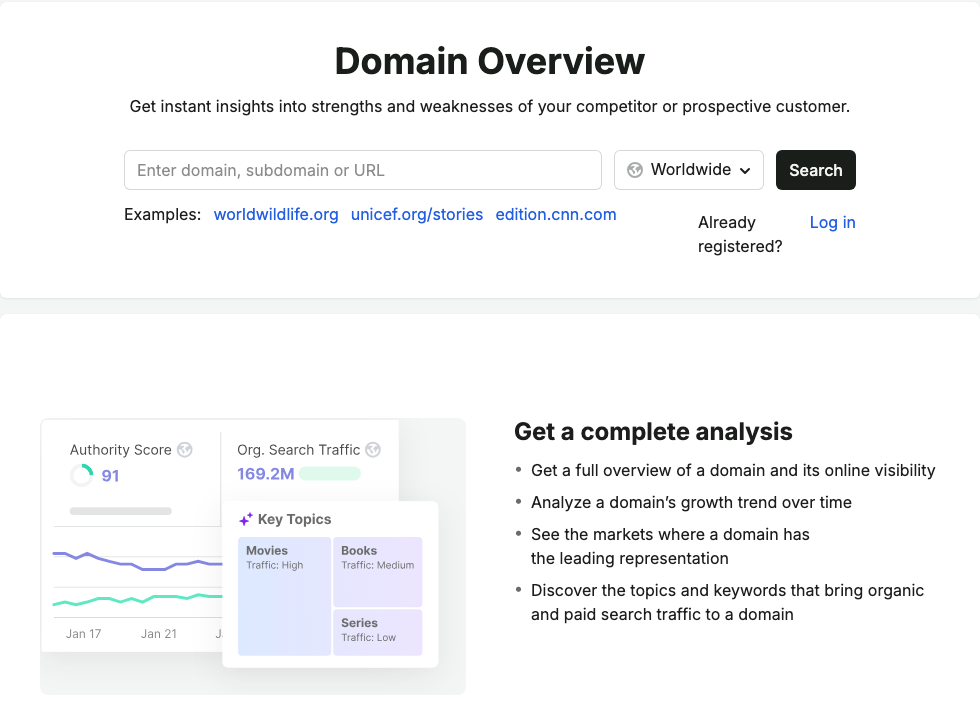
The Competitive Analysis menu covers Domain Overview, Organic Rankings, Top Pages, Compare Domains, Keyword Gap and Backlink Gap. Plans are SEO, Starter, Pro+ and Advanced, which cap the websites you track at 5, 15 and 40 on the first three, and the knowledge base lists an MCP integration from Starter up and a Looker Studio connector.
Competitor traffic by channel sits in a separate Traffic & Market toolkit, sold on its own. Traffic & Market Pro costs $289 a month for one seat, allows 3,000 requests a day and tracks up to 100 competitors with history back to 2017. Its dashboards split traffic into AI assistants, organic search, paid search, paid social, organic social, referral, email and display, and the AI traffic view tracks visits from chatgpt.com, claude.ai, gemini.google.com and copilot.microsoft.com.
The SEO plan is €134 a month, or €112.52 billed annually, on the euro price list, and the price list adapts to the viewer's currency, so check the figure for your market. G2 reviewers praise the keyword research and competitor analysis. Their top complaint is pricing and features sold as add-ons, and reviewers also mention a limited free account.
- Starting price
- Free plan (1 demo project, 10 reports a day); paid plans SEO, Starter, Pro+ and Advanced, with SEO at €134 a month (€112.52 billed annually) on the euro price list and Advanced by quote; Traffic & Market Pro is a separate toolkit at $289 a month
- Plans
- Free, SEO, Starter, Pro+, Advanced, Enterprise
- Websites tracked (SEO / Pro+ / Advanced)
- 5 / 15 / 40
- Traffic & Market Pro
- $289 a month, 1 seat, 3,000 requests a day, up to 100 competitors
- Extra users
- From $45 a month, up to 3 per account
- Trial
- 7 days on most plans
Google Analytics 4: free, and the base layer for your own data#
Google Analytics 4
Google Analytics 4 is Google's event-based analytics product for measuring customer behavior across websites and apps, available as a free standard version and a paid Analytics 360 version.
Google Analytics 4 is Google's event-based analytics product for websites and apps. It is first-party data: it only knows about visits to properties where your tag runs.
- You want a free analytics base with native links to Google Ads, Search Ads 360, Display & Video 360, Google Cloud and Search Console.
- You need raw event data in your own warehouse: BigQuery export is available on standard properties (daily export up to 1 million events per day) and on 360 (up to 20 billion per day).
- Standard limits are tight for larger sites: event data retention is 2 or 14 months, exploration queries are sampled above 10 million events, and daily BigQuery export is capped at 1 million events per day.
- G2 reviewers repeatedly cite a steep learning curve and a confusing interface, and Google applies data thresholds that can hide rows in reports using demographic or search query data.
- Users like
- depth of insight into traffic and behavior, free price, integrations
- Users dislike
- steep learning curve and confusing interface
- Source: G2, 6,858 reviews
How it works in practice
The standard version is free and links natively to Google Ads, Search Ads 360, Display & Video 360, Google Cloud and Search Console. Analytics 360 needs a contract, and Google's help pages state no price.
The limits are where the free version stops being enough. Standard properties keep event data for 2 or 14 months, sample exploration queries above 10 million events and export at most 1 million events a day to BigQuery. Analytics 360 raises these to 50 months, up to 1 billion events per query and 20 billion events a day. Google also applies data thresholds, which can hide rows in reports that use demographic or search query data, and the thresholds cannot be adjusted.
G2 reviewers praise the depth of insight into traffic and behavior and the price. They repeatedly name a steep learning curve and a confusing interface.
- Starting price
- Free for the standard version; Analytics 360 needs a contract and Google's help pages state no price. BigQuery streaming export costs $0.05 per GB on the BigQuery side
- Standard price
- Free (positioned as free by Google)
- Analytics 360 price
- Contract, no price published
- Data retention
- Standard: 2 or 14 months selectable; 360: 2, 14, 26, 38 or 50 months
- BigQuery export
- Daily: 1 million events/day standard, 20 billion/day 360; streaming has no volume limit, $0.05 per GB
- Sampling quota
- 10 million events per query standard; 360 up to 1 billion (default 100 million)
- Data thresholds
- System defined, cannot be adjusted; can hide rows using demographic or search query data
Revenue attribution tools#
HockeyStack, Dreamdata and Ruler Analytics work only on your own data. They connect ad platforms, site visits and CRM records and then assign revenue to the touchpoints that preceded it. If your tracking has gaps, they report the gaps as results.
HockeyStack: many attribution models in one B2B view#
HockeyStack
HockeyStack is a B2B revenue data platform that unifies marketing, product and sales data to show multi-touch attribution across the full buyer journey.
HockeyStack is a B2B revenue data platform that unifies marketing, product and sales data to show attribution across the buyer journey. It runs on your own CRM, ad, site and warehouse data.
- You want to compare several attribution models side by side (First Touch, Last Touch, Linear, Position-Based, Time Decay, plus a machine-learning Predictive model) and also run lift/incrementality tests on events and content.
- You want product, marketing and sales data in one view, with account and lead scoring and AI agents that suggest a next best action per segment.
- Pricing is not published, so you cannot budget without a sales call (pricing page lists only custom plans and a demo form).
- G2 reviewers most often cite a difficult learning curve and confusing reporting caused by a complex data structure.
- Users like
- Ease of use, exceptional support team and the analytics
- Users dislike
- Difficult learning curve; reporting confusing due to complex data structure
- Source: G2, 82 reviews
How it works in practice
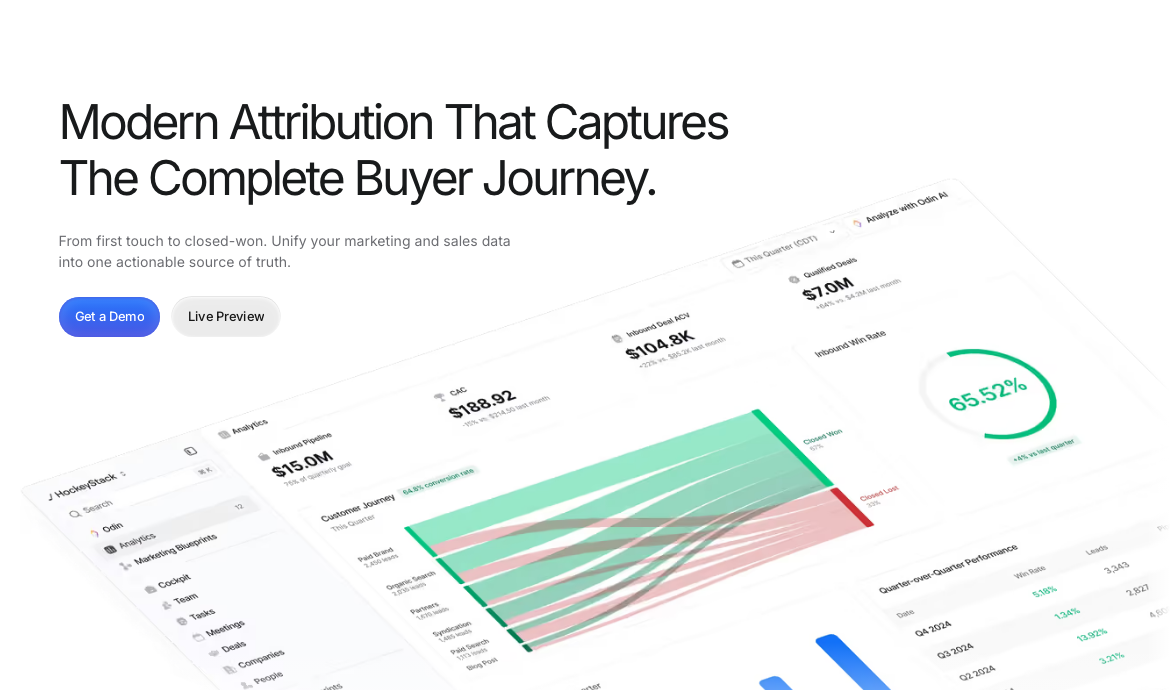
The documentation lists five rule-based models: First Touch, Last Touch, Linear, Position-Based (40% first, 40% last, 20% middle) and Time Decay. Lift and incrementality tests compare exposed and unexposed accounts and are aimed at low-volume programs such as events and content. The Snowflake integration is two-way, with read-only or read-write permission.
The docs also state limits worth knowing: LinkedIn Ads impressions attach to the company, not a person, and website visits stay at company level, found through reverse IP lookup, until a person identifies, for example through a form. AI agents suggest a next best action per segment, and the platform offers account and lead scoring.
The pricing page offers custom plans and a demo form. G2 reviewers praise the ease of use and support, and name a difficult learning curve and reporting that is confusing because of a complex data structure.
- Starting price
- No public price list: the pricing page offers custom plans and a demo form, and mentions startup pricing without an amount
- Pricing model
- Custom plans, demo form
- Attribution models
- First Touch, Last Touch, Linear, Position-Based (40/20/40), Time Decay, Predictive (ML)
- Data warehouse
- Snowflake, two-way (read-only or read-write)
- Targets
- Marketing leaders, RevOps/GTM ops, sales leaders, performance marketers
- AI
- AI agents, Forecast Challenger agent, account and lead scoring
- Free tier
- None mentioned on the pricing page
Dreamdata: a free plan, then quote-only#
Dreamdata
Dreamdata is a B2B attribution platform that ties every touchpoint to accounts and revenue, with an AI analytics agent and audience syncing to ad platforms.
Dreamdata is a B2B attribution platform that ties touchpoints to accounts and revenue, with an AI analytics agent and audience syncing to ad platforms. It uses your own CRM, ad and site data.
- You want a real free plan ($0/month with 5 seats and B2B web analytics, company identification and ad spend reports) to test before paying.
- You need data-driven and custom attribution models plus warehouse export (BigQuery, Snowflake, AWS S3, Azure Storage) and audience syncing to Google Ads, LinkedIn, Meta and Bing.
- G2 reviewers list learning curve as the top con (20 reviews) and missing features second (13 reviews); a Capterra reviewer called the learning curve steep for the first 1 to 2 months.
- you need a published price for the full product: Advanced is quote-only, and a Capterra reviewer complained about a one-year contract without a proof of concept
- Users like
- Insights (47 reviews), analytics (39), marketing metrics
- Users dislike
- Learning curve (20 reviews), missing features (13 reviews)
- Source: G2, 264 reviews
How it works in practice
The Free plan costs $0 and includes B2B web analytics, company identification, an audience builder, Slack and Teams notifications and an ad spend report. Its limits are 5 seats, 2 months of user history, 3 stage models, 2 notifications and 1 sync. Advanced is custom and quote-only, with a guided free trial, and Activation, Data Warehouse and SCIM are add-ons with no listed price.
The attribution docs cover data-driven and custom models, exclusions and LinkedIn impression attribution. Integrations include Google Ads, Meta, LinkedIn and Microsoft Ads, the CRMs Salesforce, HubSpot, Microsoft Dynamics and Pipedrive, and warehouses BigQuery, Snowflake, AWS S3 and Azure Storage. Reverse ETL can create CRM accounts for companies Dreamdata reveals.
G2 reviewers praise the insights and analytics. The top complaint is the learning curve, with 20 reviews, then missing features with 13, and a Capterra reviewer describes a steep first one to two months.
- Starting price
- Free plan at $0 per month (5 seats, 2 months of user history, 3 stage models, 2 notifications, 1 sync); Advanced is custom and quote-only with a guided free trial; Activation, Data Warehouse and SCIM are add-ons with no listed price
- Free plan
- $0/month: 5 seats, 2 months user history, 3 stage models, 2 notifications, 1 sync
- Advanced plan
- Custom, quote-only; guided free trial
- Attribution
- Data-Driven Attribution, custom models, exclusions, LinkedIn impression attribution
- Data warehouse
- BigQuery V2, Snowflake V3, AWS S3 V2, Azure Storage (Data Warehouse is a paid add-on)
- CRM integrations
- Salesforce, HubSpot, Microsoft Dynamics, Pipedrive
- AI
- Analytics Agent, MCP Server, AI report summaries
Ruler Analytics: lead generation, calls and CRM revenue#
Ruler Analytics
Ruler Analytics is a marketing measurement platform that ties website visits, calls and form fills to CRM revenue so teams can see which campaigns produce leads and sales.
Ruler Analytics is a marketing measurement platform that ties website visits, form fills, calls and live chats to CRM revenue. It runs on your own tracked data and is priced by site traffic.
- You run lead generation and need form, call and live chat conversions tied back to the original marketing source and to CRM revenue, with offline conversions sent back to Google Ads.
- You want multi-touch attribution and, on the top tier, marketing mix modelling, with unlimited user logins (multiple logins are free) and a dedicated CS manager on every plan.
- Pricing is per domain and scales with monthly visits, from $400/mo (billed monthly) for 10k visits up to $2,000/mo from 100k visits, which is steep for small sites or single-channel advertisers.
- you want a quick setup: G2 reviewers mention a complex initial setup and a slow-loading dashboard
- Users like
- responsive support and customer journey tracking across forms, calls and chat
- Users dislike
- complex initial setup and slow dashboard
- Source: G2, 30 reviews
How it works in practice
It is the only tool here that publishes a USD price list. Small (up to 10,000 monthly visits) is $400 a month billed monthly or $360 billed annually, Medium (up to 50,000) is $668 or $601, Large (up to 100,000) is $1,326 or $1,193 and Advanced (from 100,000) is $2,000 or $1,800. The license is per domain, multiple logins are free and every plan includes a dedicated customer success manager.
Attribution types are marketing, impression, opportunity and data-driven, and Advanced adds marketing mix modeling. Conversions can be sent back to Google Ads through its API and to Bing Ads, and the help center documents data warehouse, SQL Server and Power BI exports.
G2 reviewers praise the responsive support and the tracking of forms, calls and chats. They name a complex initial setup and a slow-loading dashboard as weaknesses, and the review count is small, around 30.
- Starting price
- Published in USD with a GBP/EUR/USD toggle: Small (up to 10k monthly visits) $400/mo billed monthly or $360/mo billed annually; Medium (up to 50k) $668 or $601; Large (up to 100k) $1,326 or $1,193; Advanced (from 100k) $2,000 or $1,800. Page calls it indicative pricing scaled by traffic, product, data and integration needs. License is per domain, no per-seat fees.
- Entry price (USD)
- $400/mo monthly, $360/mo annual (Small, up to 10k visits)
- Pricing basis
- Per domain, scaled by monthly unique visitors; no per-seat fee
- Tiers
- Small, Medium, Large, Advanced (from 100k visits)
- Tracking
- Form, call and live chat tracking plus offline conversions
- Ad platform feedback
- Google Ads (API) and Bing Ads documented; Facebook Ads via Zapier
- Support (all plans)
- Phone, email and live chat, dedicated CS manager, white-glove onboarding
What marketing intelligence software cannot see#
Marketing intelligence software can only report what arrives. When a landing page loses its tracking tag, a hidden UTM field arrives empty or a form stops posting to the CRM, the attribution report quietly gives the campaign no credit and the competitor dashboard stays fine. Nothing in these tools flags that the source stopped sending.
- Attribution tools inherit your tracking. A missing UTM or a broken form turns a working campaign into an apparent zero. Our UTM governance template and campaign tracking checklist cover prevention.
- Competitor tools don't know your funnel. A battlecard tells a seller how to answer a rival. It can't tell whether the page the seller sends the buyer to still works.
- Modeled data is directional. Similarweb's traffic and Semrush's keyword volumes are estimates, so use them for comparison between competitors, not as your own numbers.
For the visual layer on top of these sources, see our guide to marketing dashboard software. For ad libraries and creative research, see ad intelligence software. Teams comparing how credit is assigned can read attribution models and the marketing attribution model comparison.
Do marketing intelligence tools work with Claude or ChatGPT?#
Some marketing intelligence tools work with Claude and ChatGPT. Klue lists Claude, ChatGPT and Glean as surfaces where its cited answers appear. Dreamdata offers an Analytics Agent for questions in plain English and an MCP server. The Semrush knowledge base lists an MCP integration from the Starter plan up. An assistant can then answer questions over the vendor's data, but it can't change where that data comes from, so treat it as a reader on top of a governed source.
Which marketing intelligence tool fits your team#
- Sales team that loses deals to named competitorsCrayon
- Product marketing team that wants intel inside Salesforce and a win-loss programKlue
- Strategy or media team sizing competitors from the outsideSimilarweb
- SEO and content team studying rivals' keywords and backlinksSemrush
- Any team that needs free first-party web analyticsGoogle Analytics 4
- B2B RevOps team comparing several attribution modelsHockeyStack
- B2B marketing ops team testing attribution before payingDreamdata
- Lead-generation team that needs calls and forms tied to revenueRuler Analytics
Most teams need two tools, not eight: one for the outside view and one for their own revenue data. A common pairing is Google Analytics 4 as the free base with one attribution tool on top, plus Semrush or Similarweb when someone owns competitor research. If you are still choosing a stack, our guide to marketing operations software shows where intelligence tools sit next to automation and planning tools.
Marketing intelligence software FAQ#
What is marketing intelligence software?
Marketing intelligence software gathers data about your market, competitors and campaigns, connects it and turns it into decisions. Examples include Crayon and Klue for competitors, Semrush and Similarweb for search and traffic, and Dreamdata, HockeyStack and Ruler Analytics for revenue attribution.
What is the best marketing intelligence software?
The best marketing intelligence software depends on the question you need answered. Crayon and Klue suit sales teams that sell against competitors, Semrush and Similarweb suit search and traffic research, and HockeyStack, Dreamdata and Ruler Analytics suit teams that need revenue attribution.
Is there free marketing intelligence software?
Free marketing intelligence software exists, but none of it tracks competitors in depth. Google Analytics 4 is free, Dreamdata has a $0 plan with 5 seats and 2 months of user history, and Semrush has a free plan with one demo project and 10 reports a day.
What is the difference between marketing intelligence and marketing analytics?
Marketing analytics reports what happened in your own channels, such as sessions and conversions. Marketing intelligence adds outside data like competitor activity and market traffic, connects sources and points to a decision.
How much does marketing intelligence software cost?
Marketing intelligence software costs anything from free to a custom contract. Of the eight tools here, Google Analytics 4 is free, Ruler Analytics starts at $400 a month for up to 10,000 visits, Semrush Traffic & Market Pro is $289 a month, and Crayon, Klue, Similarweb and HockeyStack don't publish prices.
Do I need more than one marketing intelligence tool?
Most teams need two marketing intelligence tools. One covers the outside view of competitors and the market, and one covers your own tracked data and revenue. A single tool rarely does both well.