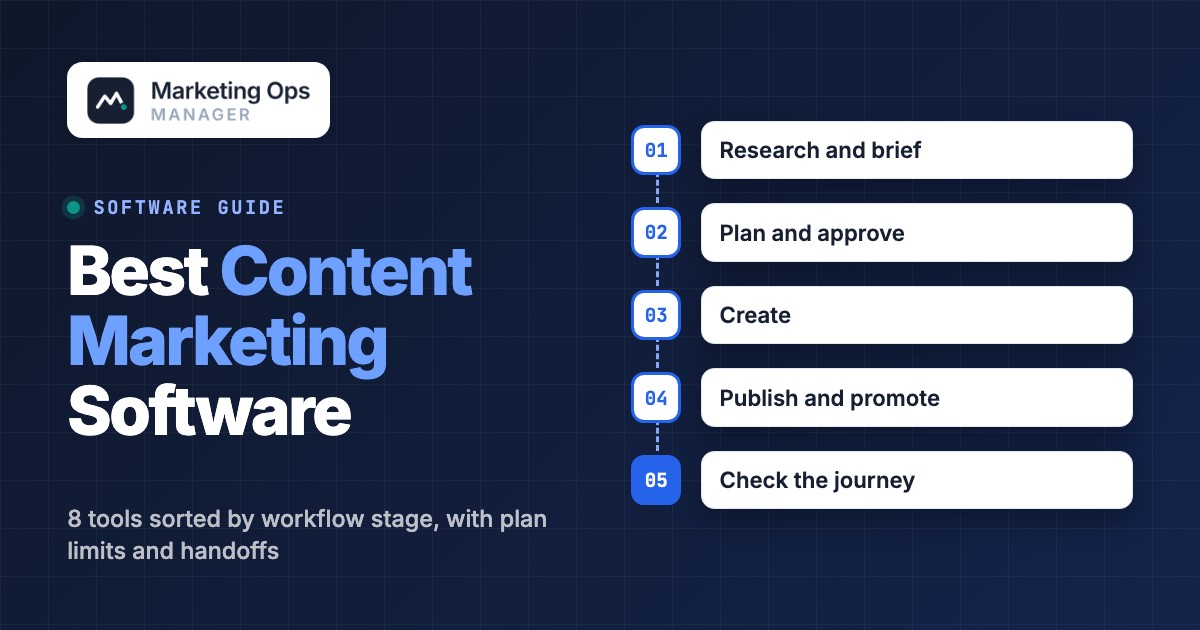
Content marketing software is the set of tools a team uses to research topics, plan and approve content, create it, publish it and measure what it earns. No single product does all five jobs well, so this guide sorts eight tools by the stage of the content workflow where each one earns its place, and it spends as much time on what each tool hands to the next one as on features.
The handoffs decide whether the stack works. A brief that never reaches the writer, a post that goes live without UTM parameters or a design that waits on an approval nobody sees costs more than any license. We read vendor material and didn't run these products.
- tools compared across 4 workflow stages
- 8
- entry price per month, from Canva Pro to HubSpot Content Hub Professional
- $12 to $450
- offer a free plan or free tools (Semrush, Asana, Buffer); Canva has a free tier too
- 3 of 8
- review scores on the six tools with a published score
- 4.4 to 4.7
Our picks by job#
 Best for deciding what to writeSemrushKeyword gaps, topic ideas and SEO briefs from one subscription, with a separate Content Toolkit for drafts.
 Best for finding what already earns shares and linksBuzzSumoEngagement-ranked content for a topic or a competitor's domain across an archive of more than 8 billion articles.
 Best when marketing shares a work manager with other teamsAsanaCampaigns run as projects with timeline and calendar views, and rules that assign reviews by stage.
 Best for a WordPress blog with social promotionCoScheduleA calendar that syncs with WordPress and holds each post's social messages until the post is live.
 Best for on-brand drafts from a shared voiceJasperTrains a brand voice from up to 8 samples and applies it across blog, social, ad and email drafts.
 Best for brand-locked visuals from non-designersCanvaBrand kits, locked templates, one-reviewer approval and scheduling to seven social channels.
 Best for teams already on HubSpotHubSpot Content HubBlogs, landing pages and an AI writer in one system, with seats and AI credits priced by tier.
 Best for cheap per-channel social schedulingBufferA free plan for 3 channels and a documented API on every plan.
Content marketing software compared#
| Tool | Category | Data handoff | Starting price (USD unless noted) |
|---|---|---|---|
| Semrush | SEO and competitive research platform | Comes in: your domain, competitor domains and seed keywords; goes out: keyword gaps, backlink gaps and competitor traffic by channel for content and ad planning | Free plan (1 demo project, 10 reports a day); paid plans SEO, Starter, Pro+ and Advanced, with SEO at €134 a month (€112.52 billed annually) on the euro price list and Advanced by quote; Traffic & Market Pro is a separate toolkit at $289 a month |
| BuzzSumo | Content research and monitoring | Topic or competitor domain in; ranked content, alerts and exports out (export formats not published) | Content Creation $199, PR & Comms $299, Suite $499 and Enterprise $999 per month, billed annually; monthly-billed prices not published |
| Asana | Work management | Campaign plan, calendar and approvals | Personal free (2 users); Starter $10.99 and Advanced $24.99 per user per month billed annually ($13.49 and $30.49 billed monthly); Enterprise by quote |
| CoSchedule | Content calendar and social scheduling | WordPress posts sync both ways with the calendar; social messages publish after the post goes live | Free (1 social profile); Starter $29 and Professional $49 a month billed annually ($39 and $59 monthly); Suite from $69 a month, custom |
| Jasper | AI writing and brand voice | Brand samples and knowledge assets in; drafts out to Google Docs, Webflow, Zapier or the API (Business plan) | Pro $59 per seat per month billed annually ($69 monthly), 1 seat included; Business custom with a 12-month minimum |
| Canva | Design and brand templates | Designs go to social channels through the Content Planner; CMS and CRM handoffs are manual or Enterprise-only | Free; Pro $12 per person per month billed yearly ($18 monthly); Business $20.83 billed yearly ($25 monthly); Enterprise by quote. USD prices from Canva's US plan comparison |
| HubSpot Content Hub | CMS and content hub | Posts publish with subscription emails and automated social posts; Google Search Console data comes in for SEO reports | Free tools for 2 users; Starter from $7 per seat per month (limited-time promotion, $20 list); Professional from $450 a month with 3 seats; Enterprise from $1,500 a month with 5 seats. HubSpot's product page shows slightly higher prices, so confirm at checkout |
| Buffer | Low-cost scheduler priced per channel | Scheduled posts out to 12 networks, with a GraphQL API and MCP server for automation | Free for 3 channels; Essentials $5 and Team $10 per channel per month; approvals on Team only |
 The Marketing Ops Manager Our product | Campaign monitoring | Checks every handoff in the campaign journey on a schedule | Starter $199 per month (up to 10 campaigns, checks every 15 minutes), Growth $499 per month (up to 50 campaigns, checks every 5 minutes); billed monthly in advance through Stripe, card required at checkout, cancel anytime (vendor homepage, as of 2026-11-02) |
Prices and limits are taken from vendor pages read in November 2026. Semrush is quoted from its euro price list, and Canva's USD prices come from Canva's US plan comparison. Confirm at checkout.
What is content marketing software?#
Content marketing software is a set of tools that helps a team plan, create, publish and measure content that attracts and keeps an audience. The category has no hard edge. A planning calendar, an SEO research suite, an AI writing tool and a design app all count, because each one covers a different stage of the same job.
Three neighbors get mistaken for it, and keeping them apart makes a shortlist easier to read.
| Neighbor | What it does | Where it overlaps |
|---|---|---|
| Content management system (CMS) | Stores, formats and publishes pages | HubSpot Content Hub is both a CMS and a content tool |
| Marketing automation platform | Runs email, lead scoring and workflows on contact records | Needs content to send; see marketing automation software |
| Social media management tool | Schedules and reports on social posts | Buffer and CoSchedule cover the promotion step; see social media management software |
For a marketing ops team the useful split is by stage. Research tells you what to write. Planning tells you who writes it and when. Creation produces the draft and the assets. Publishing and promotion put them in front of people. Measurement closes the loop, and it depends on tracking that you set up before the post goes live.
Which job does each tool do in the content workflow?#
Each of the eight tools is strongest at one stage. The table shows what goes into each tool and what comes out, which is where handoffs fail.
| Tool | Stage | What goes in | What comes out |
|---|---|---|---|
| Semrush | Research | Your domain, competitor domains, seed keywords | Keyword gaps, topic ideas, briefs |
| BuzzSumo | Research | A topic or a competitor domain | Engagement-ranked content, alerts, exports |
| Asana | Plan | Campaign plans, requests, review rules | Timeline and calendar views, approvals |
| CoSchedule | Plan and promote | WordPress posts, Google Docs, ideas | A calendar of record, social messages tied to each post |
| Jasper | Create | Brand samples, knowledge assets, a brief | On-brand drafts |
| Canva | Create | Brand kit, templates, copy | Designs, scheduled social posts |
| HubSpot Content Hub | Publish | Drafts, AI prompts, Search Console data | Published posts and pages, subscription emails, automated social posts |
| Buffer | Promote | Posts and links for up to 12 networks | Scheduled posts, analytics, API output |
Two stages have no tool of their own on this list. Measurement lives in your analytics and CRM, and the check that your campaign links still work lives outside all eight tools. The data-flow section below covers both.
How do you choose content marketing software?#
Choose content marketing software by the stage that fails today, then check the handoff and the plan limits before the price. Five criteria separate the eight tools.
- The stage you need. A team with a clear calendar and weak ideas needs research, not another calendar. A team with good ideas and a slow review loop needs approvals.
- The CMS you publish to. CoSchedule names WordPress and Canva as its integrations. HubSpot Content Hub is a CMS. Jasper lists Webflow and Google Docs add-ons. Check the connector for your CMS, not the feature list.
- Seats and approvals. Canva's Business plan supports individual reviewers and puts group approvals on Enterprise. Buffer's approvals start on its Team plan. Asana's approvals start on Advanced. Jasper's Pro plan includes one seat.
- AI limits. HubSpot meters AI use in credits by tier (500, 3,000 and 5,000 a month). Jasper meters some features by credits and publishes no word cap. Ask what happens at the limit.
- How reports leave the tool. BuzzSumo lists unlimited exports and an API for paid plans but publishes no export format. Buffer's API key is on every plan, with request limits by plan.
Research tools: what to write and what already works#
Research tools answer two different questions. One asks which keywords and topics your site is missing. The other asks which pieces of content already earn shares and links. Semrush leads on the first, BuzzSumo on the second, and a team with a real content budget often uses both.
Semrush#
Semrush covers the research stage through a keyword and competitor suite, with a separate Content Toolkit that carries the research into briefs and drafts.
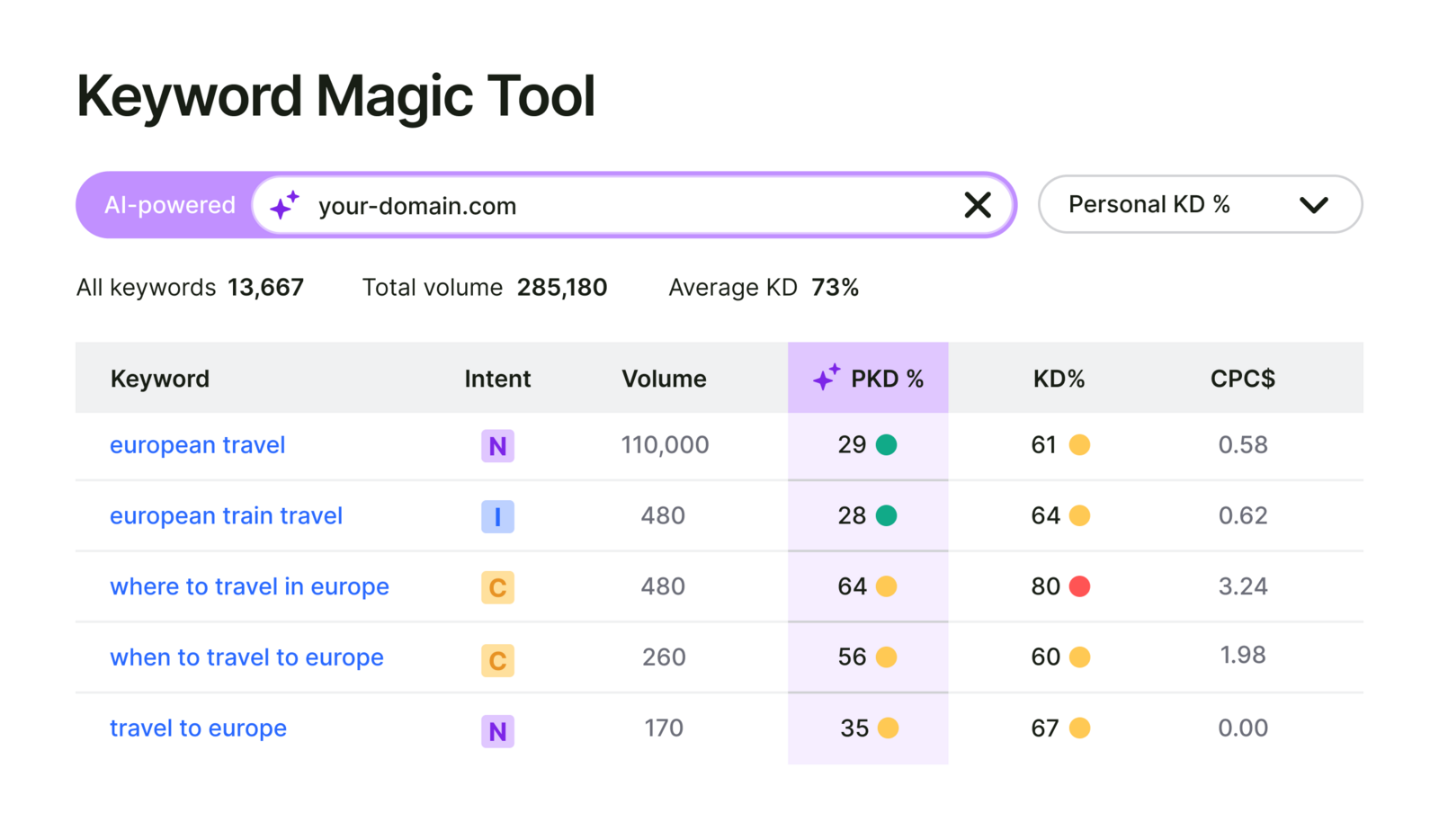
In practice you start in Competitive Analysis, where Keyword Gap compares your domain with competitor domains, and in Keyword Research, where the Keyword Magic Tool expands a seed keyword. The Content Toolkit then takes over. Semrush says it finds topic ideas with Topic Finder, generates briefs with SEO Brief Generator, creates articles with Article Generator and optimizes drafts. Its page adds that you can send articles directly to your CMS, use a Chrome extension and write in your brand voice.
The toolkit model matters for the budget. SEO and AI visibility sit in the main subscription, and Content is one of several add-ons sold on top, on a single plan called Content Base with a 7-day trial. The SEO plan tracks 5 websites, Pro+ tracks 15 and Advanced tracks 40.
Semrush
Semrush bundles keyword, backlink, ad and traffic research for competitor analysis, with Traffic & Market sold as a separate toolkit.
Semrush decides what you write about, then hands the topic to a brief, a draft and an optimizer in a separate toolkit.
You compare your domain with competitors in Keyword Gap, expand seed keywords in the Keyword Magic Tool and save the ones worth a page. Semrush's Content Toolkit then finds topic ideas with Topic Finder, generates briefs with SEO Brief Generator, creates full articles with Article Generator and optimizes drafts. It says you can send articles directly to your CMS and write in your brand voice.
The SEO plan tracks 5 websites, Pro+ tracks 15 and Advanced tracks 40. Extra users start at $45 a month, up to three per account. The free plan gives one demo project and 10 reports a day.
- you want keyword gap, backlink gap and Domain Overview competitor research in one subscription alongside rank tracking and site audits
- you want competitor traffic by channel (organic, paid, social, referral, email, AI assistants) and will pay for the separate Traffic & Market toolkit
- you only need traffic and market benchmarking: Traffic & Market Pro costs $289 a month for one seat and caps requests at 3,000 a day
- you are budget-limited: G2 reviewers name pricing and add-on structure as the top complaint, and the free plan gives one demo project and 10 reports a day
- Users like
- Keyword research and competitor analysis
- Users dislike
- Pricing and add-ons
- Source: G2, 4,303 reviews
How it works in practice
Content is a toolkit sold on top of the main subscription, on a single plan called Content Base with a 7-day trial. Traffic & Market is a separate toolkit at $289 a month for one seat, with 3,000 requests a day and up to 100 competitors. Semrush also lists an API and an MCP server for pulling data into other tools.
G2 shows 4.4 from 4,303 reviews. Reviewers praise keyword research and competitor analysis. The top complaint is pricing and add-ons, which matches the toolkit model: a team that wants research, content and social in one bill pays for several subscriptions. The SEO plan is listed at 134 euros a month on the euro price list, and no USD price is listed.
- Starting price
- Free plan (1 demo project, 10 reports a day); paid plans SEO, Starter, Pro+ and Advanced, with SEO at €134 a month (€112.52 billed annually) on the euro price list and Advanced by quote; Traffic & Market Pro is a separate toolkit at $289 a month
- Plans
- Free, SEO, Starter, Pro+, Advanced, Enterprise
- Websites tracked (SEO / Pro+ / Advanced)
- 5 / 15 / 40
- Traffic & Market Pro
- $289 a month, 1 seat, 3,000 requests a day, up to 100 competitors
- Extra users
- From $45 a month, up to 3 per account
- Trial
- 7 days on most plans
BuzzSumo#
BuzzSumo starts from content that already exists and shows what earned engagement. It is a research and monitoring tool, and it does not draft, schedule or publish.
You type a topic, a domain or several domains into Content Analyzer, which matches them against an archive of more than 8 billion articles. BuzzSumo's own guidance is to start broad with audience vocabulary rather than product names, then narrow with extra words, quotes for exact phrases, a minus sign to exclude and OR to broaden. Filters cover time, country, language, publisher type and content length. You save the search under a name and read the results for repeated words in highly shared pieces, outdated content to refresh or an angle nobody has taken.
BuzzSumo
BuzzSumo shows which content on a topic or competitor domain earns engagement, with alerts for brand and keyword mentions on top.
BuzzSumo shows which content on a topic or competitor domain earns engagement, which makes it a research step rather than a planning step.
Plans start at $199 a month billed annually for Content Creation, with one user, 2 alerts, 2 trending feeds and 2 years of history. PR & Comms is $299 with 5 users, 5 alerts and 3 years. Suite is $499 with 10 users, 10 alerts and 5 years, and Enterprise is $999 a month, annual only, with 30 users and 50 alerts. Monthly-billed prices aren't published.
Searches, exports and projects are listed as unlimited on every plan, and searches are shared across the account. Content Analyzer covers Facebook, X, Reddit and YouTube engagement, and a Question Analyzer pulls questions from Amazon, Reddit, Quora and Q&A sites.
- you plan content from what already earns shares and links on a topic or a competitor's domain
- you want alerts for brand, competitor or keyword mentions alongside the research
- you need drafting, briefs, scheduling or publishing: the pages read describe research and monitoring only
- you need keyword rankings or SERP data: BuzzSumo is built around engagement data, not rank tracking
How it works in practice
Alerts watch mentions of brands, competitors and keywords, and trending feeds run from 2 to 50 by plan. Paid web-app subscribers get API access, with a separate API subscription for larger volumes. BuzzSumo names no native CMS or CRM connector, and it publishes no export format, so plan a manual step between a saved search and your editorial calendar.
It returns engagement and link data on topics. It doesn't return keyword rankings, so most teams pair it with an SEO suite such as Semrush. No review score is quoted for it here.
- Starting price
- Content Creation $199, PR & Comms $299, Suite $499 and Enterprise $999 per month, billed annually; monthly-billed prices not published
- Content Creation plan
- 1 user, 2 alerts, 2 trending feeds, 2 years of history
- PR & Comms plan
- 5 users, 5 alerts, 15 trending feeds, 3 years
- Suite plan
- 10 users, 10 alerts, 30 trending feeds, 5 years
- Enterprise
- 30 users, 50 alerts, 50 trending feeds, annual only
- Article archive
- More than 8 billion articles
- Searches
- Unlimited on every plan, shared across the account
- API
- Included for paid web-app subscribers; limits not published
Planning tools: calendar, approvals and handoffs#
Planning tools decide who writes what and when, and where a draft waits for review. A general work manager and a content-specific calendar solve different versions of that problem. Asana fits a team that shares one system with product, sales and operations. CoSchedule fits a team that lives in WordPress and wants the social plan attached to every post. Our guide to marketing planning software goes deeper on the planning layer.
Asana#
Asana plans content as projects and portfolios, with timeline and calendar views and rules that route reviews. It has no content-specific object, so a blog post is a task in a project that you structure yourself.
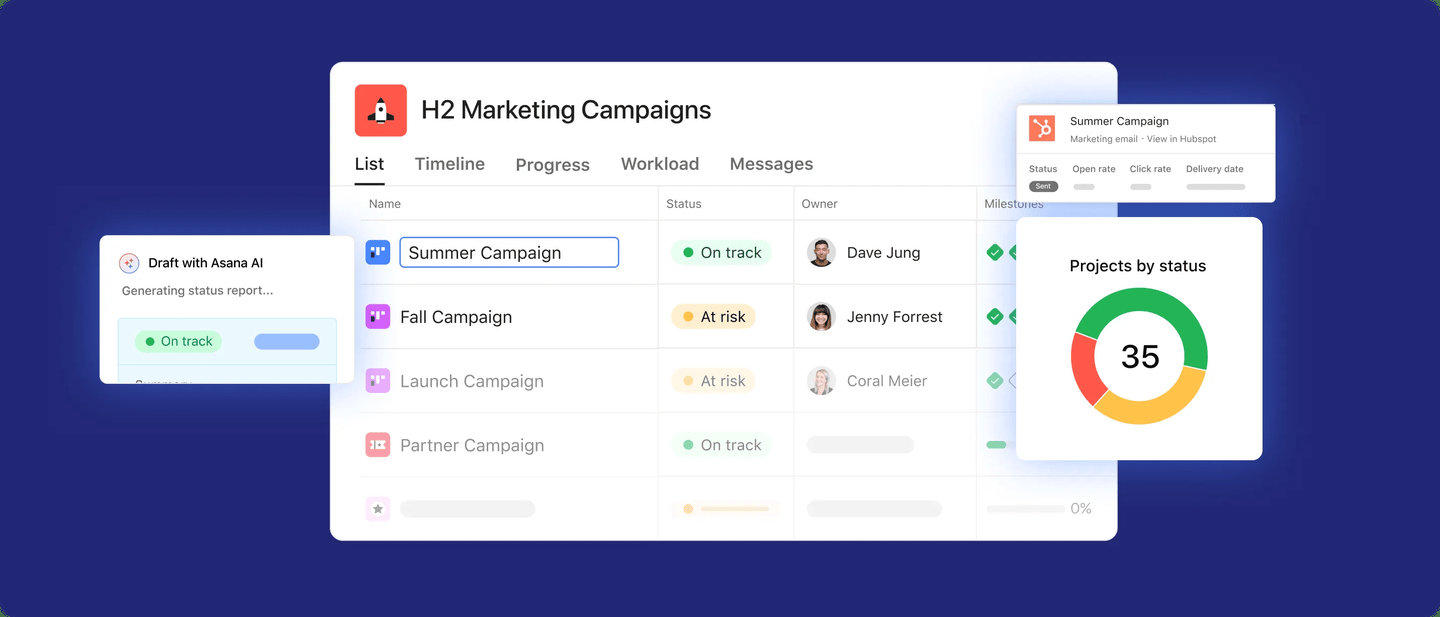
Asana's marketing page describes a calendar view that schedules assets by channel and date, and rules that assign review and approval steps by campaign stage or asset type. Timeline, forms and custom fields start on the Starter plan. Portfolios, goals and approvals start on Advanced, and budgets are a separate Timesheets & Budgets add-on with the price from sales.
Asana
Asana plans campaigns as projects and portfolios, with timeline and calendar views, forms and rules. Budgets are a paid add-on rather than a built-in field.
Asana is the planning layer when content is one workstream among many, with approvals that start on the Advanced plan.
A content team usually builds one project per campaign, with a task per asset, a calendar view for dates and a form for requests. Rules can assign a reviewer when a task moves to a stage, which keeps the handoff from draft to review out of chat messages. Approvals are an Advanced feature at $24.99 per user per month billed annually, and the Starter plan at $10.99 has no approval step.
The Personal plan is free for 2 users, and paid plans scale in seat steps of one at a time from 2 to 5 users, then five at a time up to 30.
- marketing shares Asana with other departments and you want campaigns planned as projects with timeline and calendar views
- you want rules that assign reviews and approvals by campaign stage or asset type
- you need budget tracking in the base plan: budgets come from the separate Timesheets & Budgets add-on
- you want goals, portfolios and approvals on a starter budget: Asana's pricing page lists them from Advanced at $24.99
- Users like
- ease of use (1,525 mentions) and task management (1,464)
- Users dislike
- a steep learning curve (605 mentions), missing features such as time tracking (597) and power tools locked behind higher tiers (531)
- Source: G2, 14,089 reviews
How it works in practice
Asana names Microsoft 365, Google Workspace, HubSpot, Slack, Figma, Canva and Buffer as integrations on its campaign management page, so a design in Canva or a post in Buffer can link back to a task. It doesn't connect to a CMS in the sense of publishing from a task, so the handoff to WordPress or HubSpot stays manual.
G2 shows 4.4 from 14,089 reviews. Reviewers praise ease of use and task management. The recurring complaints are a steep learning curve, missing features such as time tracking and power tools locked behind higher tiers.
- Starting price
- Personal free (2 users); Starter $10.99 and Advanced $24.99 per user per month billed annually ($13.49 and $30.49 billed monthly); Enterprise by quote
- Timeline and forms
- Starter and up
- Portfolios, goals, approvals
- Advanced and up (pricing page)
- Budgets
- Timesheets & Budgets add-on on Starter and up; price from sales
- Integrations named
- Microsoft 365, Google Workspace, HubSpot, Slack, Figma, Canva, Buffer
CoSchedule#
CoSchedule is a marketing calendar built around WordPress. Its pricing page now lists Free, Starter, Professional and Suite plans rather than separate content and marketing products.
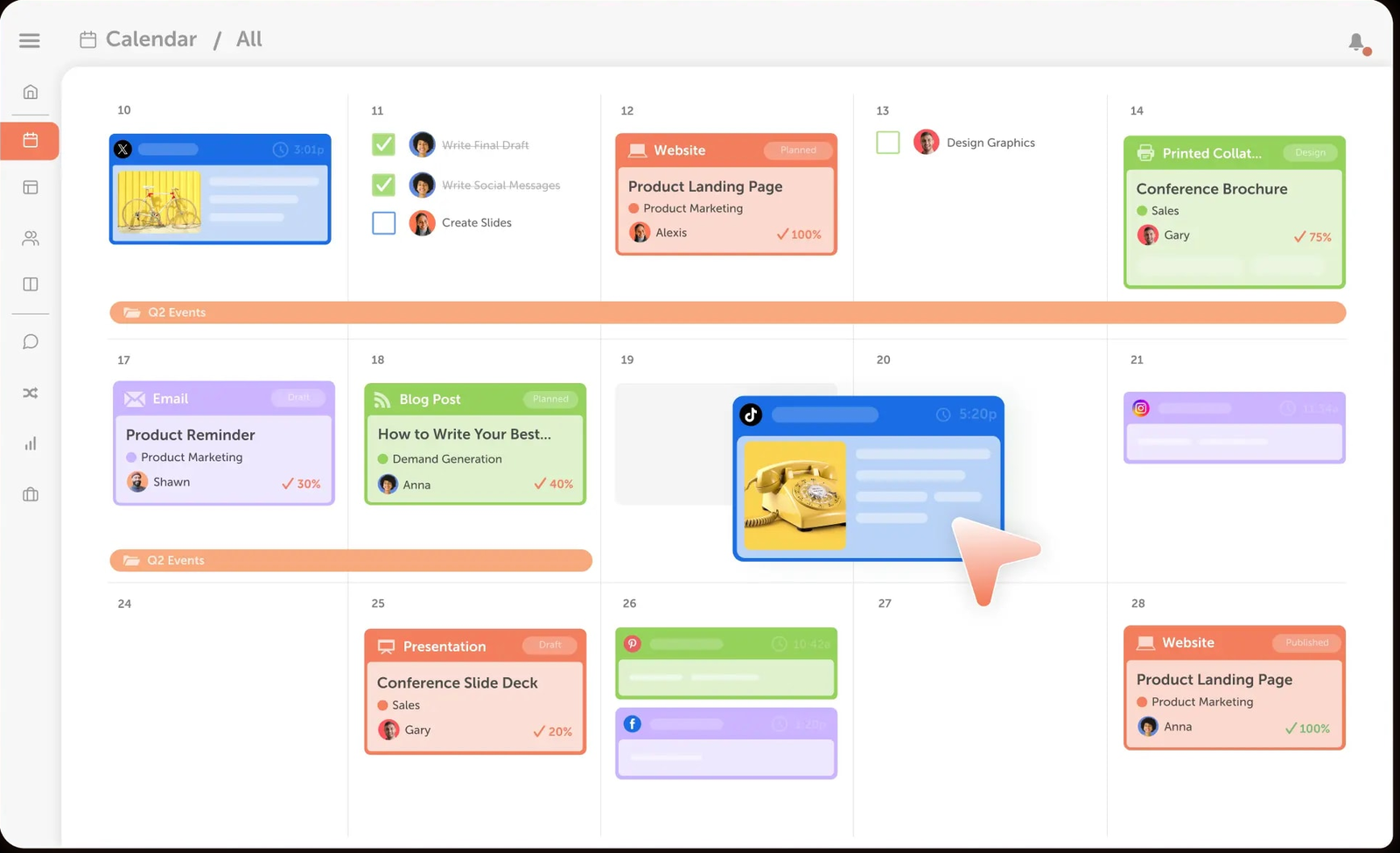
From its WordPress help article: you click a date on the calendar, choose WordPress and enter a title, owner and site. Posts created in WordPress appear on the calendar automatically. You write in WordPress, or you attach a Google Doc and convert it to a WordPress post, which can't be undone. Draft, pending review and scheduled statuses sync with WordPress. Every WordPress project gets a social campaign pre-filled with the title and permalink, and the social messages don't go out until the post is published.
CoSchedule
CoSchedule is a marketing calendar that syncs with WordPress and promotes each post on social channels once it is published.
CoSchedule keeps one calendar for WordPress posts and holds each post's social messages until the post is live.
Starter is $29 a month billed annually ($39 monthly) for one user and 3 social profiles. Professional is $49 ($59 monthly) with 2 users included and a maximum of 3, 5 profiles and message approvals. Suite starts at $69 a month, is custom-quoted and adds unlimited sub-calendars, team permissions and single sign-on, with a demo and no self-serve trial. The Free plan covers one social profile and up to 15 queued posts.
The WordPress sync reads the latest 500 drafts, 500 published and 500 scheduled posts per site, doesn't edit the post body inside CoSchedule and can't move a project to another site.
- you run a WordPress blog with social promotion and want one calendar of record for 1 to 3 people
- you want every WordPress post to get a pre-filled social campaign that waits for the publish
- you use a CMS other than WordPress: WordPress and Canva are the only integrations named on the pages read
- you need SEO briefs or content analytics inside the tool: neither is documented as a core feature
How it works in practice
ReQueue groups re-share older posts automatically, with 5 groups on Starter and 10 on Professional. Instagram publishing needs a Business or Creator account. CoSchedule names WordPress, Google Docs and Canva as inputs and nine social networks in its inbox on Professional. It names no analytics or CRM integration, and its social reports are the only measurement documented.
G2 lists 226 reviews. No rating is quoted here, and reporting scope beyond the social reports is not documented.
- Starting price
- Free (1 social profile); Starter $29 and Professional $49 a month billed annually ($39 and $59 monthly); Suite from $69 a month, custom
- Starter
- 1 user, 3 social profiles, 5 ReQueue groups
- Professional
- 2 users included (max 3), 5 social profiles, 10 ReQueue groups, message approvals
- Suite
- Unlimited sub-calendars, team permissions, SSO, guest users; demo only
- WordPress sync
- Latest 500 drafts, 500 published and 500 scheduled posts per site
- Trial
- 14 days on Starter and Professional
- G2
- 226 reviews listed
Creation tools: drafts and design under one brand#
Creation tools turn a brief into a draft and a draft into assets. The risk here is drift: three writers and a designer produce four voices. Jasper and Canva both answer that with a trained brand layer. Neither one replaces research, since neither has a keyword or SERP input. If AI drafting is part of the plan, read how AI agents for marketing fit into the approvals you already run.
Jasper#
Jasper drafts marketing copy from a trained brand voice and a knowledge base, and it is the tool on this list with the clearest setup path for voice.
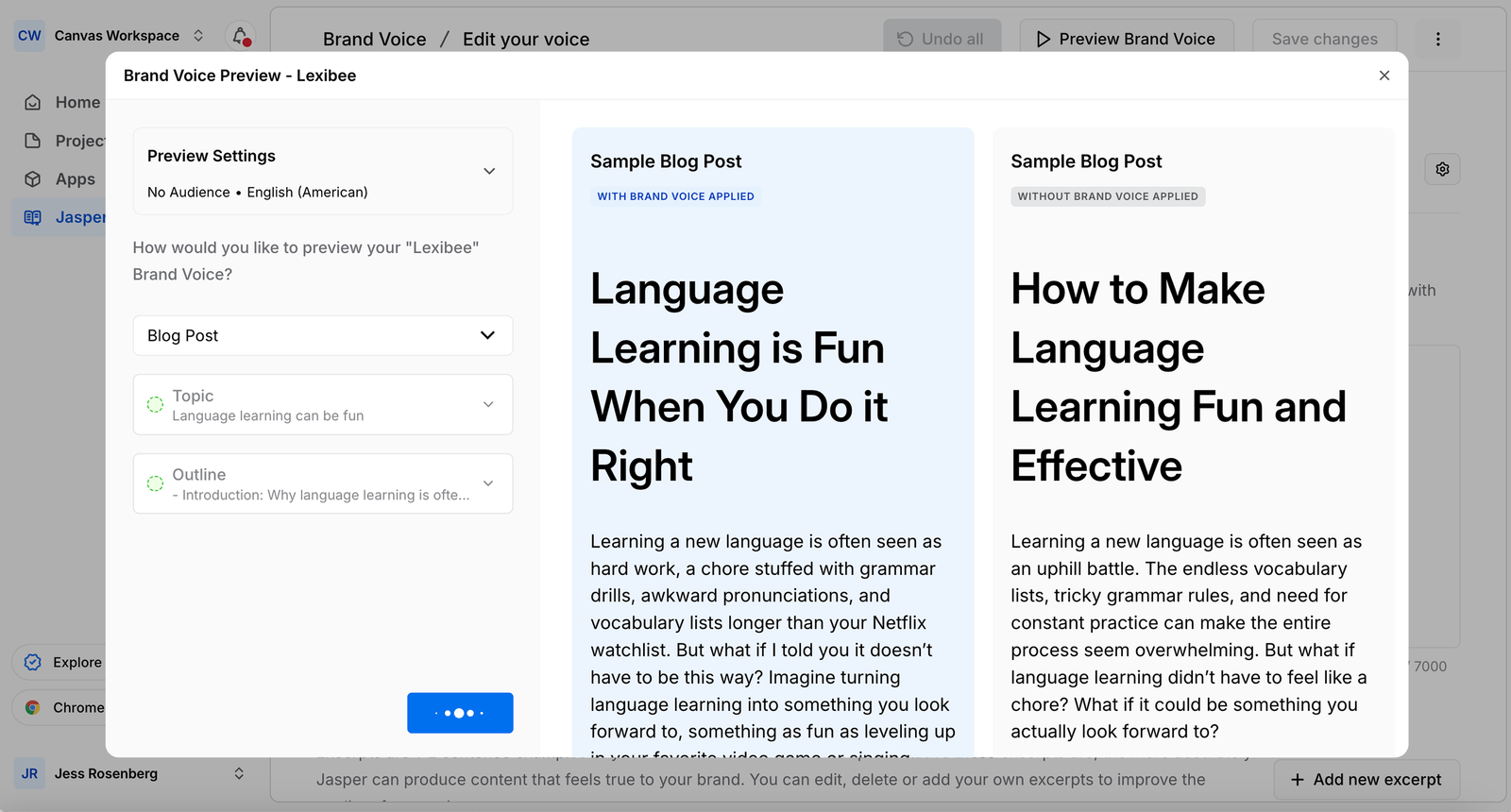
From Jasper's help center: you open Jasper IQ, add a Brand Voice and choose whether it is workspace-visible or private. You upload up to 8 examples as text, files or URLs, and Jasper crawls the URLs. It returns a style description with excerpts. You preview the voice by choosing a blog post, a LinkedIn post or a product description, and Jasper shows output with and without the voice side by side. An admin can set a default workspace voice, and writers can override it per piece.
Jasper
Jasper drafts marketing copy from a trained brand voice and knowledge base, with agents for research and translation and an API on the Business plan.
Jasper is the drafting layer for teams that want one trained voice across blog, social, ad and email copy.
Pro is $59 per seat per month billed annually ($69 monthly) and includes one seat, 2 Brand Voices, 5 knowledge assets and 3 audiences. More than one Pro seat needs a conversation with sales. Business is custom-priced with a 12-month minimum and adds unlimited Brand Voices, API access, single sign-on, admin controls and a no-code builder for custom agents. Style guide rules, such as word replacements, are a Business feature.
The docs describe no approval stage or review workflow. Jasper names agents for GEO, research and translation, and lists Content Pipelines in its navigation without publishing detail or limits.
- several people write blog, social, ad and email copy and you want one shared brand voice
- you want API access, SSO and custom agents on a Business plan
- you need SEO briefs and content scoring as the core job: use a dedicated SEO tool
- you need several Pro seats at published prices: more than one Pro seat needs a sales conversation
- Users like
- Faster writing and help with ideation and marketing copy
- Users dislike
- Generic or repetitive output that needs editing, and cost
- Source: G2, 1,319 reviews
How it works in practice
Handoffs are lighter than the CMS-based tools. Jasper lists a Webflow app, a Google Docs add-on, Zapier, Salesforce and a Google Sheets add-on, and the API is a Business feature. It names no native WordPress connector. Word limits, credit amounts and the Business price aren't published.
G2 shows 4.7 from 1,319 reviews. Reviewers praise faster writing and help with ideation. The recurring complaints are generic or repetitive output that needs editing, and cost. A team using Jasper should keep a human edit step and keep SEO scoring in a separate tool.
- Starting price
- Pro $59 per seat per month billed annually ($69 monthly), 1 seat included; Business custom with a 12-month minimum
- Pro
- 2 Brand Voices, 5 knowledge assets, 3 audiences
- Business
- Unlimited Brand Voices and knowledge assets, API, SSO, custom agent builder, style guide rules
- Brand Voice training
- Up to 8 samples (text, files or URLs) per voice
- Languages
- About 24 on the G2 listing
- Trial
- Offered; length not published
Canva#
Canva is the design layer: brand kits, locked templates, review and scheduling to social channels. Its Teams plan is closed to new sign-ups and replaced by Business, so the team plan to compare is Business.
The documented workflow: an admin sets up a Brand Kit with logos, colors and fonts, and publishes brand templates. A marketer builds a design from a template. With design approval on, the marketer chooses Share, then Request approval, picks a reviewer and an optional due date. The statuses are Approved, Awaiting review and Needs changes, and if approval is required, members can't publish or download until it clears. In the Content Planner you pick the design, date, channel and caption and schedule it.
Canva
Canva is the design layer for content teams: brand kits, locked templates, light approvals and scheduling to social channels.
Canva turns a brand kit into locked templates that non-designers can use, with one reviewer per design and scheduling built in.
Pro is $12 per person per month billed yearly ($18 monthly) and is for one person. Business is $20.83 per person billed yearly ($25 monthly), with every team member needing a paid seat. Brand kits cap at 5 on Pro, 100 on Business and 1,000 on Enterprise, and Enterprise is quote-only. Both paid plans have a 30-day trial. These USD prices come from Canva's US plan comparison.
The Content Planner schedules to Facebook Pages, Instagram Business, X, LinkedIn, Pinterest, Slack and Tumblr, and one design can go to only one platform at a time.
- marketers and non-designers produce social, blog header, deck and ad assets from brand-locked templates
- you want one reviewer to approve designs and schedule them straight to social channels
- you need multi-step or group approvals, SSO, a DAM or CMS sync or an API: those are Enterprise-only
- you need keyword research, briefs or content scoring: Canva has no research or SEO layer
- Users like
- Ease of use for non-designers, templates and time savings
- Users dislike
- Features locked behind paid plans, lag on large designs and limited precision versus Adobe tools
- Source: G2, 7,879 reviews
How it works in practice
Approvals on Business use individual reviewers. Multiple approvers and group reviewers are an Enterprise feature, and so are the Salesforce and HubSpot apps, DAM sync and API. Canva documents no CMS connector, so a blog header reaches WordPress or HubSpot as an export. Approval settings aren't retroactive, so existing templates must be republished.
G2 shows 4.7 from 7,879 reviews. Reviewers praise ease of use for non-designers, templates and time savings. The recurring complaints are features locked behind paid plans, lag on large designs and limited precision compared with Adobe tools. Canva has no research or SEO layer.
- Starting price
- Free; Pro $12 per person per month billed yearly ($18 monthly); Business $20.83 billed yearly ($25 monthly); Enterprise by quote. USD prices from Canva's US plan comparison
- Brand kits
- 5 on Pro, 100 on Business, 1,000 on Enterprise
- Approvals
- Individual reviewers on Business; multiple approvers and groups on Enterprise
- Content Planner targets
- Facebook Pages, Instagram Business, X, LinkedIn, Pinterest, Slack, Tumblr
- Scheduling limit
- One platform per design at a time
- Trial
- 30 days on Pro and Business
- Teams plan
- Closed to new sign-ups and replaced by Business
Publishing and promotion tools: where content goes live#
Publishing tools put the piece on a page and in front of an audience, and this is where tracking gets attached or forgotten. HubSpot Content Hub is a CMS with content tools built in. Buffer only promotes, and it does that cheaply. Check the tags and campaign links with the campaign tracking checklist before either one sends traffic.
HubSpot Content Hub#
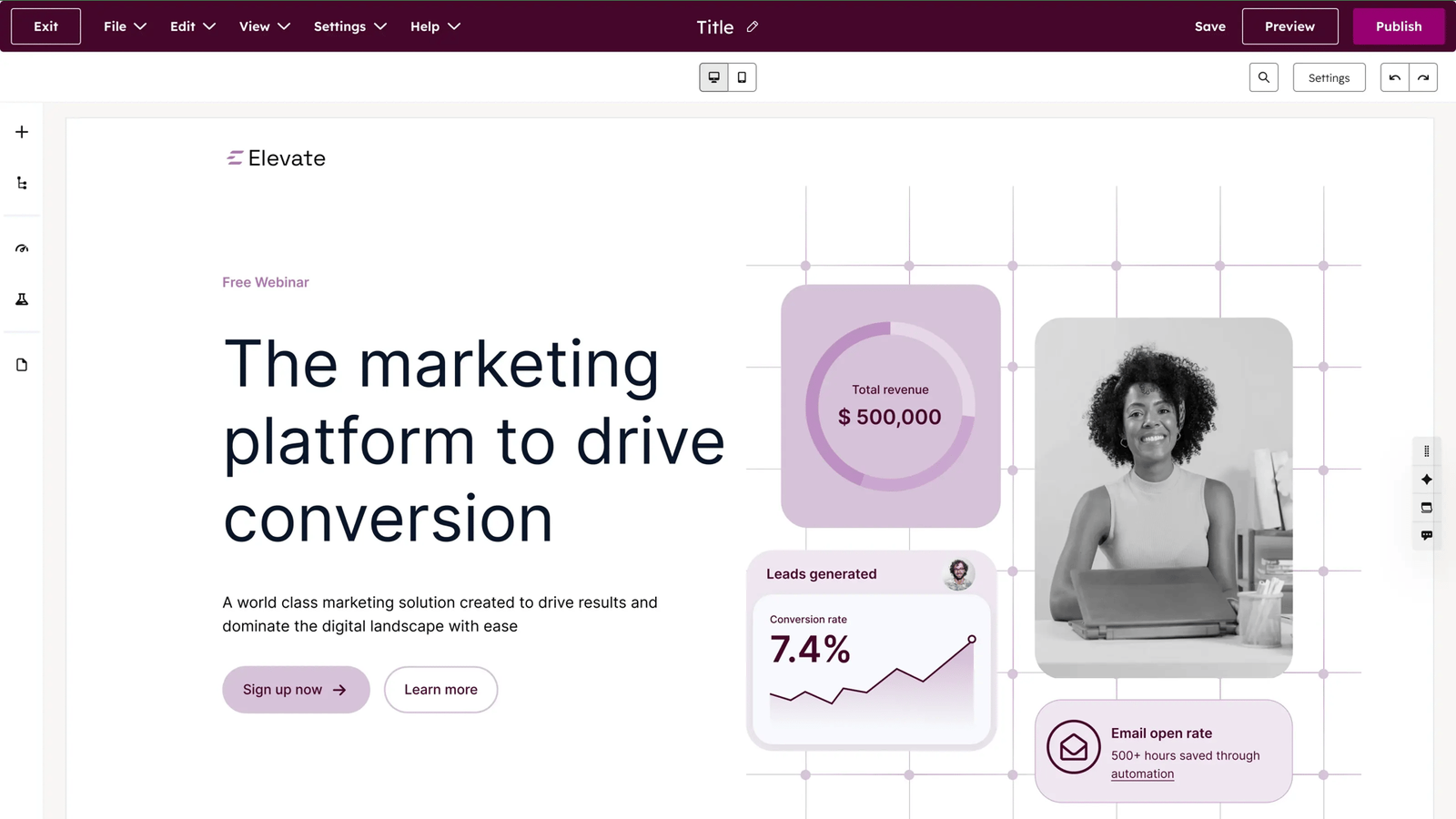
HubSpot Content Hub combines a blog and page builder, an AI writer and testing in one system. It makes the most sense for a team that already keeps contacts and campaigns in HubSpot.
The scheduling mechanics are documented. You open a post in the blog editor, choose Scheduling options from the dropdown next to Publish and set a date and time, which needs the Edit and Publish permission. A post dated in the future goes live and sends its notification emails on that date. A post dated in the past triggers no subscription emails or automated social posts.
HubSpot Content Hub
HubSpot Content Hub is HubSpot's CMS and content product: blogs, landing pages, an AI writer and testing in one system, priced by seat and monthly AI credits.
HubSpot Content Hub puts the blog, landing pages and an AI writer in one system, priced by seat and monthly AI credits.
The Free tools cover 2 users with HubSpot branding. Starter is listed from $7 per seat per month as a limited-time promotion against a $20 list price. Professional is from $450 a month with 3 seats and Enterprise from $1,500 with 5 seats, and HubSpot's product page lists slightly higher figures, so confirm at checkout. No onboarding fee is published.
Blog limits rise by tier: one blog and 100 posts on Free, one blog and 10,000 posts on Starter and up to 100 blogs on Professional. Languages go from 3 on Free to 50 on Starter and unlimited on Professional.
- your contacts and campaigns already live in HubSpot and you want blog, site and AI drafting in the same system
- you need several blogs, many languages or A/B and adaptive testing from Professional
- you are a small team or solo creator: reviewers name pricing for smaller teams and the learning curve as top complaints
- you need a standalone SEO research and brief workflow: HubSpot does not publish how deep its SEO tooling goes
- Users like
- Ease of use, publishing across several channels and integration with AI, data and CRM tools
- Users dislike
- Feels overwhelming at first, pricing is high for smaller teams and advanced features take time to learn
- Source: G2, 2,012 reviews
How it works in practice
AI credits are 500, 3,000 and 5,000 a month on Starter, Professional and Enterprise. Content Remix, a beta repurposing tool, is capped at 20 or 50 pieces a day, and the tier is unclear. A/B and adaptive testing and brand voice definition are Professional features, while content approvals and multiple sites are Enterprise.
SEO recommendations and Google Search Console data are listed, but HubSpot doesn't publish how deep the SEO tooling goes. G2 shows 4.5 from 2,012 reviews. Reviewers praise ease of use, publishing across several channels and the AI, data and CRM integrations. The complaints are feeling overwhelmed at first, pricing for smaller teams and a learning curve on advanced features.
- Starting price
- Free tools for 2 users; Starter from $7 per seat per month (limited-time promotion, $20 list); Professional from $450 a month with 3 seats; Enterprise from $1,500 a month with 5 seats. HubSpot's product page shows slightly higher prices, so confirm at checkout
- Blogs (Free / Starter / Professional)
- 1 blog, 100 posts / 1 blog, 10K posts / up to 100 blogs, 10K posts
- Landing and website pages (Free / Starter / Professional)
- 30 / 30 / 10K
- AI credits a month (Starter / Professional / Enterprise)
- 500 / 3,000 / 5,000
- Languages (Free / Starter / Professional)
- 3 / 50 / unlimited
- Extra seats
- $45 a month on Professional, $75 on Enterprise
- Content approvals and multiple sites
- Enterprise
Buffer#
Buffer schedules posts for up to 12 networks and prices per channel, which suits a team that promotes content but doesn't need a full suite.
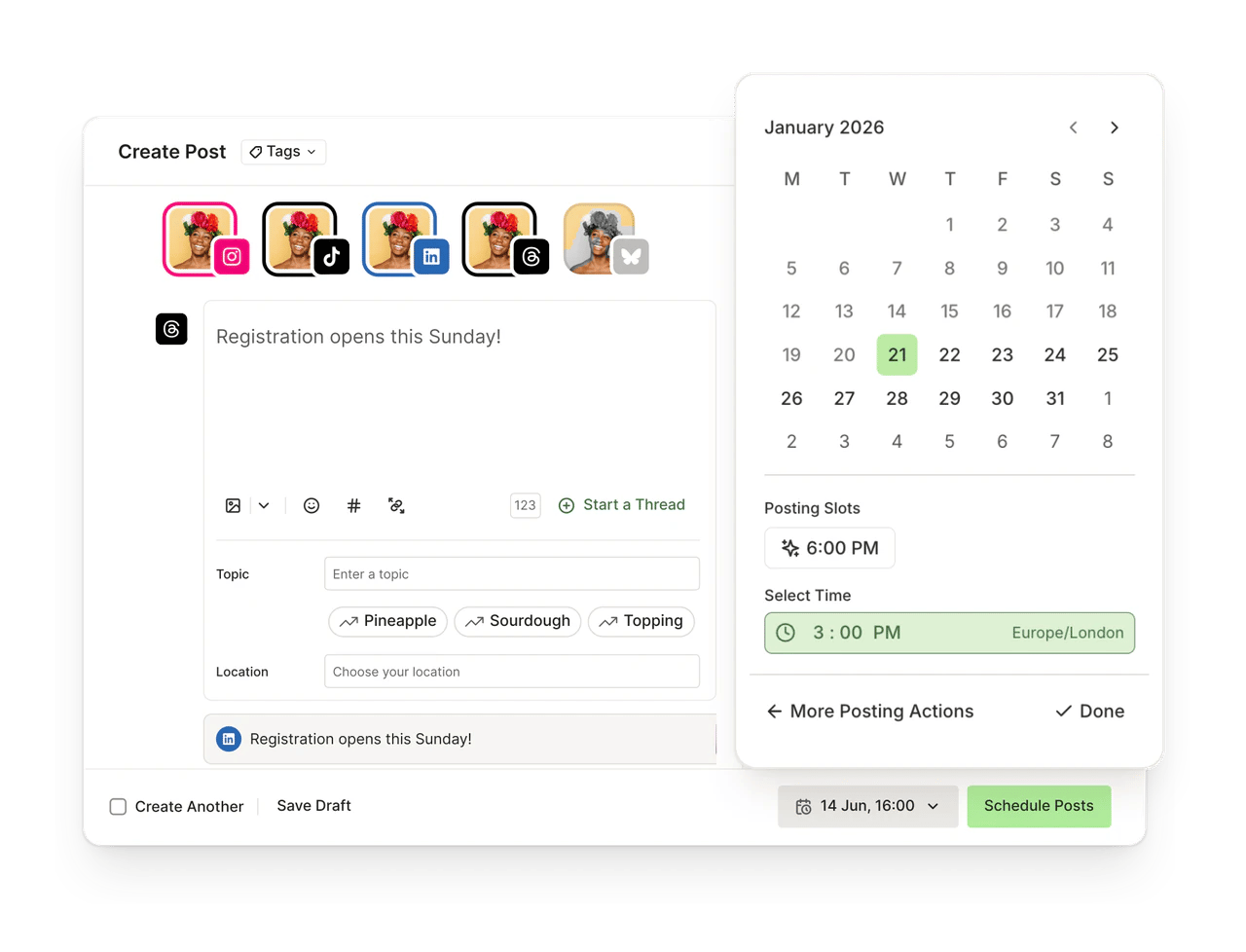
You write a post per network in the composer, pick times per channel and drag posts on a week or month calendar. Buffer auto-publishes to Facebook Pages, X, LinkedIn, Threads, Bluesky, Mastodon, Pinterest and Google Business Profile. Instagram, TikTok and YouTube are notification-based, so you finish those posts in the app.
Buffer
Buffer prices per channel, has a free plan for three channels and includes an API key on every plan, with approvals on the Team plan.
Buffer is the low-cost promotion step, with a free plan for 3 channels and an API key on every plan.
The Free plan covers 3 channels with 10 scheduled posts per channel. Essentials is $5 per channel per month and Team is $10 per channel per month, and Team adds approval workflows, access permissions and branded reports. Paid plans have a 14-day trial. Buffer lists Canva, ChatGPT, Zapier, n8n and Claude as integrations, and names no CRM or Slack connector.
- you want cheap per-channel pricing and a free tier
- you want to automate posting through a documented API or MCP server
- you need a shared inbox, listening or CRM integrations
- you need Instagram, TikTok and YouTube fully auto-published: those are notification-based
- Users like
- Cross-platform scheduling, analytics insights and time savings
- Users dislike
- Limits with Instagram Reels and some carousels, and a wish for deeper integrations such as HubSpot
- Source: TrustRadius, 420 ratings
How it works in practice
The API is a GraphQL endpoint with a key on every plan and an MCP server for AI assistants. Rate limits rise by plan, from 600 requests a day on Free to 6,000 on Team, so heavy automation on a low tier hits a ceiling.
Buffer's score is on TrustRadius, where it shows 7.5 out of 10 from 420 reviews. Reviewers praise cross-platform scheduling, analytics insights and time savings. The complaints are limits with Instagram Reels and some carousels, and deeper integrations such as HubSpot.
- Starting price
- Free for 3 channels; Essentials $5 and Team $10 per channel per month; approvals on Team only
- Pricing metric
- Per channel per month
- Free plan
- 3 channels, 10 scheduled posts per channel
- Approvals
- Team plan
- API
- Key on every plan, rate limits by plan
Where does content software sit in the campaign data flow?#
Content software sits at the front of the campaign data flow, and each link in the chain can fail without any tool reporting an error. For a marketing ops team the useful question is what each stage needs from the stack around it.
- Step 1Research and brief
- Semrush
- BuzzSumo
Breaks when a brief names a keyword and an angle but never reaches the writer, so the draft targets something else - Step 2Plan and approve
- Asana
- CoSchedule
Breaks when an approval step lives in a tool the reviewer doesn't open, and the date slips without a signal - Step 3Create
- Jasper
- Canva
Breaks when assets are exported without the campaign link or UTM parameters attached - Step 4Publish and promote
- HubSpot Content Hub
- Buffer
- CoSchedule
Breaks when a post goes live with a missing or inconsistent UTM tag, so analytics files the visits under direct traffic - Step 5Check the journey
- The Marketing Ops Manager
Catches the landing page, form, tracking event or CRM handoff behind a live campaign has stopped working, with evidence
Step 1 to step 3 are about the people and the draft. Step 4 is where marketing ops gets involved, because the link in the social post carries the UTM parameters that analytics reads. Settle the format with a UTM naming convention before the first post goes out, and write down which tool adds the parameters: the scheduler, the CMS or the writer.
HubSpot's scheduling rule is a good example of a handoff detail that is easy to miss. A post dated in the past triggers no subscription emails or automated social posts, so a backdated publish silently skips its own promotion. CoSchedule's inverse rule, that social messages wait for the post to publish, is the safer default for a team that schedules weeks ahead.
Step 5 is the gap none of the eight tools covers. The Marketing Ops Manager checks the journey after the click: landing page response, form submission, tracking event, CRM record and lead owner. It connects to Google Ads, GA4, HubSpot, Slack, Jira and Asana, and it doesn't connect to the content tools on this list, so treat it as a check on the destination of a campaign, not on the content itself. For reporting once the traffic arrives, see our marketing report template.
Which stack fits which team?#
A content marketing stack starts with the stage that fails, then adds one tool at a time. The prices below are entry prices from the tool entries above.
| Your situation | Start with | Why |
|---|---|---|
| A solo writer or a team of two on WordPress | CoSchedule Starter ($29 a month annual) or Buffer Free, Canva Pro ($12) and the Semrush free plan | Cheapest way to get a calendar, a scheduler, a design tool and basic research |
| A content or PR team that plans from engagement data | BuzzSumo PR & Comms ($299 a month, 5 users) with Semrush | Research covers both what ranks and what gets shared |
| Marketing shares a work manager with other departments | Asana Advanced ($24.99 per user per month annual) with Canva Business | Approvals start on Advanced, and Canva Business adds individual reviewers |
| A team on HubSpot CRM that wants one system for blog and site | HubSpot Content Hub Professional (from $450 a month, 3 seats) | Blog, pages and AI drafting sit in the same HubSpot account |
| Several writers who need one voice | Jasper Pro ($59 per seat annual, 1 seat) or Business for API and single sign-on | Voice training from up to 8 samples, with approvals handled elsewhere |
| A team that promotes heavily on social | Buffer Team ($10 per channel) | Approvals and permissions arrive on the Team plan |
What should you check before you commit?#
Run one real piece of content through the whole content marketing stack before you sign a contract. A trial surfaces handoff problems that a demo hides.
- The brief reaches the writer with the keyword, the angle and the due date, without a copy and paste step
- The tool connects to your CMS, or you know exactly which manual step replaces the connector
- The approval step exists on the plan you are buying, and the reviewer gets notified where they actually work
- Every link in a scheduled social post carries UTM parameters that follow your naming convention
- A test post publishes at the scheduled time and the social messages go out after it, not before
- The seat count, AI credit limit and any per-channel fee are confirmed in writing for your team size
- The export or API gets numbers out to your reporting tool, and you know the format
- Someone owns the day-three check, after the first real traffic arrives
For a wider view of where content tools sit among the rest of the stack, see our guide to marketing operations software.
What is content marketing software?
Content marketing software is the set of tools a team uses to research topics, plan and approve content, create it, publish it and measure the results. No one product covers every stage well, so most teams combine a research tool, a planner, a drafting or design tool and a publishing and promotion tool.
What is the best content marketing software?
The best content marketing software depends on the stage that fails today. Semrush fits research, BuzzSumo fits engagement research, Asana or CoSchedule fit planning, Jasper or Canva fit creation, and HubSpot Content Hub or Buffer fit publishing and promotion. A team on HubSpot CRM gets the most from Content Hub, and a WordPress team gets the most from CoSchedule.
How much does content marketing software cost?
Content marketing software prices span a wide range at entry level. Canva Pro is $12 per person per month billed yearly, CoSchedule Starter is $29, Jasper Pro is $59 per seat, BuzzSumo starts at $199 a month and HubSpot Content Hub Professional starts at $450 a month. Semrush and Asana have free plans, and Buffer is free for 3 channels.
Can one tool cover the whole content workflow?
HubSpot Content Hub comes closest when a team already uses HubSpot, because the blog, pages and AI writer sit in one account. It still leaves research depth, approval detail and social promotion to other tools or higher tiers, so most teams still run two or three tools.
What should you connect first?
Connect the publishing step to your analytics before anything else. Every link in a scheduled post should carry the UTM parameters your reports read, and the form behind the landing page should reach your CRM. A broken handoff there makes every other tool's numbers unreliable.