Customer engagement software sends each customer the right message on the right channel based on what they do: an app event, a purchase, a page view or a change in their profile. The best tool depends on where your customers spend their time and what's already in your stack. Braze and MoEngage are built for apps, Klaviyo for online stores, Customer.io and Iterable for teams that trigger messages from product and warehouse data, and HubSpot and Salesforce Marketing Cloud for companies that run their CRM there. Intercom's strength is engagement inside the product.
We've compared nine platforms on the job a marketing ops team actually owns: how customer data gets in, how a journey decides what's sent, which channels it reaches and what flows back to your CRM and warehouse. Prices come from each vendor's pricing page and ratings from G2, both checked in October 2026.
Our picks by team#
 Best for mobile-first consumer appsBrazePush, in-app messages and Content Cards next to email, SMS and WhatsApp, with journeys fed straight from your warehouse.
 Best for SaaS and product-led teamsCustomer.ioMessages triggered by product events, account-level objects for B2B and a published price from $100 a month.
 Best for ecommerce storesKlaviyoShopify orders and browse events land on the profile, and flows trigger on purchases, price drops and low inventory.
 Best for B2B teams on HubSpot CRMHubSpot Marketing HubContacts, segments, workflows and deals in one database, so there's no sync between engagement and CRM.
 Best for enterprises on SalesforceSalesforce Marketing CloudJourney Builder starts journeys from Salesforce records and can act on Sales and Service Cloud data.
 Best for in-app engagementIntercomProduct tours, banners, chats and an AI agent that share one customer record with your support team.
 Our product · for the gaps between toolsThe Marketing Ops ManagerChecks that the forms, tracking and CRM handoffs around your engagement platform still work.
Customer engagement software compared#
| Tool | Category | What it handles | Starting price | G2 rating |
|---|---|---|---|---|
| Braze | Customer engagement platform | App and warehouse events to cross-channel Canvas journeys | Quote only (Go, Select, Pro, Enterprise editions, priced on monthly active users plus message credits) | 4.5 (1,971) |
 Iterable Iterable | Customer engagement platform | Warehouse and API events to multi-channel journeys | Quote only (no public pricing page) | 4.4 (840) |
| Customer.io | Customer engagement platform | Product events and warehouse rows to triggered messages | $100 per month for 5,000 profiles (Essentials); Premium from $1,000 per month billed yearly | 4.4 (974) |
 MoEngage MoEngage | Customer engagement platform | Tracked app events to Flows across push, in-app, email and SMS | Quote only (Growth and Enterprise plans, priced on monthly tracked users; WhatsApp and warehouse segments are add-ons) | 4.5 (534) |
 Insider One Insider One | Customer engagement platform | Web, app and commerce signals to Architect journeys and ad audiences | Quote only (no public rate card) | 4.7 (1,430) |
| Klaviyo | Ecommerce customer engagement | Store orders and onsite events to email and SMS flows | Free up to 250 active profiles; email from $20 per month for 251 to 500 profiles; SMS and other mobile messages billed per message | 4.6 (1,368) |
| HubSpot Marketing Hub | Marketing automation platform | Contact to scored lead in HubSpot CRM or Salesforce | $7 per seat per month (Starter, limited-time offer) | 4.4 (15,978) |
| Salesforce Marketing Cloud | Enterprise marketing cloud | Salesforce and Data 360 records to Journey Builder journeys | $1,500 per org per month billed annually (Marketing Cloud Next Growth); Advanced $3,250 | 4.0 (4,850) |
| Intercom | Conversational and in-app engagement | Product usage attributes to in-app Series, chats and the Fin AI agent | $29 per seat per month billed annually (Essential); Fin AI agent $0.99 per outcome; Proactive Support Plus $99 per month for 500 messages | 4.5 (3,925) |
| The Marketing Ops Manager Our product | Campaign monitoring | Checks every handoff in the campaign journey on a schedule | Starter $159/month billed annually ($199 monthly), Growth $399/month billed annually ($499 monthly), Enterprise custom; every plan starts with a 14-day trial, no credit card | No reviews yet |
Starting prices as published on each vendor's pricing page (annual billing where offered), checked October 18, 2026. Quote only means the vendor publishes no price.
How does customer engagement software use your data?#
Customer engagement software needs two kinds of data: events (what a customer's done, such as a purchase or a login) and attributes (who they are, such as plan, country or consent status). Every platform in this list runs the same five-step loop on that data. Still, most of the problems a marketing ops team chases don't sit inside the tool; they sit at the joins between steps.
- Step 1Data comes in
- Braze
- Iterable
- Customer.io
Breaks when an event is renamed in the app and the journey that listens for the old name stops firing - Step 2Profile and segment
- MoEngage
- Klaviyo
Breaks when two identities for one person split their history, so the segment misses them - Step 3Journey decides
- Insider One
- Salesforce Marketing Cloud
Breaks when an exit rule is missing and customers who already bought keep getting the reminder - Step 4Channel sends
- HubSpot Marketing Hub
- Intercom
Breaks when unsubscribes in the CRM never reach the engagement tool - Step 5Results flow back
- The Marketing Ops Manager
Catches broken tracking, forms and CRM handoffs around the journey
- Data comes in. Events and attributes arrive from an SDK in your app or site, a server API, a customer data platform such as Segment, or a scheduled sync from Snowflake, BigQuery, Redshift or Databricks.
- Profile and segment. The platform merges that data onto the customer's profile and evaluates segments, either continuously or when a journey asks.
- Journey decides. A journey (it's a Canvas in Braze, a flow in Klaviyo and MoEngage, a Series in Intercom) waits for an entry trigger, then branches on behavior and checks exit rules and frequency caps.
- Channel sends. The message goes out by email, SMS, push, in-app message, WhatsApp, web personalization or an ad audience.
- Results flow back. Opens, clicks and conversions go to the platform's reports, but only the useful ones should go back to your warehouse, CRM and attribution reports.
The cards below follow that loop for each tool: what it looks like in practice, the capabilities that matter, how it fits the rest of the stack, what users report and who should skip it. They aren't ranked by score; they're ordered from app-first platforms to CRM-based suites.
The 9 best customer engagement platforms#
Braze
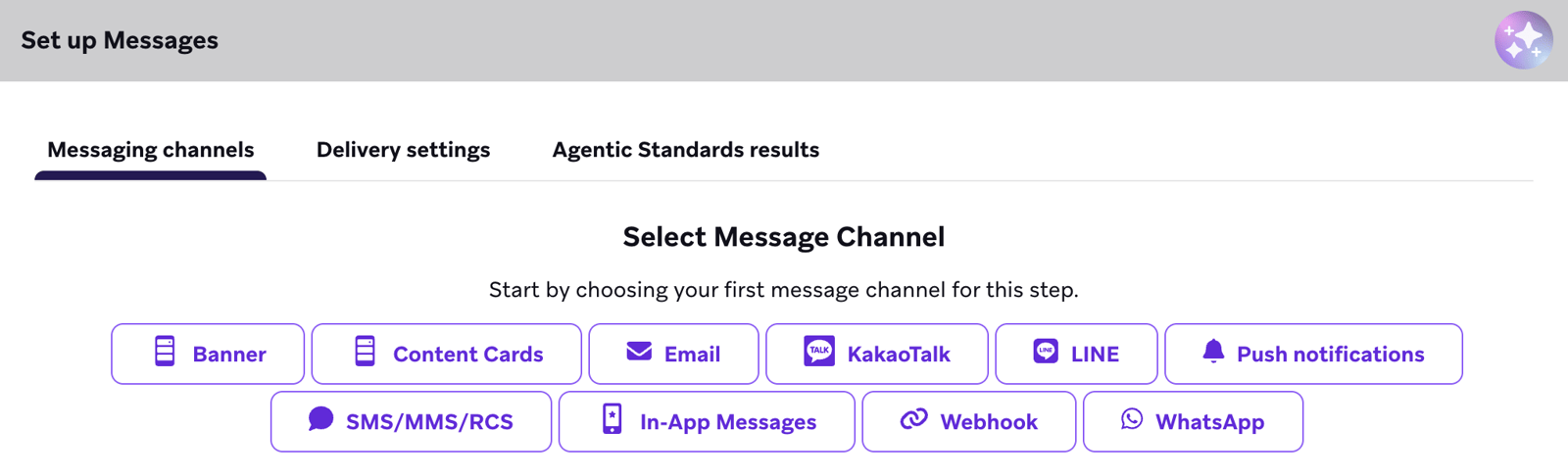
Braze is a customer engagement platform built for consumer apps: events from Braze's SDKs, its API or a warehouse sync trigger Canvas journeys across push, in-app, email, SMS and WhatsApp.
Braze is the platform most consumer app teams shortlist first, because push, in-app messages and Content Cards aren't add-ons there. They're first-class channels.
How an abandoned-cart message runs in Braze. Your app sends events through Braze's SDK, or your backend posts them to Braze's user track endpoint, which accepts up to 75 attributes, events and purchases per request. A Canvas starts on a schedule, when a user takes an action (for example, adds to cart and doesn't check out) or when your system adds users through the API. Braze checks the audience before anyone enters, then routes each user through message, delay and split steps. Every send passes the per-minute rate limit first and the workspace frequency caps second.
Limits worth knowing. A Canvas can't hold more than 200 steps. Global frequency capping allows up to 10 rules per workspace with windows of up to 30 days; in-app messages and Content Cards don't count against them. Braze's Cloud Data Ingestion syncs straight from Snowflake, BigQuery, Redshift, Databricks and Microsoft Fabric and handles up to 500 million rows per run. Journeys can also test many message variants, and Braze's algorithms send more users down the winning path.
Where it connects. Segment and mParticle are on Braze's list of data partners, Hightouch and Census as reverse ETL partners, and Canvas can sync audiences to Facebook and Google. We didn't find a native Salesforce or HubSpot connector in Braze's partner listings, so plan to route CRM data through the warehouse or a CDP.
Price. Quote only. Braze's four editions (Go, Select, Pro and Enterprise) are priced on monthly active users plus a pool of Action Credits, and it doesn't offer a free plan.
- your product is a mobile or web app and push, in-app messages and Content Cards matter as much as email.
- your data team already models customers in Snowflake, BigQuery, Redshift or Databricks and wants to sync it in directly.
- you need a published price or a free plan: every edition is quote-only and Braze offers no free plan.
- you're a small B2B team without engineering time for SDKs and event design; reviewers mention a learning curve.
- Users like
- Ease of use
- Users dislike
- Learning curve
- Source: G2, 1,971 reviews
- Starting price
- Quote only (Go, Select, Pro, Enterprise editions, priced on monthly active users plus message credits)
- Channels
- Email, SMS, MMS, RCS, mobile and web push, in-app, Content Cards, WhatsApp, LINE, webhooks
- Journey builder
- Canvas, up to 200 steps
- Pricing metric
- Monthly active users and profiles, plus Action Credits
- Data in
- SDKs, REST API, Cloud Data Ingestion from the warehouse
Iterable
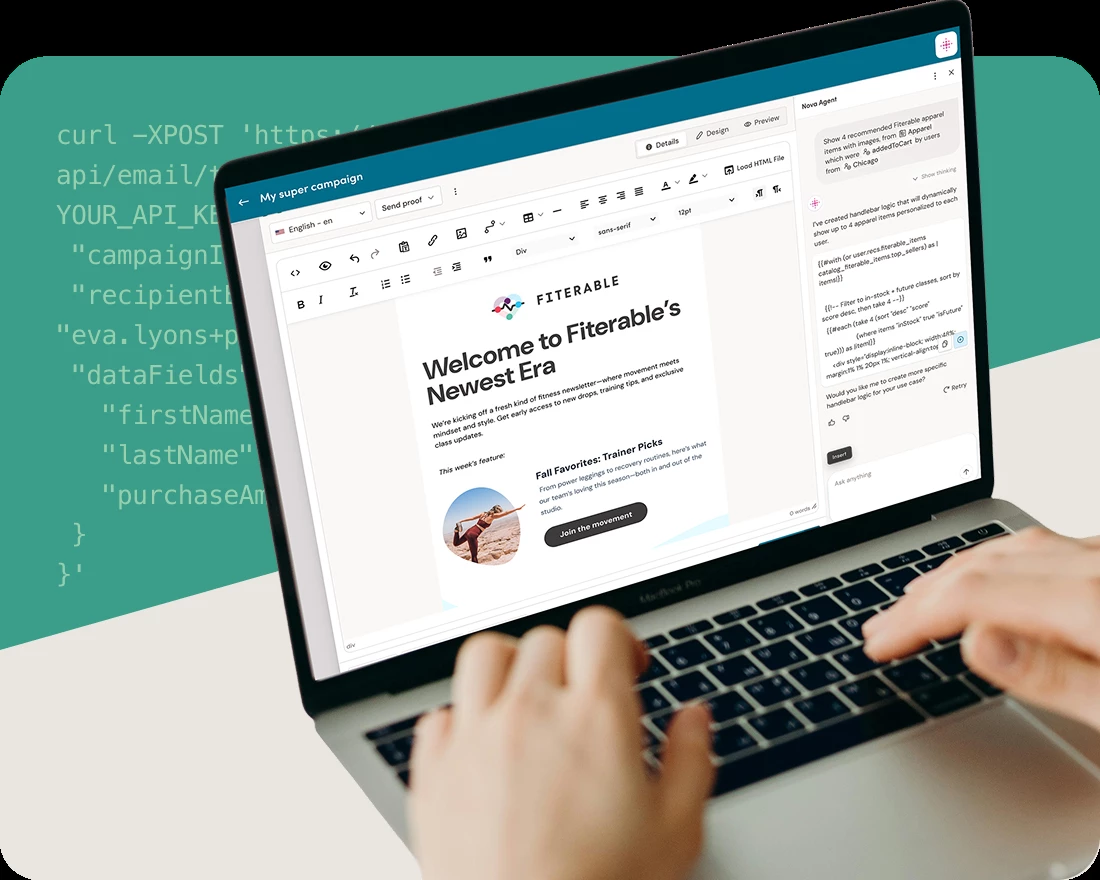
Iterable is a cross-channel marketing platform for B2C brands that runs event-triggered journeys across email, SMS, push, in-app and WhatsApp, fed by Iterable's API or a 15-minute warehouse sync.
Iterable suits B2C marketing teams that want to build journeys themselves while the data team keeps the warehouse as the source of truth.
How data and journeys connect in Iterable. Profiles and events reach Iterable through the API or through Smart Ingest, Iterable's warehouse sync, which pulls tables from Snowflake, Databricks, BigQuery or Redshift as often as every 15 minutes. A journey starts from one of four entry sources: an event (custom event, purchase, profile update, list subscribe or channel engagement), a scheduled send to a list, an API call from your system, or another journey. From one canvas, the journey sends email, SMS, push, in-app or WhatsApp and changes path based on what the user does next.
Throughput and data sharing. The event API takes 2,000 requests per second and user updates take 500 per second per project, and that's the published ceiling for real-time triggers, so check it against your peak event volume. Engagement data goes back to Snowflake through read-only Secure Data Sharing, so analysts can join message data to revenue without running exports. Iterable's Nova AI features adjust send time, content and channel per user alongside your frequency caps.
Integrations. Iterable's native Salesforce integration launched in September 2026. Iterable's integrations hub lists Meta Ads, Google Ads, Twilio Segment and Movable Ink, and Hightouch and Census work for reverse ETL.
Price. Quote only. Iterable doesn't publish a pricing page; its pricing link leads to a demo request.
- you want marketers to build journeys while data arrives from the warehouse without engineering tickets.
- email's still your main channel but SMS, push and in-app need to share one journey.
- you want to see a price before a sales call: there's no public pricing page.
- reporting is your main evaluation criterion; reviewers name missing features and reporting issues among the top complaints.
- Users like
- Ease of use
- Users dislike
- Missing features
- Source: G2, 840 reviews
- Starting price
- Quote only (no public pricing page)
- Channels
- Email, SMS, push, in-app, WhatsApp
- Journey builder
- Journeys (event, schedule, API or journey entry)
- Pricing metric
- Not published
- Data in
- API, Smart Ingest warehouse sync (15 minutes)
Customer.io
Customer.io sends messages triggered by what people do in your product, with published pricing based on profiles, reverse ETL from your warehouse and account-level objects for B2B.
Customer.io is the most transparent option in this list: it publishes its prices, and it's built around events your product already emits.
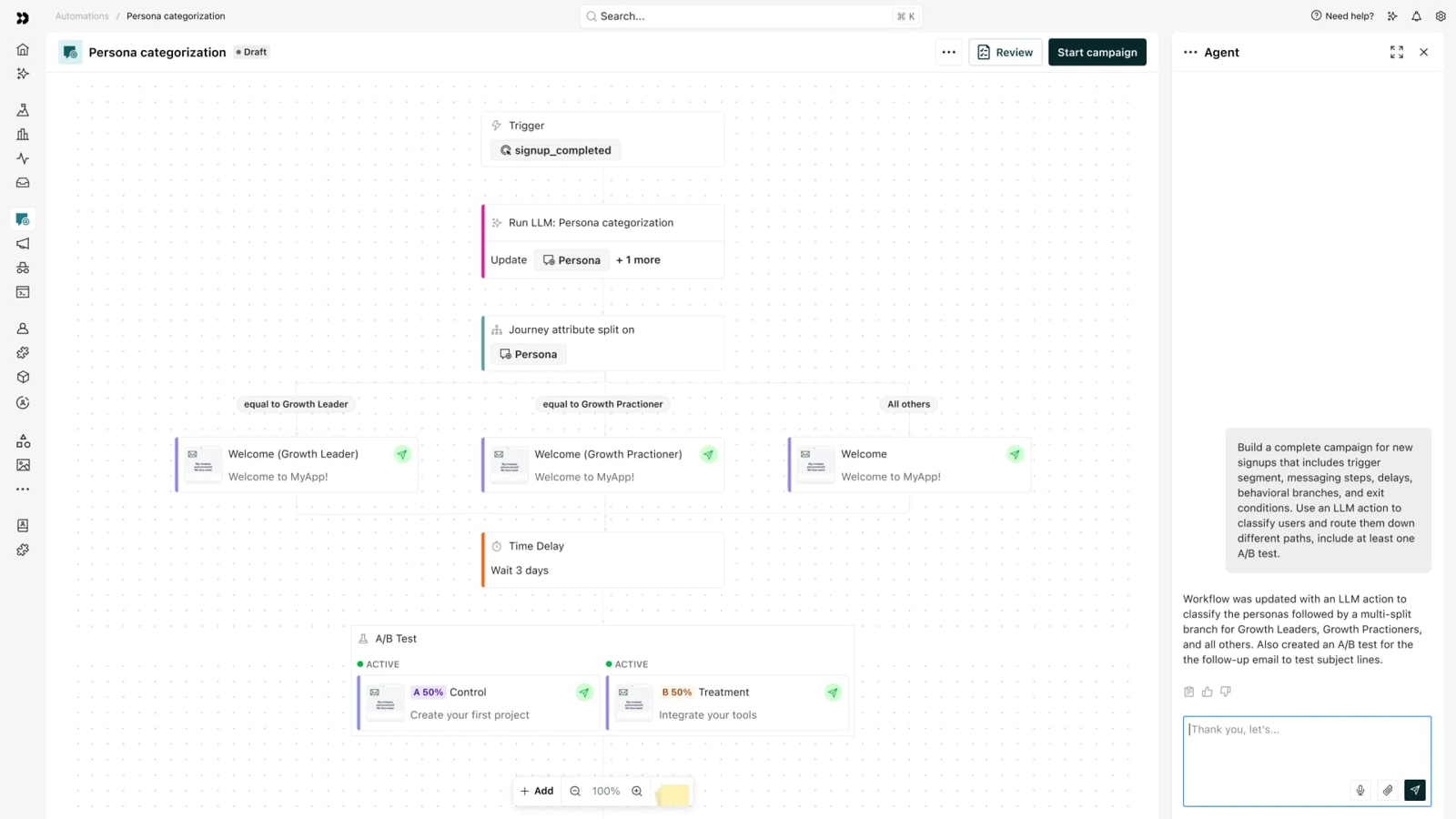
How a trial-to-paid campaign runs in Customer.io. Data arrives through Customer.io's JavaScript and mobile SDKs, server libraries, its Pipelines API, or reverse ETL from a warehouse or database as often as every minute. A campaign starts when a person matches its trigger: an attribute or segment change, an event such as trial_started, an inbound webhook, or a date like a renewal. Branches send each person down their own path across email, SMS, push, in-app, WhatsApp, LINE, Slack or a webhook to another system.
What makes it work for B2B. Customer.io's objects let you model accounts, workspaces or courses next to people, so a B2B team can message every admin of an account whose usage dropped. Essentials includes 2 object types, while Premium includes 10. Message limits cap how many messages one person gets in a period, and rate limits throttle email, SMS, push and webhook sends (but not WhatsApp, in-app, LINE or Slack). Message, people and metrics data can be exported to Snowflake.
Stack fit. Customer.io's integration list includes Salesforce, HubSpot and Segment, segments can be exported to Google Ads as audiences, and SSH tunnelling covers MySQL, PostgreSQL and SQL Server sources.
Price. Essentials starts at $100 per month for 5,000 profiles with 1 million emails, and extra profiles cost $0.009 each. Premium starts at $1,000 per month billed yearly; Enterprise is quote only. If you're a startup that's raised under $10 million, you can apply for 12 months free.
- you're a SaaS or product-led team and messages should react to product events, not list sends.
- you want published, self-serve pricing and a way to message accounts as well as people.
- you need deep built-in reporting; reviewers report campaign issues and a learning curve for advanced workflows.
- you're mostly sending newsletters to email-only subscribers: a cheaper email tool will do.
- Users like
- Ease of use
- Users dislike
- Learning curve
- Source: G2, 974 reviews
- Starting price
- $100 per month for 5,000 profiles (Essentials); Premium from $1,000 per month billed yearly
- Channels
- Email, SMS, push, in-app, WhatsApp, LINE, Slack, webhooks
- Journey builder
- Campaigns (attribute, segment, event, webhook or date triggers)
- Pricing metric
- Profiles (people plus objects), emails included
- Data in
- SDKs, Pipelines API, reverse ETL (every minute)
MoEngage
MoEngage is a customer engagement platform for app-first consumer brands, with event-triggered Flows, behavioral segmentation and push and in-app messaging next to email and SMS.
MoEngage covers the same app-first ground as Braze, but it adds product analytics in the same tool and a wide set of regional messaging channels.
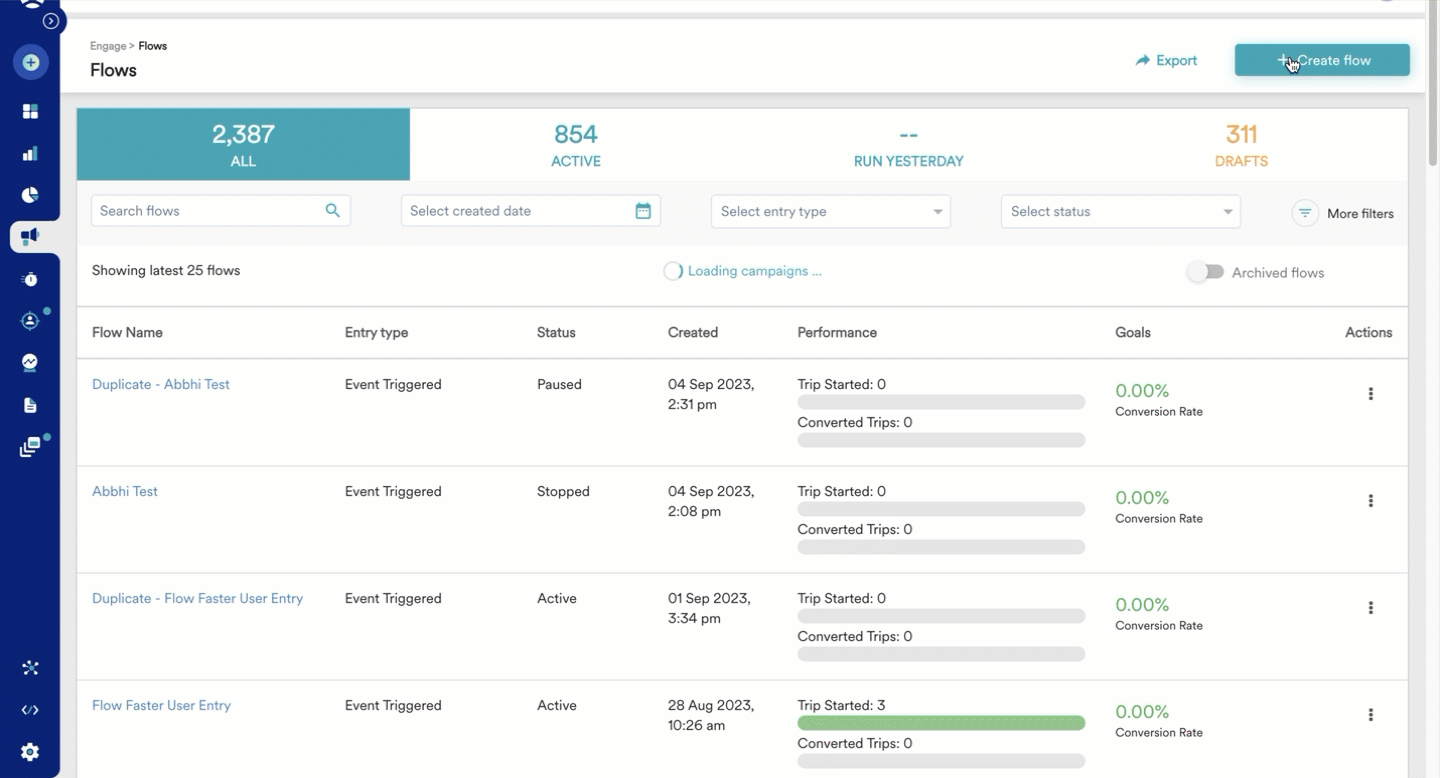
How a Flow is set up in MoEngage. MoEngage's SDK and API track events, and file imports (S3, SFTP, CSV) and direct warehouse imports from Snowflake, BigQuery or Databricks fill in the rest. You set a Flow's audience as all users, a property filter or a saved segment, then pick an entry: an event, a fixed time, exit from another Flow, or a business event such as a price change that fans out to an audience. Exit conditions pull users out from wherever they're in the Flow, and the Flow's conversion goal applies to every message inside it.
Timing and testing controls. Delays run from 5 minutes to 30 days, and the entry limit window (how often one user can re-enter) runs from 1 day to 1 year. A Flow-level control group gives you a holdout without building a second journey. Business-event Flows can't run more than 5 activations per hour or 20 per day. Warehouse Segments build audiences on Snowflake, Databricks or BigQuery without copying the data, but they're an add-on.
CRM and commerce connections. MoEngage's native Salesforce integration syncs contacts, leads, opportunities and custom objects, though MoEngage notes it may need a paid add-on. Shopify sends store events directly, MoEngage works as a Segment source, and Connected Segments push audiences to ad networks (also an add-on). The Flows API can read and control Flows but not build them.
Price. Quote only. Growth and Enterprise are priced on monthly tracked users, and WhatsApp, RCS, LINE, Viber, Telegram, Warehouse Segments and Connected Segments are sold as add-ons.
- your growth depends on app engagement and you want analytics and messaging in the same tool.
- you sell in several regions and need channels like WhatsApp, RCS, LINE or Viber in one journey.
- you need a public price: both plans are quote-only and several channels and modules are add-ons.
- your team doesn't have time to learn the tool; reviewers list missing features and a learning curve.
- Users like
- Ease of use
- Users dislike
- Missing features
- Source: G2, 534 reviews
- Starting price
- Quote only (Growth and Enterprise plans, priced on monthly tracked users; WhatsApp and warehouse segments are add-ons)
- Channels
- Push, in-app, email, SMS, web, content cards; WhatsApp, RCS, LINE, Viber, Telegram as add-ons
- Journey builder
- Flows (event, time, flow exit or business event entry)
- Pricing metric
- Monthly tracked users
- Data in
- SDKs, API, file imports, warehouse import
Insider One
Insider One (formerly Insider) combines a customer data platform, website personalization and cross-channel journeys, with commerce triggers such as price drops and back-in-stock built in.
Insider One combines a customer data platform, website personalization and messaging, which suits retailers who want the site and the inbox to know the same thing about a shopper.
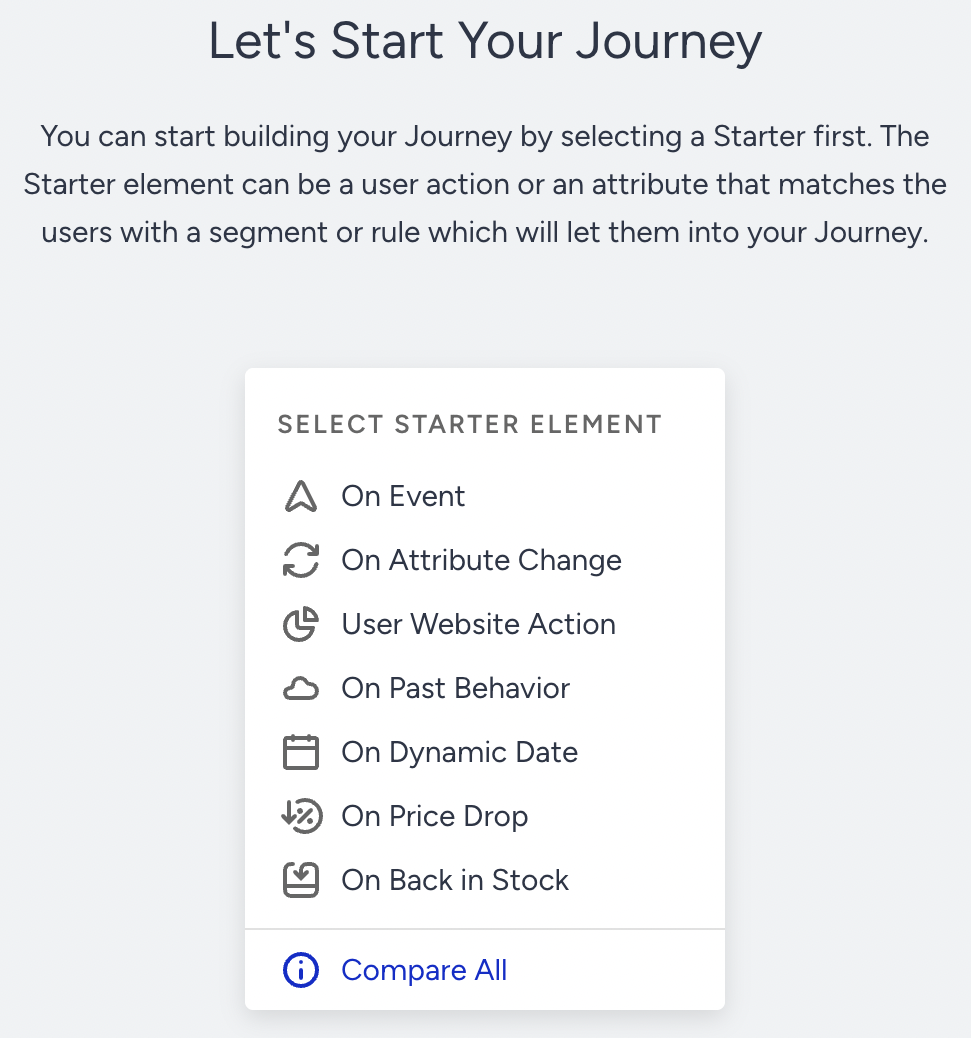
How a back-in-stock journey runs in Insider One. Insider One's web tag and app SDKs collect behavior, server-side and batch imports add the rest, and identity resolution merges anonymous and known records into one profile. Journeys are built in Architect, Insider One's drag-and-drop builder. A shopper enters on an event, an attribute change, a date, past behavior, a website action, a price drop or a back-in-stock signal, then moves through waits, conditions and A/B splits to channel steps: email, SMS, WhatsApp, web or app push, onsite, in-app, or a Facebook or Google ad audience.
Commerce triggers and warehouse segments. The price-drop and back-in-stock starters are built in, so you don't need to engineer those events. Zero-copy segments run their queries on your Snowflake, BigQuery or Databricks compute and store only membership; a query can run up to 60 minutes, and the warehouse bills you for it. The BigQuery sync runs every 15, 30 or 45 minutes, hourly or daily, needs a last-updated column, and doesn't pass deletions.
Catalog of connections. Insider One's integration catalog lists Salesforce, HubSpot and Microsoft Dynamics as sources, Shopify and VTEX for commerce, Segment, mParticle, Tealium, Hightouch and Census for data, and Google, Facebook and TikTok ads as destinations.
Price. Quote only. Insider One doesn't publish a rate card.
- you're running an ecommerce or retail site and want onsite personalization and messaging in one profile.
- WhatsApp and ad audiences need to be steps in the same journey as email and push.
- you want a quick, self-serve setup; reviewers mention setup time and a learning curve.
- you can't get budget approval without a public price.
- Users like
- Ease of use
- Users dislike
- Learning curve
- Source: G2, 1,430 reviews
- Starting price
- Quote only (no public rate card)
- Channels
- Email, SMS, WhatsApp, web and app push, onsite, in-app, Facebook and Google ad audiences
- Journey builder
- Architect (7 entry types incl. price drop and back in stock)
- Pricing metric
- Not published
- Data in
- Web tag, app SDKs, server and batch imports, warehouse
Klaviyo
Klaviyo is the email and SMS platform most ecommerce stores start with: Shopify orders and onsite events land on the profile, and flows trigger on purchases, price drops or low inventory.
Klaviyo is built around the store connection, and that's its main advantage: the profile fills with orders and browse events on day one.
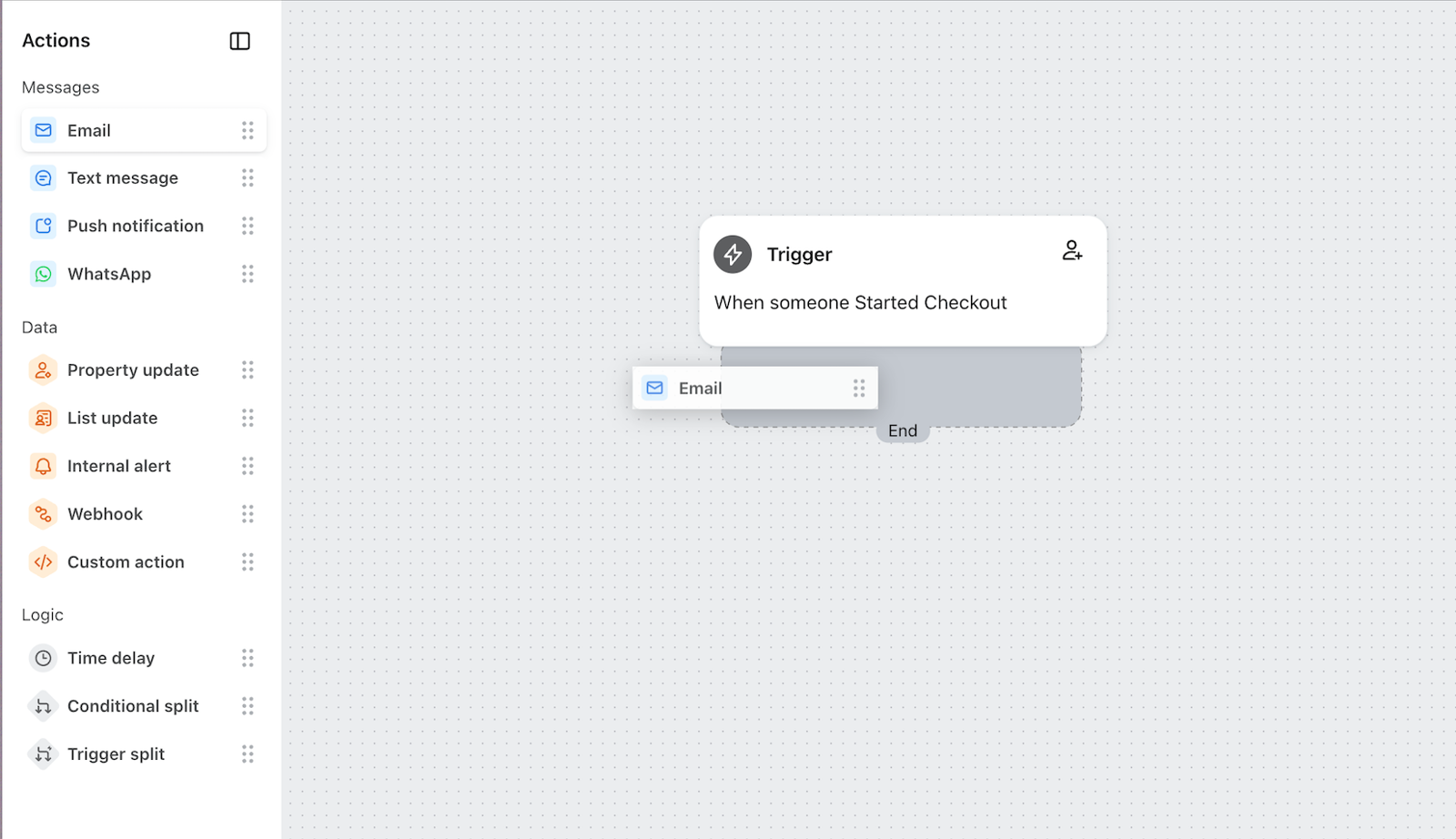
How a store connects to Klaviyo flows. Connect Shopify and Klaviyo pulls in the store's customer profiles, orders and onsite events such as Viewed Product. Segments are built from what people did and who they're, and they update in close to real time. A flow starts from a list, a segment, a metric (an event like Placed Order), a date property, a price drop or low inventory. Klaviyo re-checks profile filters before each step and again at send time, so someone who bought in the meantime drops out of an abandoned-cart flow.
Flow logic and audiences. A split can't route to more than 20 paths. Segments can use Klaviyo's predicted customer lifetime value. Lists and segments sync to Meta as custom audiences every hour, and Meta needs at least 100 profiles to match. Importing from and exporting to Snowflake, BigQuery, Redshift or Databricks needs the paid Advanced KDP add-on, and export runs on a fixed hourly schedule.
Outside the store. Klaviyo's integration directory lists more than 350 integrations. Klaviyo's Salesforce sync brings up to 3 objects (lead, contact, account, opportunity or other) into profiles each hour, one way. We didn't find a native HubSpot integration.
Price. The free plan covers 250 active profiles and 500 email sends a month. That's enough to set up flows, but not much more. Email starts at $20 per month for 251 to 500 profiles with 5,000 sends, then $30 for up to 1,000 profiles. SMS, MMS, WhatsApp and RCS are billed per message, and Klaviyo doesn't publish a single US rate for them.
- you're running a Shopify or other ecommerce store and want flows on order, browse and inventory data from day one.
- you want a free start and pricing that grows with active profiles.
- your CRM is HubSpot or you need two-way Salesforce sync: there's no native HubSpot sync and the Salesforce sync is one-way.
- your list grows fast; cost scales with active profiles, a common complaint on G2.
- Users like
- Ease of use
- Users dislike
- Cost as lists grow
- Source: G2, 1,368 reviews
- Starting price
- Free up to 250 active profiles; email from $20 per month for 251 to 500 profiles; SMS and other mobile messages billed per message
- Channels
- Email, SMS, MMS, WhatsApp, RCS, push, Meta ad audiences
- Journey builder
- Flows (list, segment, metric, date, price drop, low inventory triggers)
- Pricing metric
- Active profiles, mobile messages per message
- Data in
- Store integrations, API, warehouse (Advanced KDP add-on)
HubSpot Marketing Hub
HubSpot Marketing Hub is HubSpot's marketing automation suite, and in a stack built on HubSpot CRM it removes the hardest handoff: leads, contacts and deals live in the same database, so there's no sync to break. For the full field, see our guide to the best marketing automation software.
For a B2B team on HubSpot CRM, Marketing Hub is the engagement tool with the fewest moving parts: contacts, segments, emails and deals live in one database.
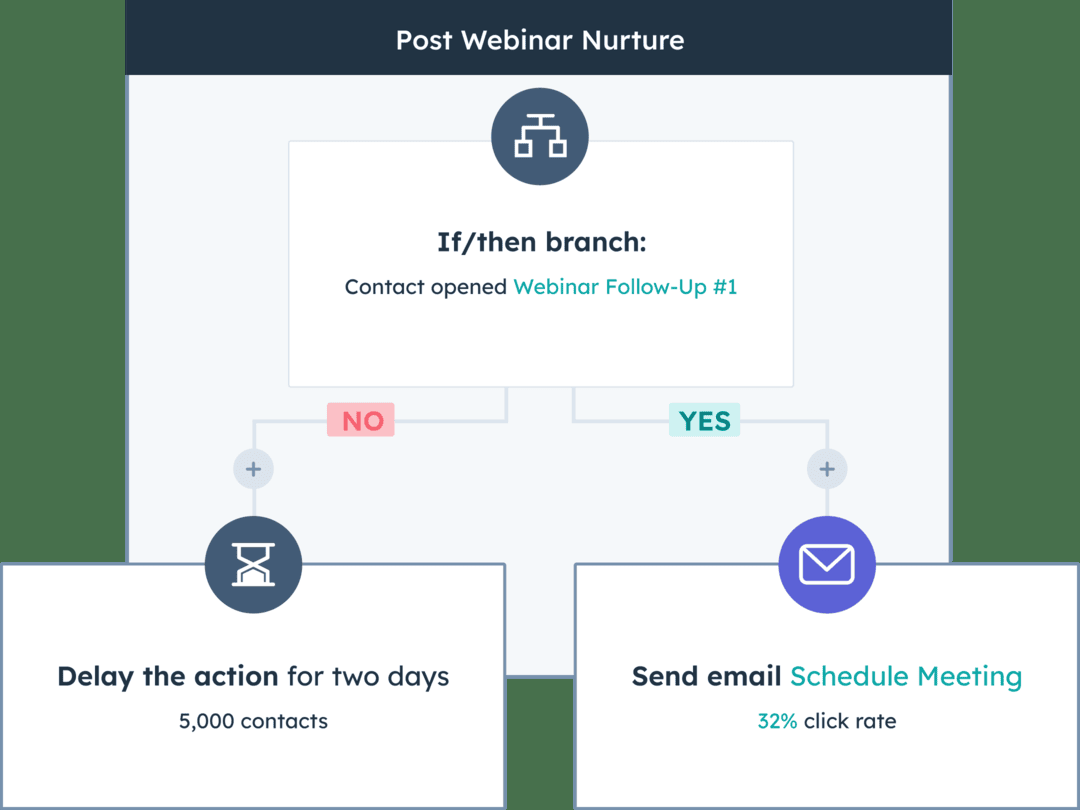
How a nurture workflow runs in HubSpot. Contacts, companies and deals already sit in HubSpot's CRM, or come in from Salesforce through the native sync on Professional and Enterprise. You build active or static segments from properties, events and list memberships, with up to 250 filters (60 on associated records). A workflow enrolls records on a filter, an event, a schedule or a webhook, then sends a marketing email, updates a property, creates a task for sales or, with the SMS add-on, sends a text to opted-in contacts.
Plan gates to check. Workflows start at Professional, so that's the real entry point for triggered engagement, not Starter. The same segments feed workflows and ad audiences, so suppression lists stay consistent. Re-enrollment is off by default, and that's a setting that catches teams whose welcome or renewal workflows should run more than once.
Sync and channel limits. HubSpot's Salesforce integration syncs contacts, companies, deals and activities both ways on Professional and Enterprise; our HubSpot Salesforce integration guide covers its setup and sync errors. We didn't find mobile push or in-app messaging in Marketing Hub's plans, so app-first teams should look at the platforms above.
Price. Starter is $7 per seat per month as a new-customer offer ($20 regular) with 1,000 marketing contacts. Professional starts at $800 per month billed annually with 3 core seats, 2,000 marketing contacts and $3,000 onboarding; Enterprise starts at $3,600 per month with $7,000 onboarding. See our HubSpot Marketing Hub pricing breakdown for contact tiers.
- you run HubSpot CRM, or plan to, and want one system for contacts, campaigns and reporting.
- a small team needs automation it can set up without a dedicated admin, and doesn't want to manage a sync.
- your sales team lives in Salesforce and you need complex, near-real-time sync rules; Account Engagement and Marketo are built around that sync.
- you're counting on lead scoring in Starter, because scoring isn't available until Professional.
- Users like
- Ease of use
- Users dislike
- Learning curve
- Source: G2, 15,978 reviews
- Starting price
- $7 per seat per month (Starter, limited-time offer)
- Data in
- HubSpot CRM, forms, Salesforce sync (Professional and up)
Salesforce Marketing Cloud
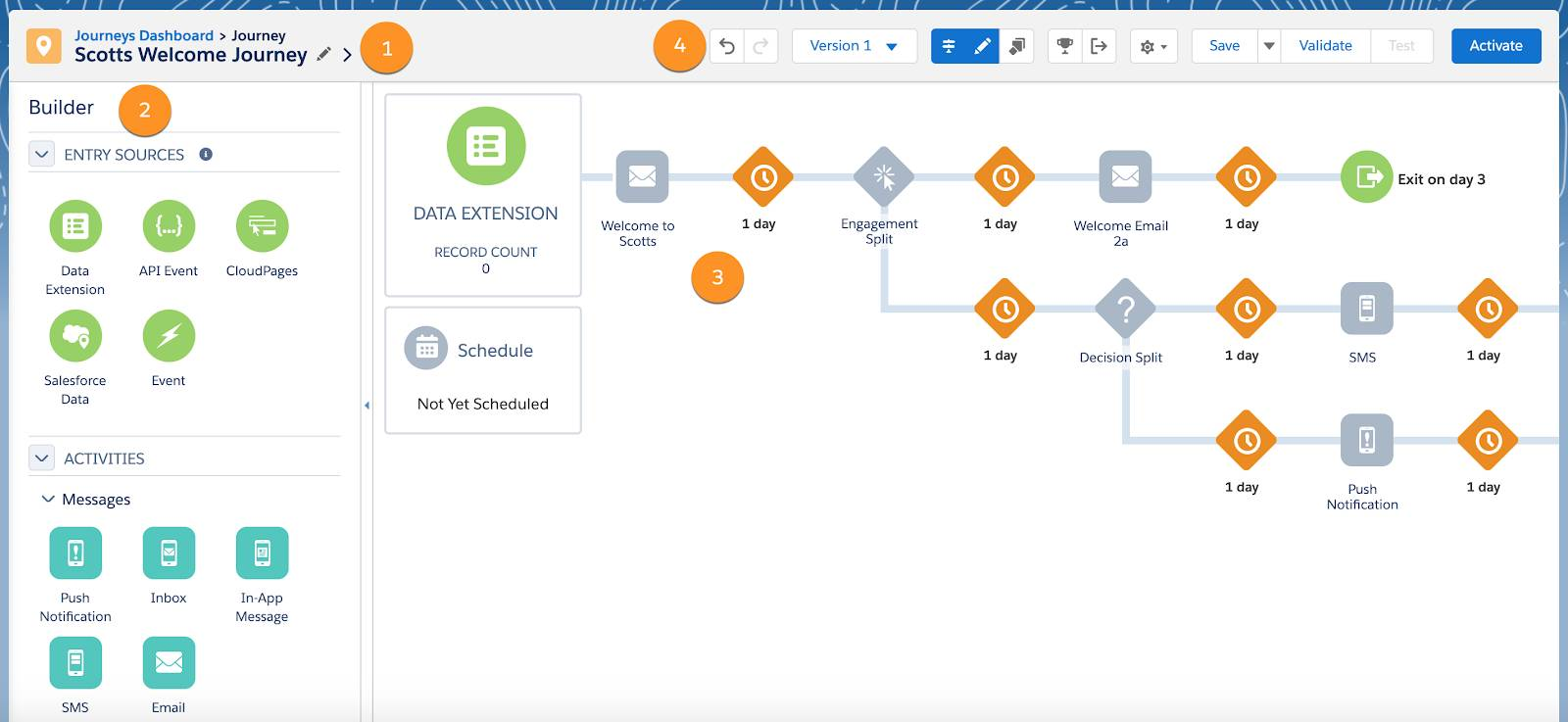
Salesforce Marketing Cloud is the enterprise option for teams on Salesforce CRM: Journey Builder starts journeys from data extensions, API events or Salesforce records and can write back to CRM through the Marketing Cloud Connector.
Salesforce Marketing Cloud is the enterprise choice when journeys need to act on Sales Cloud and Service Cloud records and there's an admin team to run it.
How Journey Builder moves a contact. Every journey in Salesforce's Journey Builder starts from an entry source: a data extension, an API event, an audience, a CloudPages form, or Salesforce data and events. Contacts then move through email, SMS and push activities, waits and splits, and Customer Update activities that write values back to a data extension. Goals are checked during waits, so a contact who converts leaves the journey instead of getting the next reminder.
Ads, CRM steps and editions. The Ad Audience activity pushes contacts into paid audiences on Google, Meta and other networks from inside the journey. Sales and Service Cloud steps, such as creating a task for an account owner, need Salesforce's Marketing Cloud Connector. On the current packaging, two-way SMS and WhatsApp conversations are an Advanced edition feature.
Platform direction. Marketing Cloud Next unifies profiles in Data 360, Salesforce's data platform, and existing Engagement journeys keep running when a customer upgrades. If your CRM isn't Salesforce, most of the reason to pick it goes away.
Price. Salesforce's pricing page now sells Marketing Cloud Next: Growth at $1,500 and Advanced at $3,250 per org per month, billed annually. Existing Marketing Cloud Engagement customers move to Engagement+ at $2,000 per org per month.
- your company's on Sales Cloud or Service Cloud and journeys need to act on CRM records.
- you send at enterprise volume and have admins who know SQL and AMPscript.
- you don't have a dedicated admin: reviewers name a steep learning curve and vague error messages.
- you need two-way SMS and WhatsApp on the entry edition; that's an Advanced edition feature.
- Users like
- Automation and personalization depth
- Users dislike
- Learning curve
- Source: G2, 4,850 reviews
- Starting price
- $1,500 per org per month billed annually (Marketing Cloud Next Growth); Advanced $3,250
- Channels
- Email, SMS, mobile push, WhatsApp, ad audiences (Google, Meta and others)
- Journey builder
- Journey Builder
- Pricing metric
- Per org per month, billed annually
- Data in
- Data extensions, API events, Salesforce records, Data 360
Intercom
Intercom is a customer service platform with in-app engagement on top: Series campaigns send chats, product tours, banners, posts, email and push based on user attributes and events, and Fin answers questions.
Intercom is the pick when engagement happens inside the product: onboarding tours, feature announcements and chat, tied to the same record your support team's already using.
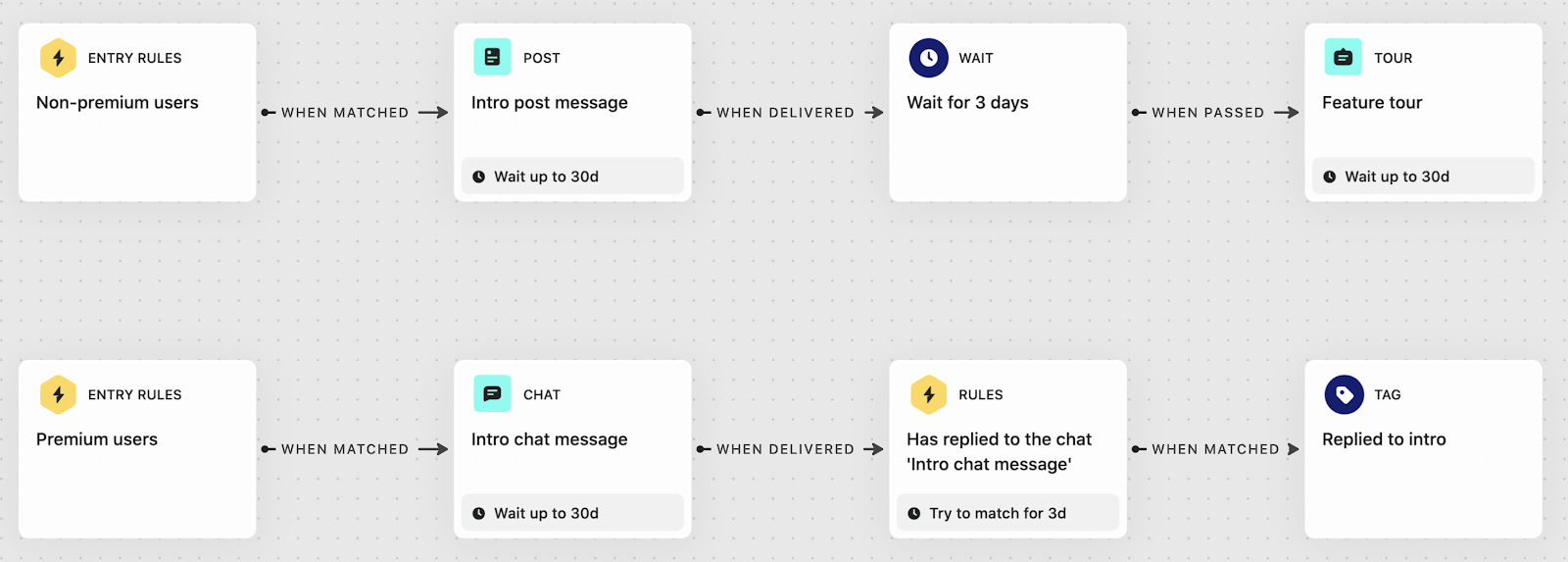
How an onboarding Series runs in Intercom. Customer data reaches Intercom through Intercom's Messenger snippet, the REST API, CSV import or app integrations; custom attributes have to be created in Intercom first. A Series starts when a user or company matches its entry rules, for example a trial account that hasn't invited a teammate by day 3. It then moves them through content blocks (in-app chats and posts, product tours, banners, email, push), wait blocks and tag blocks. Goals measure conversion in a time window, and exit rules remove anyone whose data changes.
AI agent and targeting. Fin, Intercom's AI agent, answers questions in the same Messenger, but it's billed per resolved outcome rather than per seat. Targeting runs on custom data attributes, with a soft limit of 250 active attributes per workspace and no nested objects or arrays. Outbound campaigns need the Proactive Support Plus add-on, which includes 500 messages a month.
CRM connections. Intercom's Salesforce app polls Salesforce for changes every 5 minutes, the Intercom-built HubSpot app sends data one way from Intercom to HubSpot, and Segment can feed user events from web, mobile and server.
Price. Essential is $29 per seat per month billed annually, Advanced $85 and Expert $132. Fin costs $0.99 per outcome, Proactive Support Plus is $99 per month for 500 messages, and email campaigns, SMS and WhatsApp are pay as you go.
- your engagement happens inside the product: onboarding tours, feature announcements and in-app chat.
- support and engagement should share one customer record and one inbox.
- most of your engagement is bulk email or SMS; those are pay-as-you-go extras and outbound needs an add-on.
- you need predictable costs at high volume; reviewers flag per-outcome pricing as hard to forecast.
- Users like
- Fast, accurate answers
- Users dislike
- Hard-to-predict pricing
- Source: G2, 3,925 reviews
- Starting price
- $29 per seat per month billed annually (Essential); Fin AI agent $0.99 per outcome; Proactive Support Plus $99 per month for 500 messages
- Channels
- In-app chats and posts, product tours, banners, surveys, push, email, SMS, WhatsApp
- Journey builder
- Series
- Pricing metric
- Seats plus Fin outcomes and message add-ons
- Data in
- Messenger snippet, REST API, CSV, app integrations
How do customer engagement platforms integrate with your CRM?#
Customer engagement platforms integrate with a CRM in one of three ways: a native connector, a sync through your data warehouse or CDP, or by being part of the CRM itself. The direction and frequency of the sync matter more than whether there's a logo on the integrations page, because they decide whether sales sees engagement data and whether an unsubscribe in the CRM stops the next message.
| Tool | Salesforce | HubSpot | Notes |
|---|---|---|---|
| Braze | No native connector found | No native connector found | CRM data usually arrives through the warehouse, Segment or mParticle |
| Iterable | Native integration (launched September 2026) | Not verified | Reverse ETL through Hightouch or Census |
| Customer.io | Listed integration | Listed integration | Objects model accounts for B2B |
| MoEngage | Native sync of contacts, leads, opportunities and custom objects; may need a paid add-on | Not found | Segment source supported |
| Insider One | Listed as a source | Listed as a source | Microsoft Dynamics also listed |
| Klaviyo | One-way, hourly, up to 3 objects | No native integration found | Warehouse sync needs the Advanced KDP add-on |
| HubSpot Marketing Hub | Two-way sync on Professional and Enterprise | Same database | No sync needed on HubSpot CRM |
| Salesforce Marketing Cloud | Marketing Cloud Connector for Sales and Service Cloud steps | n/a | Profiles unify in Data 360 on Marketing Cloud Next |
| Intercom | App polls Salesforce every 5 minutes | Intercom-built app syncs one way to HubSpot | Segment can feed events |
If your sales team needs engagement data on the lead or account record, don't rely on the integrations page. Send a test message during the trial, click it and check what shows up in the CRM and how long it takes.
What is customer engagement software?#
Customer engagement software, also called a customer engagement platform (CEP), uses each customer's profile to send personalized messages across email, SMS, push, in-app, web and chat, triggered by what each customer does. A CRM stores the records and the sales pipeline, marketing automation nurtures leads toward sales, and a help desk resolves tickets. The overlap is real (HubSpot covers the first three, while Intercom does engagement and support), but it pays to know which category you're buying before you compare tools. Compared with marketing automation, an engagement platform reacts to behavior in real time across app and mobile channels, while marketing automation's job is to score and nurture leads by email for a sales team.
| Software type | Built around | Typical trigger | Main channels | Covered here |
|---|---|---|---|---|
| Customer engagement platform | Customer profile and behavioral events | App event, purchase, attribute change | Push, in-app, email, SMS, WhatsApp | Braze, Iterable, Customer.io, MoEngage, Insider One |
| Ecommerce engagement | Store orders and browse events | Placed order, abandoned cart, price drop | Email, SMS | Klaviyo |
| Marketing automation with CRM | Contact and deal records | Form fill, lifecycle stage, score | Email, ads, SMS add-on | HubSpot, Salesforce Marketing Cloud |
| Conversational and in-app | User and company attributes in the product | Product usage, page visit, chat | In-app, chat, tours, email | Intercom |
| Help desk (not covered here) | Tickets and agents | Customer request | Email, chat, phone | Zendesk, Freshdesk |
If you're mainly answering incoming customer questions, you need a help desk, not one of the marketing-side platforms above. If it's sales reps sequencing outreach, that's sales engagement software. One more naming trap: Salesforce also uses "digital engagement" for the service side of its platform, where support agents answer customers on messaging channels in real time. That's a service product, not Marketing Cloud.
How much does customer engagement software cost?#
Most engagement platforms don't charge for users of the tool; they charge for the size of your audience. That's why the pricing metric matters more than the starting price: it decides what happens to the bill when your app or list grows.
| Tool | Pricing metric | Published starting price (USD) | Free option |
|---|---|---|---|
| Braze | Monthly active users and profiles, plus Action Credits | Quote only | No free plan |
| Iterable | Not published | Quote only | No |
| Customer.io | Profiles (people plus objects), emails included | Essentials from $100 per month | 12 months free for eligible startups |
| MoEngage | Monthly tracked users, channel add-ons | Quote only | No |
| Insider One | Not published | Quote only | No |
| Klaviyo | Active profiles; mobile messages per message | Email from $20 per month | Free up to 250 active profiles |
| HubSpot Marketing Hub | Seats plus marketing contacts | Starter from $7 per seat (offer) | Free tools, 2,000 email sends per month |
| Salesforce Marketing Cloud | Per org per month, billed annually | $1,500 per org per month | No |
| Intercom | Seats, AI outcomes, message add-ons | $29 per seat per month | No |
Which platform fits your team#
Picking customer engagement software by team type is a start, but most shortlists aren't decided that way. They're decided by a constraint: budget, engineering time, the CRM or the channel mix. This table starts from the constraint.
- You need a published price under $100 a month to startKlaviyo
- You want self-serve pricing that grows with profiles, from $100 a monthCustomer.io
- Your CRM is HubSpot and you don't want a second customer databaseHubSpot Marketing Hub
- Journeys must create tasks and update records in Sales CloudSalesforce Marketing Cloud
- The data team wants Snowflake or BigQuery to stay the source of truthIterable
- Push, in-app messages and Content Cards decide retentionBraze
- You message customers on WhatsApp, LINE or Viber in several regionsMoEngage
- Onsite personalization and messaging should share one shopper profileInsider One
- Engagement happens inside your product, next to supportIntercom
For ecommerce stores, Klaviyo is built around the store's data, and Insider One adds onsite personalization on the same profile. For SaaS companies, Customer.io fits event-triggered lifecycle messages and Intercom's the fit for engagement inside the product. For a small business, budget usually settles it. Klaviyo is free up to 250 active profiles and starts at $20 a month after that, HubSpot Starter starts at $7 per seat as a new-customer offer, and Customer.io's published entry point is $100 a month. Braze, Iterable, MoEngage and Insider One don't publish prices and take more setup, so they're usually rolled out with an engineering or data team behind them.
How do you choose customer engagement software?#
A demo of a customer engagement platform will show you the journey builder, but it won't show you what running the tool takes. These questions will.
- Where does customer data live today (app, store, CRM, warehouse), and does the tool read it natively or through a CDP?
- Who defines and maintains the event names the journeys listen for?
- Which channels do you need in year one, and which are add-ons or billed per message?
- How does the tool count a profile or active user, and what does that cost at your size in 12 months?
- How do unsubscribes and consent move between the tool, your CRM and your forms?
- Which engagement data needs to go back to the CRM or warehouse, and how often?
- Can a marketer build and change a journey without engineering?
- Which frequency caps and exit rules exist, and can they cover all channels?
- Who on the team owns deliverability for email and SMS?
Run two or three real journeys in the vendor's trial or pilot (an onboarding sequence, a re-engagement message and one transactional trigger) with your own data. It'll tell you more about integration effort and reporting than any feature list.
What breaks between your engagement platform and the rest of the stack#
A customer engagement platform is only as reliable as the data and links around it. These are the handoffs that fail most often, and none of them shows up as an error inside the tool, which is why they're easy to miss.
- Event names drift. A developer renames
checkout_startedin the app and the abandoned-cart journey stops entering anyone. The journey still looks healthy. It just doesn't get any traffic. - Consent doesn't sync. Someone unsubscribes through the CRM or a preference center and the engagement tool doesn't hear about it, so it keeps sending, or the reverse, and you have a compliance problem.
- Identities split. An anonymous app user and the same person's email profile never merge, so they'll get the welcome series twice and miss the segment that matters.
- CRM write-back stops. For B2B teams, engagement data that should create a task or update a lead status in the CRM quietly stops after someone's changed a field or a permission.
- Links lose tracking. Message links ship without UTM parameters or with the wrong ones, and the conversions land as direct traffic. Our guide to UTM parameters covers the naming rules.
You can check these by hand once a quarter, of course, but you'll find problems weeks late. That's the gap we built our own product for.
FAQ#
What is customer engagement software?
Customer engagement software uses a shared customer profile to send personalized messages across channels such as email, SMS, push notifications, in-app messages and WhatsApp, triggered by what each customer does. Braze, Iterable, Customer.io, MoEngage and Klaviyo are common examples.
What is the best customer engagement software?
The best customer engagement software depends on where your customers are, and there isn't one winner. Braze and MoEngage are built for mobile apps, Klaviyo for ecommerce stores, Customer.io for SaaS products, HubSpot for B2B teams on HubSpot CRM and Salesforce Marketing Cloud for enterprises on Salesforce.
What is the difference between a CRM and a customer engagement platform?
A CRM's job is to store customer and deal records for sales and service teams. A customer engagement platform uses customer data to run automated, personalized conversations at scale across channels. Many teams use both and sync data between them.
How much does customer engagement software cost?
Customer engagement software is usually priced by audience size, such as monthly active users, profiles or contacts, and many vendors don't publish a price. Of the published prices checked in October 2026, Klaviyo email starts at $20 per month, Customer.io at $100 per month and Salesforce Marketing Cloud at $1,500 per org per month billed annually.
Is there free customer engagement software?
Yes, but the free plans have limits. Klaviyo's free plan covers 250 active profiles and 500 email sends a month, and HubSpot's free tools include 2,000 email sends a month. Customer.io offers 12 months free to eligible startups.
Do I need a customer data platform as well?
You don't always need a separate customer data platform. Most platforms in this list collect events through their own SDKs or sync from a data warehouse, so you won't need one on day one. A separate CDP such as Segment helps when several tools need the same events and you want to define them once.